
BlueTicks for Gmail
A Chrome extension that shows when sent Gmail messages are opened, using WhatsApp-style ticks and privacy-first tracking.
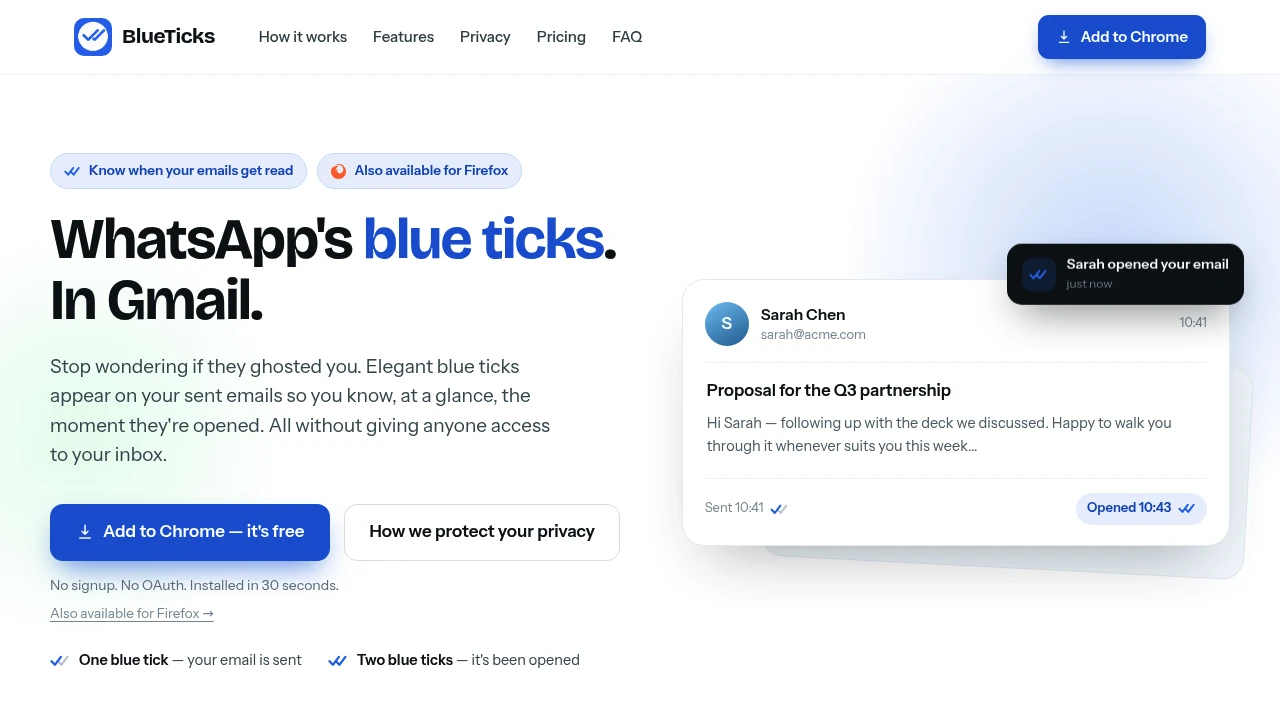
Know when your Gmail emails have been opened with simple, built-in read receipts. This Chrome extension adds email tracking directly to Gmail, helping professionals, sales teams, freelancers, recruiters, and business users see when recipients open their emails without changing the way they already work.
Add Read Receipts to Gmail Without Leaving Your Inbox
Instead of wondering whether an important email has been seen, install the extension and continue sending emails through Gmail as usual. Read status appears directly inside your Sent folder with familiar blue ticks, while a companion side panel provides quick visibility into recent conversations and email activity.
Whether you're following up with clients, prospects, candidates, or colleagues, the extension gives you better timing for your next email.
Key Features
Gmail Read Receipts
Track when recipients open your emails.
View message status with:
- Sent indicators
- Open confirmations
- Read status updates
- Email tracking
- Gmail integration
directly inside your inbox.
Blue Tick Status
See email status at a glance.
Blue ticks indicate whether an email has:
- Been sent
- Been opened
- Updated read status
- Active tracking
- Delivery visibility
without leaving the Sent folder.
Detailed Open Information
View additional information about email opens.
Access details including:
- Date opened
- Time opened
- Device information
- Read activity
- Open history
through convenient hover actions.
Inbox Side Panel
Monitor tracked conversations alongside Gmail.
The companion panel displays:
- Conversation status
- Recent activity
- Read receipts
- Email tracking overview
- Quick status checks
without opening individual messages.
Multi-Account Support
Use read receipts across multiple Gmail accounts.
Manage tracking for:
- Personal Gmail accounts
- Multiple inboxes
- Separate workflows
- Different profiles
- Connected Gmail sessions
from one extension.
Invisible Recipient Experience
Track email opens without changing the recipient's experience.
Your emails remain:
- Unchanged in appearance
- Free from recipient notifications
- Familiar to recipients
- Standard Gmail messages
- Seamless for communication
while providing read insights to the sender.
Privacy-Focused Design
Monitor email activity while minimising unnecessary data collection.
The extension is designed with:
- No Google account password requirement
- No OAuth access
- No stored email content
- Data minimisation principles
- GDPR-focused privacy practices
to protect user information.
Flexible Plans
Choose a plan that fits your email tracking needs.
Options include:
- Free read receipts for Gmail accounts
- Unlimited tracking plans
- Google Workspace plans
- Individual subscriptions
- Business-friendly upgrades
for occasional and frequent email users alike.
Built for Gmail Email Tracking
The extension combines Gmail read receipts, blue tick status indicators, detailed open tracking, multi-account support, privacy-first design, and inbox-side monitoring into one lightweight email tracking solution.
Key benefits include:
- Gmail read receipts
- Email open tracking
- Gmail email tracking
- Read receipt extension
- Email follow-up insights
Built For
- Sales Professionals
- Recruiters
- Freelancers
- Business Owners
- Customer Success Teams
- Consultants
Common Use Cases
- Tracking client emails
- Following up on sales outreach
- Monitoring recruitment emails
- Confirming important messages were read
- Managing multiple Gmail accounts
- Improving email follow-up timing
Why It Matters
Following up too early—or too late—can reduce the effectiveness of important email conversations. This Gmail extension provides clear visibility into when emails have been opened by adding read receipts directly to your inbox. With blue tick indicators, detailed open information, a companion side panel, multi-account support, and a privacy-focused approach that avoids unnecessary data collection, users can make better-informed follow-up decisions without changing their existing Gmail workflow.
Track Gmail Email Opens With Simple Read Receipts
Install a lightweight Chrome extension, continue sending emails through Gmail, see blue tick read receipts in your Sent folder, view detailed open information including date, time, and device, monitor conversations through a dedicated side panel, manage multiple Gmail accounts, and improve your email follow-up strategy with privacy-focused tracking.


