
Blur Background
A browser tool that blurs distractions in one JPG, PNG, or WebP photo, lets you compare the result, and download it without signing in.
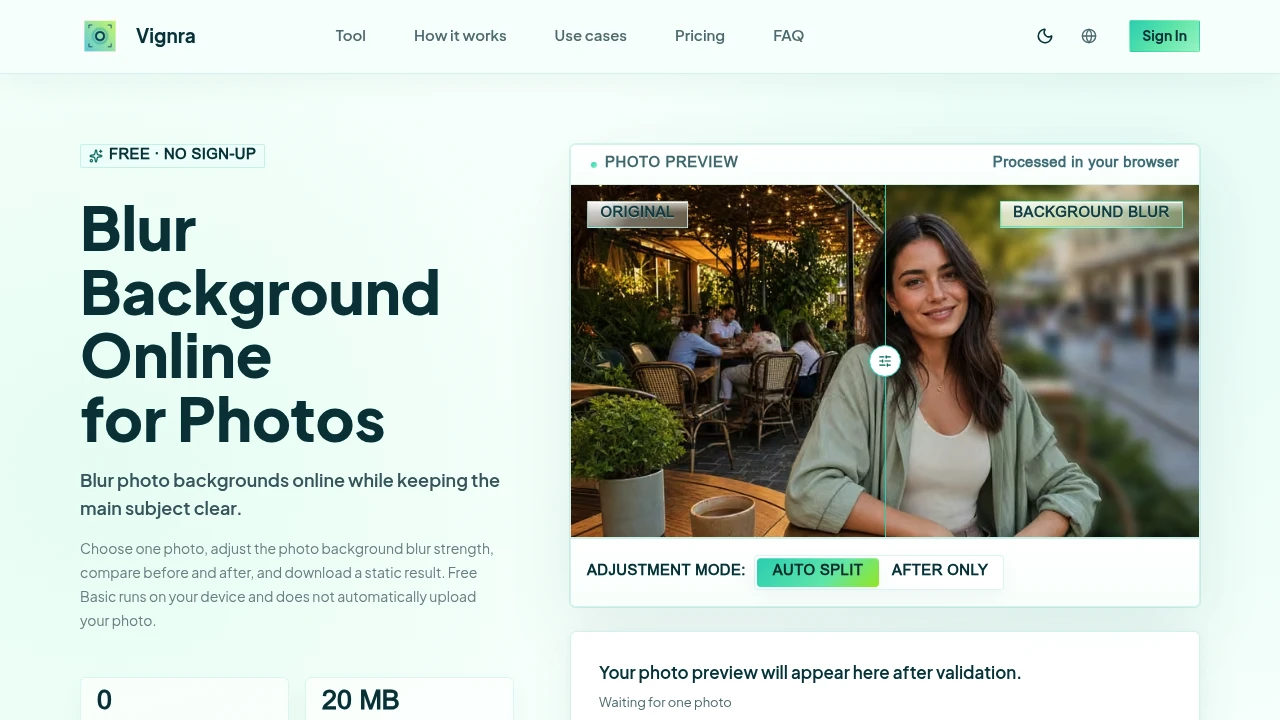
Blur photo backgrounds instantly without learning complex editing software. This browser-based background blur tool helps photographers, creators, businesses, and everyday users create professional-looking portraits, product photos, profile pictures, and social media images while keeping the main subject sharp and in focus.
Blur Image Backgrounds Quickly Without a Full Photo Editor
Instead of spending time masking backgrounds in advanced editing software, this tool focuses on one job—adding adjustable background blur while preserving the subject. Process a single image, preview the result, compare before and after, fine-tune the blur strength, and download a finished static image when you're satisfied.
Whether you're preparing a LinkedIn headshot, eCommerce product image, YouTube thumbnail, or social media profile picture, the workflow remains simple and focused.
Key Features
Local Browser Processing
Blur photos directly on your device.
The free browser mode allows you to:
- Process images locally
- Avoid automatic uploads
- Edit without creating an account
- Keep original files on your device
- Maintain greater privacy
through client-side processing.
Adjustable Background Blur
Choose the amount of blur that best suits your image.
Control:
- Blur intensity
- Background softness
- Subject separation
- Natural depth effect
- Final appearance
before exporting the finished image.
Before & After Comparison
Review your edits before downloading.
Compare:
- Original image
- Blurred version
- Subject clarity
- Background appearance
- Final quality
side by side for better editing decisions.
One-Click Export
Download your completed image immediately.
Export features include:
- Static image output
- Ready-to-share files
- High-quality downloads
- Simple workflow
- Fast results
without additional editing steps.
Multiple Image Formats
Work with popular image file types.
Supported formats include:
- JPG
- PNG
- WebP
- HEIC (local workflow)
- Other common image formats
for broad compatibility.
Optional AI Processing
Choose cloud-based AI only when you want it.
The optional upload workflow:
- Requires confirmation before uploading
- Displays credit usage in advance
- Gives users full control
- Separates local and AI processing
- Makes upload decisions transparent
before any data leaves your device.
Privacy-Focused Workflow
Maintain control over your photos during editing.
Privacy features include:
- Local processing
- No required account
- No automatic uploads
- User-controlled cloud processing
- Device-first workflow
for greater confidence when editing personal images.
Built for Quick Background Editing
Focus on one task instead of navigating a complex editor.
Perfect for preparing:
- Portraits
- Professional headshots
- Product photography
- Social media images
- Profile pictures
with minimal effort.
Built for Simple Background Blur
The tool combines browser-based processing, adjustable background blur, before-and-after previews, local editing, flexible export options, and optional AI enhancements into one streamlined image editing experience.
Key benefits include:
- Background blur tool
- Portrait photo editor
- Browser image editor
- Privacy-first photo editing
- Photo background blur
Built For
- Content Creators
- Photographers
- Online Sellers
- Social Media Users
- Designers
- Professionals
Common Use Cases
- Creating LinkedIn profile photos
- Enhancing portrait photography
- Improving product images
- Preparing social media posts
- Designing YouTube thumbnails
- Adding depth to everyday photos
Why It Matters
Many photo editors include background blur as just one feature within a large editing suite, making simple tasks unnecessarily complicated. This tool is designed specifically for quickly blurring photo backgrounds while keeping the subject clear. With browser-based local processing, adjustable blur controls, side-by-side previews, support for popular image formats, and optional AI processing that requires explicit confirmation before upload, users can create polished images while maintaining greater control over their privacy and editing workflow.
Blur Photo Backgrounds in Seconds
Process images locally in your browser, adjust background blur to achieve a natural depth effect, compare before-and-after results, keep the main subject sharp, export a finished static image, and enhance portraits, headshots, product photos, and social media images without using a full-featured photo editor.