
Brilliant
A professional vector design tool where people and AI agents edit the same canvas, with fully editable output and workspace support.
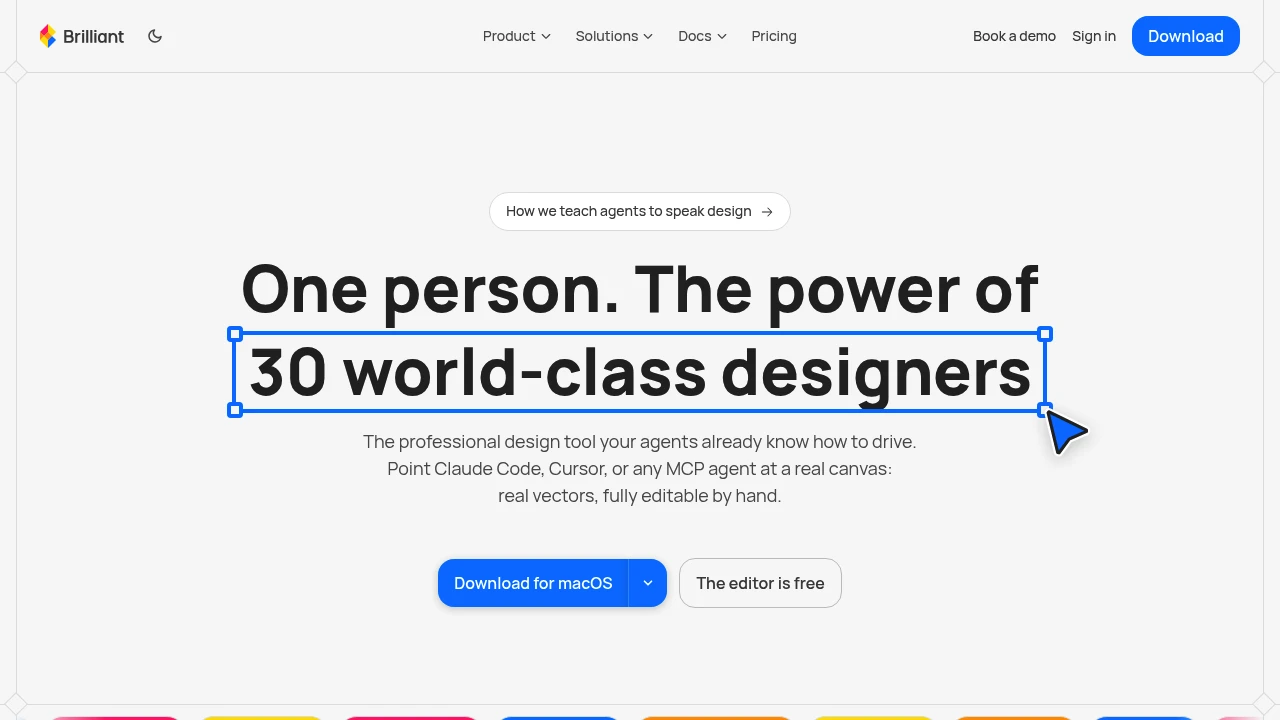
Brilliant Design is a vector design tool built around the idea of having AI participate directly in the design process. Instead of generating a flat mockup and handing it off for manual recreation, it puts designers and AI agents on the same canvas, keeping the resulting work editable and organized as a real design file.
The platform is designed for product teams, designers, and developers who want AI to contribute to usable design work while retaining control over layouts, components, and visual systems. Built-in AI chat keeps the interaction inside the editor, while agent connections allow external AI tools to work with the canvas.
Key Features
Vector Design Editor
Work directly on the design surface using a vector-based editor.
The canvas is intended to remain the central place where design work happens, allowing teams to create and refine actual design files rather than treating AI output as a static image.
Built-In AI Design Chat
AI is available directly inside the editor through contextual design chat.
This allows teams to work with AI while staying within the design file, making it easier to iterate on layouts, components, and visual decisions without switching between separate tools.
Connect AI Agents
Connect an AI agent so it can point at and work with the canvas.
This creates a workflow where AI tools can participate in the same design environment as the people reviewing and refining the work.
Editable AI-Generated Designs
AI contributions remain part of the editable design rather than being delivered only as a flattened mockup.
This matters when teams need to continue polishing, adjusting, and reviewing the output after AI has contributed to the initial design.
Design System Support
The platform supports authoring a design language so teams can establish consistent visual systems.
This is particularly useful for product teams that need AI-assisted design work to remain aligned with existing components and visual conventions.
Developer Tools for Agents
Brilliant Design includes developer tools that define the language AI agents write and the checks they run.
This provides a more structured connection between agent-driven design work and the rules or validation processes that teams want to apply.
Files & Workspace
The platform includes files and workspace functionality for managing work around the canvas.
This keeps the design itself connected to the broader workspace rather than treating individual AI generations as isolated outputs.
Built For Product & Design Teams
Brilliant Design is aimed at teams where design and development overlap and where AI needs to produce work that can actually be reviewed and modified.
It can be useful for:
- Product designers
- Developers
- Product teams
- Design teams
- AI-assisted design workflows
- Teams building and maintaining design systems
- Teams that need consistent design review
Common Use Cases
AI-assisted interface design: Use AI directly on the canvas to help produce and iterate on interface designs.
Design iteration: Refine layouts and components without moving the work into a separate AI generation tool.
Design system development: Author and maintain a consistent visual language while incorporating AI into the workflow.
Agent-driven design: Connect an AI agent to the canvas and allow it to participate in the design process.
Design-to-development workflows: Keep editable design work connected to workflows involving both designers and developers.
Collaborative review: Continue polishing AI-assisted designs inside the same editable file.
AI Inside the Design File
The defining idea behind Brilliant Design is that AI is treated as part of the design environment rather than as a separate assistant layer.
Instead of asking an external AI tool to generate an image and then recreating that result inside a design application, teams can work with AI directly on the canvas. The resulting design remains editable, giving designers control over the final layout and visual system.
A Shared Canvas for People & Agents
The platform also extends this idea to AI agents. Developers can connect an agent to the canvas, with the platform providing tools and a language that define how agents interact with the design and what checks they perform.
This creates a workflow where human designers, developers, and AI agents can work around the same design surface rather than passing static outputs between separate systems.
Why It Matters
AI-generated design can be fast, but static outputs become less useful when a team needs to review, adjust, or build on the result. Product design often requires multiple iterations, consistent components, and collaboration between design and development.
Brilliant Design focuses on keeping AI-generated work as real, editable design work. By combining a vector editor, contextual AI chat, agent connections, design system support, and developer tooling, it provides a canvas where AI can participate in the design process without removing human control over the final file.
Design With AI Directly on the Canvas
Bring AI into the actual design workflow with Brilliant Design, where designers, developers, and agents can work around the same editable canvas. With built-in AI chat, agent connections, design system support, and developer tools, the platform provides a collaborative approach to AI-assisted vector design that keeps the final work usable and editable.


