
Doc2Form
AI turns PDFs, Word docs, and scanned forms into native Google Forms in your Drive, with field types extracted from the source.
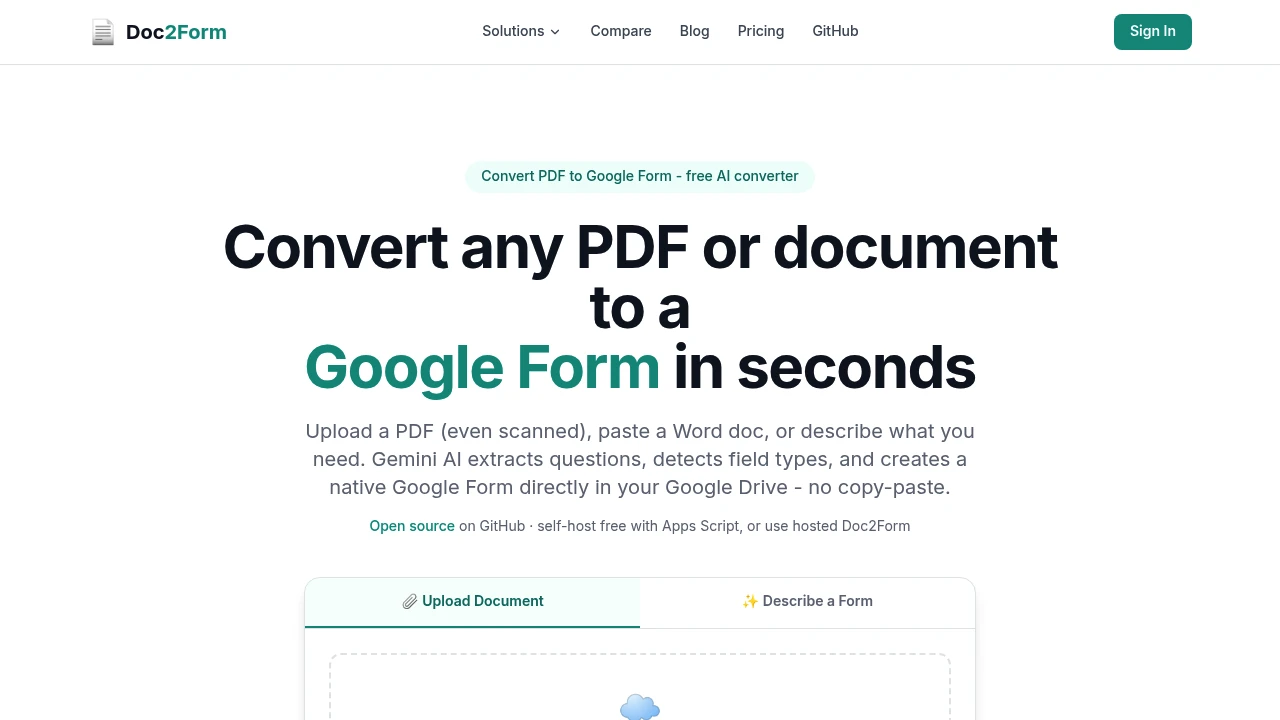
This tool turns existing documents into native Google Forms, helping teams create a usable form without manually rebuilding every question and section. Upload a PDF, Word document, or scanned image, or describe the form you need, and it extracts the questions, answer choices, and section structure before creating the finished form directly in your Google Drive.
It is designed for situations where the source material already exists, such as paper forms, inherited documents, surveys, questionnaires, and internal templates. Because the output is a native Google Form, you can edit it, share it, and connect responses to Google Sheets using the same workflow as any other Google Form.
Key Features
Scanned Form Support
The tool can process more than clean, machine-readable documents.
It supports:
- Image-based PDFs
- Scanned forms
- Photos
- Image-heavy documents
- Messy scans
This makes it useful for converting paper forms and older documents that traditional text extraction tools may struggle to interpret.
Automatic Field Type Detection
The system identifies the structure and question format of the source document and maps fields to appropriate Google Forms question types.
It can detect formats including:
- Multiple choice
- Dropdowns
- Scales
- Checkboxes
- Short answers
This reduces the amount of manual restructuring required after importing an existing form.
Question and Section Extraction
The tool extracts the key structure from the source material, including:
- Questions
- Answer choices
- Section breaks
- Field types
The extracted structure is then used to build the Google Form rather than simply converting the document into an image or static copy.
Native Google Drive Output
Generated forms are created directly in your Google Drive.
This means the finished form remains within the Google ecosystem and can be:
- Edited in Google Forms
- Shared with respondents
- Connected to Google Sheets
- Managed alongside your existing Drive files
There is no need to manually recreate the generated form on another form-hosting platform.
Document Processing and Disposal
Uploaded documents are processed to extract their form structure and are then discarded.
This keeps the workflow focused on converting the source material into a form rather than maintaining a separate document repository.
Describe a Form From Scratch
You do not always need an existing document.
You can also describe the form you want, allowing the tool to create the structure from your requirements.
This provides a faster starting point when you know what the form should contain but do not already have a formatted document.
Free and Self-Hosted Options
The service offers multiple ways to use the workflow.
Options include:
- A free first form
- Credit packs without a subscription
- An open-source version for self-hosting
The self-hosted approach is designed for users who want more control over where the workflow runs and can use Google Apps Script within their own Google account.
Built For Teams Working With Existing Forms
This tool is useful for organizations that frequently turn existing documents or paper workflows into digital forms.
It is particularly suited to:
- Teachers digitizing worksheets, questionnaires, and paper forms
- HR teams converting internal documents into structured forms
- Clinics moving existing intake paperwork into digital workflows
- Legal teams digitizing questionnaires and document-based forms
- Agencies rebuilding client forms quickly
- Researchers converting surveys and research documents into Google Forms
Common Use Cases
- Digitize paper forms: Turn scanned forms or photos into editable Google Forms.
- Convert PDF forms: Extract questions and fields from existing PDFs.
- Convert Word documents: Transform
.docxquestionnaires into native forms. - Rebuild inherited forms: Move old organizational documents into Google Forms without starting from scratch.
- Create surveys: Convert existing survey documents into structured digital questionnaires.
- Digitize intake forms: Turn clinic, HR, legal, or administrative paperwork into online forms.
- Preserve section structure: Carry section breaks from the source document into the generated form.
- Identify field types: Automatically map common question formats to Google Forms fields.
- Create forms from descriptions: Describe the required form instead of preparing a source document.
- Keep workflows in Google: Generate directly into Drive for continued Google Forms and Sheets workflows.
Pricing
The hosted service includes a free first form, followed by credit packs with no subscription requirement.
There is also an open-source self-hosted option for users who want to run the workflow through their own Google account using Google Apps Script.
The hosted version runs in the browser and uses Google sign-in.
Why It Matters
Rebuilding a form from an existing PDF, Word document, or scanned paper copy can involve a surprising amount of repetitive work. Someone still needs to read every question, recreate answer choices, select field types, and reproduce the original sections manually.
This tool automates that conversion process while keeping the finished result inside Google Forms. That is particularly useful for organizations that already depend on Google Drive and Google Sheets and do not want their digitized forms moved into a separate platform.
Its support for scanned and image-heavy documents is also important because many real-world forms are not clean text documents. Being able to process a photographed or scanned source makes the workflow applicable to older paper forms and inherited documents that would otherwise require manual transcription.
For users who want more control, the self-hosted option provides an alternative to the hosted workflow, while credit-based pricing avoids requiring an ongoing subscription.
Turn Existing Documents Into Google Forms
Upload a PDF, Word file, scanned image, or describe the form you need, and let the tool extract the questions, choices, field types, and sections before creating a native Google Form in your Drive. It provides a faster way for teachers, HR teams, clinics, legal teams, agencies, and researchers to move existing forms into an editable digital workflow.


