
DocHost
Free hosting for HTML and Markdown with live preview, no signup, and optional paid links that last longer.
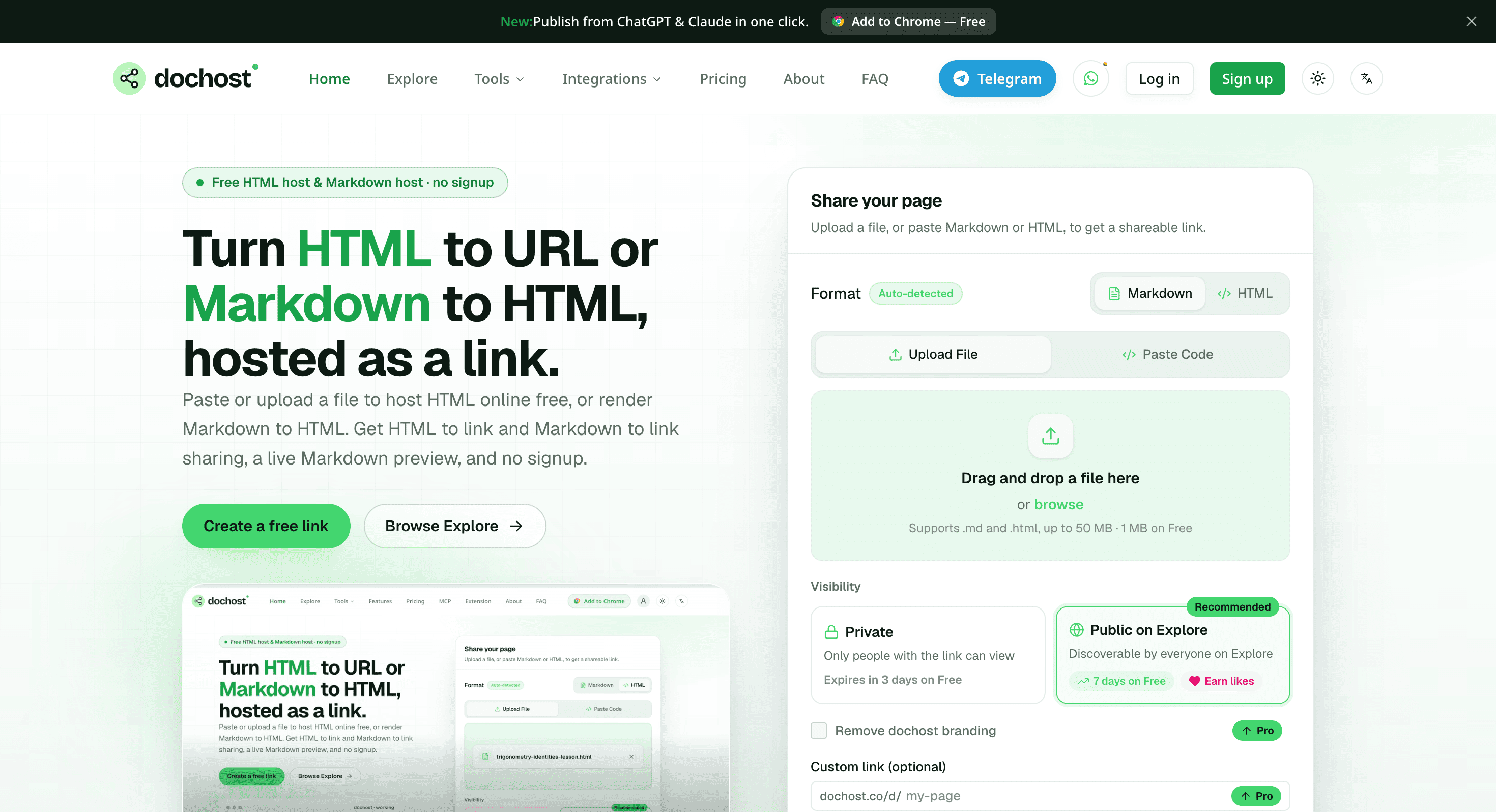
This tool turns pasted or uploaded HTML and Markdown into a shareable web page. It is designed for people who need to publish a single page quickly, particularly when the content comes from an AI tool, a file export, or a simple draft that needs to be shared as a browser link.
The platform supports both HTML and Markdown in the same workspace. You can paste Markdown and see a live preview before publishing, or upload HTML and host it as written. Pages can be private or public, while Explore pages can be discovered by other users on the site.
Key Features
HTML and Markdown Support
Publish content using either HTML or Markdown.
You can paste code directly into the editor or upload .html and .md files, making it useful for content created elsewhere.
Live Markdown Preview
See how Markdown will appear before publishing.
The preview updates as you work, allowing you to check formatting and content before turning the draft into a public page.
No Signup for Free Use
Start publishing without creating an account.
The free workflow is designed for quick publishing when you need to turn content into a shareable page without setting up a full website or hosting account.
Shareable Links
Turn documents and drafts into browser-accessible URLs.
Instead of sending an HTML or Markdown file as an attachment, you can publish it as a page that others can open directly in their browser.
Private and Public Pages
Choose how your published content is shared.
Pages can remain private or be made public, while Explore pages can be discovered by other users on the platform.
Upload Limits and Paid Controls
Free and paid plans provide different publishing limits and controls.
Free pages support uploads up to 1 MB, while paid plans offer larger limits and additional options such as:
- Custom slugs
- Password protection
- Analytics
- Custom domains
- Longer-lived links
- Permanent links
Telegram Publishing
Publish pages directly from Telegram.
A bot can convert a Telegram message or attachment into a web page, providing a quick publishing workflow without opening the main editor.
MCP and API Publishing
Connect other tools to the publishing workflow.
MCP and API access allow connected applications and AI tools to publish HTML or Markdown directly, making the service useful for automated publishing workflows.
Built for Quick Web Publishing
The platform is focused on publishing individual pages rather than building a complete website. It provides a simple path from HTML or Markdown to a browser-accessible URL, while keeping the setup lightweight.
Key benefits include:
- Publish HTML files
- Publish Markdown files
- Paste HTML directly
- Paste Markdown directly
- Preview Markdown while editing
- Host self-contained HTML
- Create shareable URLs
- Keep pages private
- Publish pages publicly
- Use Explore for discoverable pages
- Publish through Telegram
- Publish through MCP
- Publish through an API
- Use custom slugs on paid plans
- Add password protection
- Add analytics
- Connect custom domains
Built For
- Developers
- AI Tool Users
- Designers
- Marketers
- Content Creators
- Founders
- Researchers
- Students
- Teams Sharing Internal Drafts
Common Use Cases
- Publishing AI-generated HTML
- Sharing Markdown documents
- Hosting simple HTML pages
- Sharing notes
- Publishing briefs
- Creating quick demos
- Sharing one-off web pages
- Turning file exports into URLs
- Publishing AI-generated content
- Sharing drafts with collaborators
- Creating simple browser-based presentations
- Automating page publishing through an API
Why It Matters
Publishing a single HTML or Markdown page can be unnecessarily complicated when all you need is a URL that someone else can open in their browser. Setting up traditional hosting, a domain, or a full website can add more work than the page itself requires.
This tool focuses on that simpler use case. You can paste or upload HTML and Markdown, preview the content where applicable, and turn it into a shareable web page without setting up a full website.
It also supports self-contained HTML, including inline CSS and JavaScript, which makes it suitable for simple interactive pages and demos. Images and other assets need to be included with the page or referenced using absolute URLs.
The publishing options also extend beyond manual uploads. Telegram, MCP, and API support make it possible to create pages from messages, attachments, AI tools, or automated workflows.
For people who regularly receive HTML exports, AI-generated pages, Markdown notes, or one-off drafts, the result is a straightforward way to turn that content into something others can open and share.
Turn HTML and Markdown Into Shareable Web Pages
Paste or upload HTML and Markdown, preview your content, and publish it as a browser-accessible page with private or public sharing, while paid plans add custom slugs, password protection, analytics, custom domains, and longer-lived links.