
ego lite
A Chromium-based browser that lets AI agents use your logged-in sessions for web automation, with isolated workspaces and local data storage.
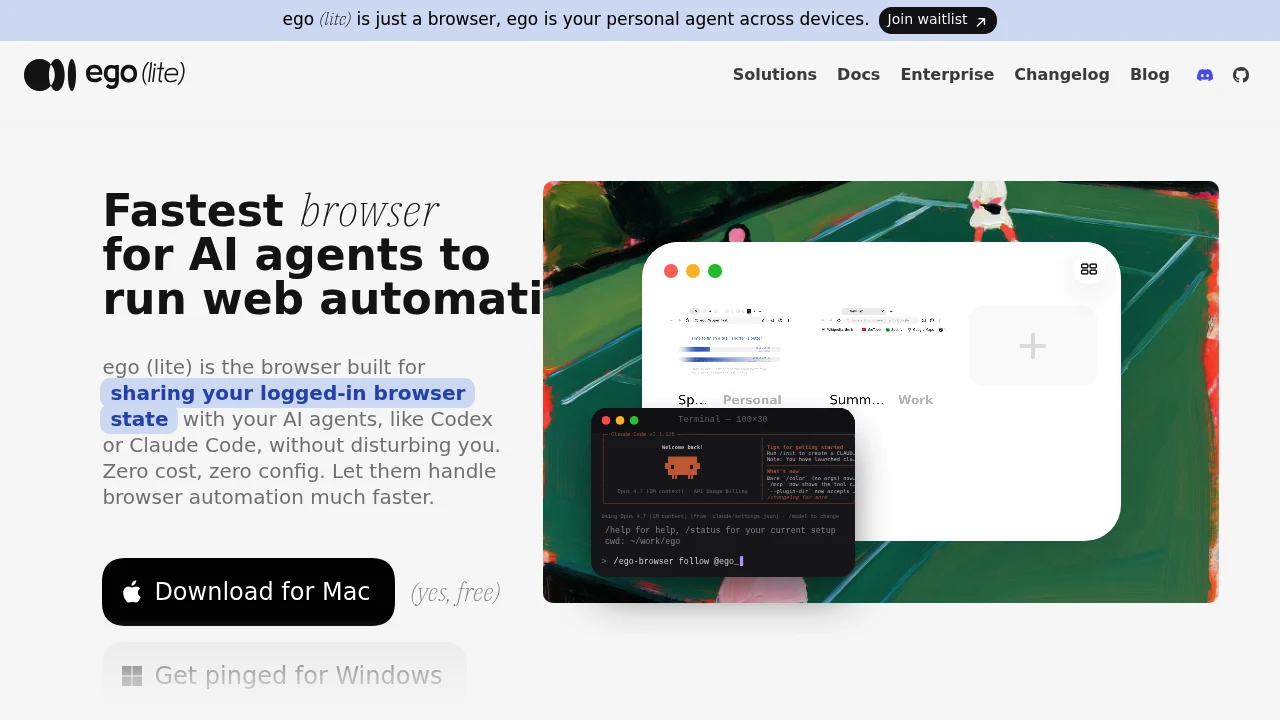
Use AI agents inside your real browser session without giving up your existing logins, tabs, or workflows. ego (lite) is a Chromium-based browser that lets AI coding agents like Claude Code, Codex, Cursor, and other shell-driven assistants interact directly with your everyday browsing environment instead of isolated browser instances.
Let AI Agents Work Inside Your Real Browser
Unlike traditional browser automation that starts with a fresh browser profile, ego (lite) gives AI agents access to the browser you already use. Agents can work with your existing cookies, logins, bookmarks, extensions, and browser profiles, making it possible to automate tasks inside authenticated websites, SaaS dashboards, social platforms, booking systems, and internal business tools.
You continue browsing normally while agents work in their own dedicated workspace, allowing automation without disrupting your active tabs.
Key Features
Shared Browser Sessions
Allow AI agents to work within your existing browser state.
Agents can access:
- Logged-in sessions
- Cookies
- Browser profiles
- Bookmarks
- Installed extensions
without requiring separate authentication.
Spaces for Parallel Work
Keep your browsing organized while agents work independently.
Spaces let you:
- Separate projects
- Isolate agent tasks
- Organize browser tabs
- Run multiple workflows
- Avoid interrupting your active browsing
within independent browser workspaces.
Chromium-Based Browser
Use a browser that feels familiar from day one.
Features include:
- Chromium engine
- Chrome compatibility
- One-click Chrome data import
- Familiar browsing experience
- Extension compatibility
for a seamless transition.
Local Data Storage
Keep browsing information on your own computer.
Privacy features include:
- Local browser storage
- Local browsing history
- Device-based data management
- Existing browser profiles
- Personal data control
without moving browser data elsewhere.
Broad AI Agent Compatibility
Connect your preferred coding or automation assistant.
Supported agent workflows include:
- Claude Code
- Codex
- Cursor
- Shell-based AI agents
- Developer automation tools
through the ego-browser connection layer.
Parallel Browser Automation
Run multiple browser workflows simultaneously.
Agents can:
- Browse pages
- Click buttons
- Fill forms
- Read content
- Navigate websites
across multiple Spaces at the same time.
Efficient Agent Communication
Reduce unnecessary AI interactions during browser automation.
Optimization features include:
- Compressed browser snapshots
- In-page actions
- Lower token usage
- Faster task execution
- Reduced context overhead
for more efficient agent workflows.
Built for AI-Native Browsing
ego (lite) combines a Chromium browser, shared browser sessions, AI agent connectivity, isolated workspaces, local data storage, and efficient browser automation into one AI-ready browsing environment.
Key benefits include:
- AI browser
- Browser automation
- AI agent workspace
- Chromium browser
- Shared browser sessions
Built For
- Developers
- AI Power Users
- Software Engineers
- Technical Founders
- Automation Engineers
- Productivity Enthusiasts
Common Use Cases
- Automating SaaS workflows
- Working inside authenticated websites
- Managing social media dashboards
- Completing booking workflows
- Operating internal business tools
- Running parallel browser automation
Why It Matters
Most browser automation tools start with a clean browser profile, forcing AI agents to repeatedly log in, rebuild session state, and navigate websites without the context users already have. ego (lite) removes that friction by allowing AI agents to operate inside your real browser environment, where existing logins, cookies, extensions, bookmarks, and browser profiles are already available. Combined with isolated Spaces, Chromium compatibility, local data storage, parallel task execution, and support for leading AI coding agents, it provides a practical way to automate authenticated browser workflows while continuing to use the browser as your everyday workspace.
Give AI Agents Access to Your Real Browser Session
Let Claude Code, Codex, Cursor, and other AI agents work inside your existing logged-in browser, share cookies and browser profiles securely, organize projects with separate Spaces, automate browsing tasks across authenticated websites, and continue using a Chromium browser designed for both humans and AI.