
Fetchbean
Provides AI agents with live web search, clean page reading, and secure access to connected work apps through one key.
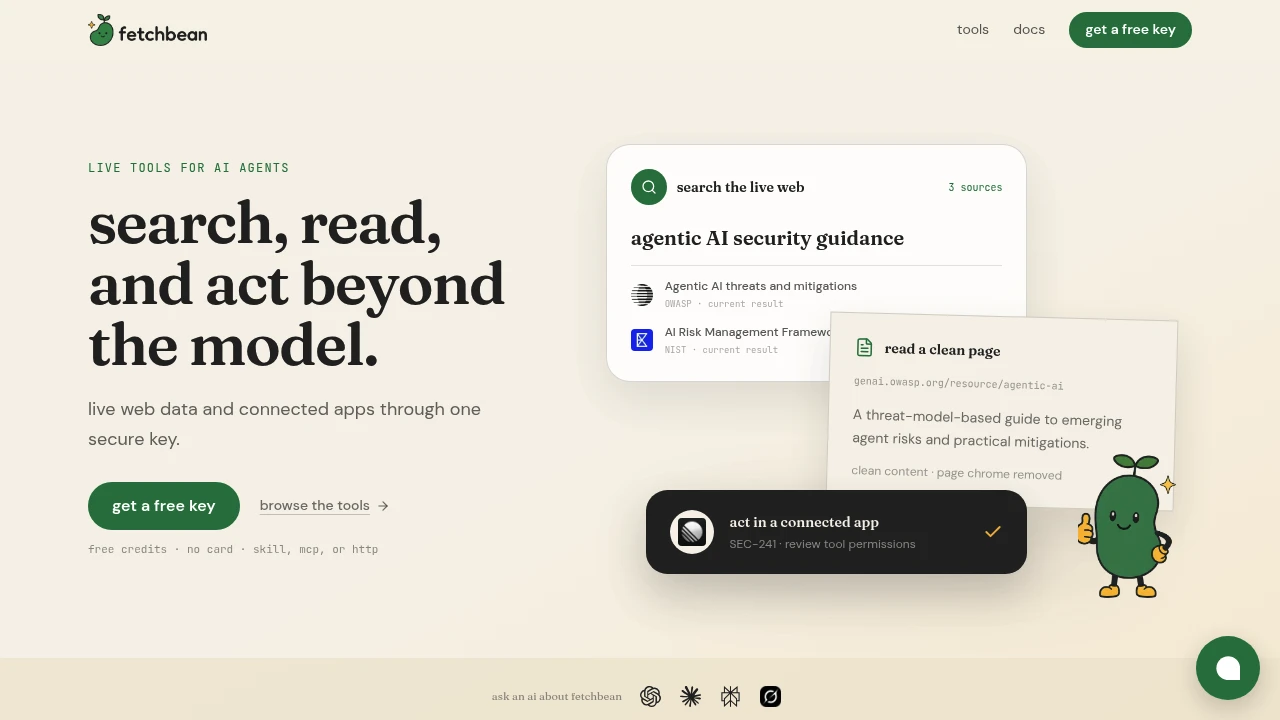
Fetchbean is a managed tool layer for AI agents that need access to current web data and connected work applications outside the model’s built-in context. It is designed for teams building agents for research, customer support, operations, reporting, and task follow-through, giving those agents a consistent way to discover capabilities, retrieve information, and take actions across external services.
The platform makes the same tool catalog available through a hosted skill, an MCP server, or an HTTP API. This allows teams to use Fetchbean through the interface their existing agent stack already supports while keeping the underlying capabilities consistent across different environments.
Key Features
Live Web Search
Give AI agents access to current information from the web.
Fetchbean can retrieve live search results for tasks such as:
- Research
- Topic checks
- Monitoring
- Current-event lookups
- Information discovery
- Follow-up research
This helps agents work with information that may not exist in the model's built-in context.
Clean Page Reading
Retrieve readable content from web pages without unnecessary page elements.
Fetchbean can process content from:
- Articles
- Documentation
- Web pages
- Script-heavy websites
- Other supported URLs
The page-reading capability removes unnecessary page chrome and returns cleaner content that can be used inside an agent workflow.
This can help agents focus on the information contained on a page instead of processing navigation elements, interface components, and other surrounding content.
Connected Application Access
Allow AI agents to interact with external work applications.
Fetchbean supports connected applications including:
- Notion
- Slack
- Linear
- GitHub
- Intercom
- Google Workspace
- PostHog
- Fireflies
This allows agents to retrieve information and perform supported actions across the tools teams already use.
For example, an agent workflow could involve:
- Reading information from a connected application
- Reviewing a meeting transcript
- Identifying owners or follow-up tasks
- Finding additional information through web search
- Creating follow-up work in another connected application
This helps connect research and action within the same workflow.
Hosted Skill, MCP Server, and HTTP API
Use the same tool catalog through different integration surfaces.
Fetchbean provides access through:
- Hosted skills
- MCP servers
- HTTP APIs
This gives teams flexibility in how they connect Fetchbean to an agent while maintaining a consistent set of available capabilities.
Runtime Tool Discovery
Allow agents to discover capabilities when they need them.
Instead of requiring every available tool to be loaded into an agent at the beginning of a workflow, Fetchbean can support capability discovery at runtime.
This can help agents:
- Find the relevant capability for a task
- Load fewer tools into the active context
- Move between research and action
- Keep agent workflows more focused
- Avoid exposing unnecessary capabilities for every request
This approach can be useful for larger agent systems where loading every available tool at once would create unnecessary complexity.
Scoped Credentials
Keep connected application credentials associated with server-side tool calls.
Fetchbean handles credentials such as:
- Provider API keys
- OAuth tokens
- Connected application permissions
The platform states that credentials are:
- Encrypted
- Attached only to the relevant server-side call
- Scoped to the appropriate provider connection
- Revocable
This allows an agent to access connected services without directly handling provider credentials in every individual workflow.
Authenticated App Actions
Use connected applications with authenticated permissions.
When an agent needs to move beyond information retrieval, Fetchbean can provide access to connected applications using the permissions associated with the configured connection.
This supports workflows where an agent may need to:
- Read information
- Find records
- Review conversations
- Access project data
- Create follow-up work
- Perform supported actions in connected tools
The available actions depend on the connected application and granted permissions.
Typed Failure Handling
Return provider errors and timeouts clearly.
Fetchbean is designed to report failures from external providers instead of presenting an unsuccessful call as a successful result.
This can include:
- Provider errors
- Timeouts
- Failed requests
- Other typed failure responses
Clear failure reporting can help agents and developers understand when an external action did not complete successfully and handle the result appropriately.
Usage Controls
Control platform usage through a credit-based system.
Fetchbean uses:
- Prepaid credits
- Free starting credits
- A configurable hard monthly cap
This allows teams to begin testing the platform with available credits while maintaining limits on ongoing usage.
The monthly cap can help prevent usage from exceeding a defined spending threshold.
Built for AI Agent Workflows
Fetchbean combines live web access, clean page reading, connected application tools, scoped credentials, runtime capability discovery, and usage controls into one managed tool layer for AI agents.
Rather than requiring teams to build and maintain separate integrations for every external data source or work application, Fetchbean provides a shared interface that can be exposed through a hosted skill, MCP server, or HTTP API.
Key benefits include:
- Access to current web information
- Clean web page content extraction
- Connected work application access
- MCP support
- HTTP API access
- Hosted skill access
- Runtime capability discovery
- Scoped and revocable credentials
- Authenticated application permissions
- Clear provider error handling
- Usage controls and spending caps
Built For
- AI Agent Developers
- AI Product Teams
- Research Teams
- Customer Support Teams
- Operations Teams
- Internal Tool Builders
- Reporting Workflows
- Developer Teams Building Agent Integrations
- Companies Connecting AI Agents to Work Applications
Common Use Cases
- Giving AI agents access to live web search
- Reading current documentation and articles
- Retrieving cleaned-up content from web pages
- Connecting agents to Slack or Notion
- Reviewing meeting transcripts
- Identifying owners and follow-up tasks
- Creating work items in connected applications
- Building research agents
- Building support agents
- Automating reporting workflows
- Connecting AI agents to multiple work applications
- Discovering only the tools required for a task at runtime
Why It Matters
AI agents often need information and capabilities that are not available inside the model's built-in context. A useful workflow may require searching the live web, reading a current document, checking information in a connected application, and then taking action in another tool.
Building and maintaining separate integrations for each of those steps can create additional complexity around interfaces, credentials, permissions, error handling, and tool discovery.
Fetchbean provides a managed layer for those capabilities. It gives agents access to the same tool catalog through hosted skills, MCP, or an HTTP API, while handling connected credentials on the server side and allowing agents to discover the capabilities they need during a workflow.
Give AI Agents Current Data and Connected Tools in One Layer
Let AI agents search the live web, read cleaned-up page content, access connected work applications, discover capabilities at runtime, and move from research to follow-up actions through a hosted skill, MCP server, or HTTP API while keeping credentials scoped, encrypted, and revocable.


