
Gallerylink
Build password-protected client galleries from Google Drive or hosted uploads, with proofing, downloads, and studio pages.
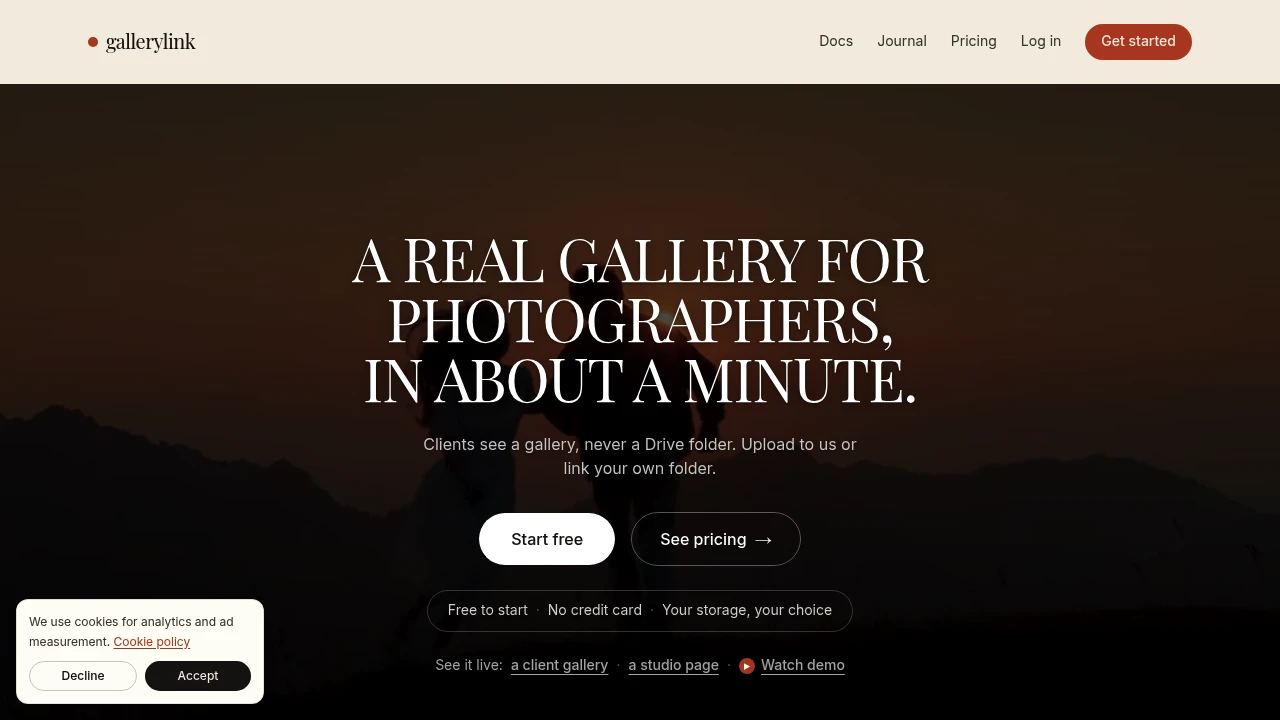
GalleryLink is a client gallery and delivery tool for photographers who want to turn a Google Drive folder into a polished, private gallery. You can keep your files in your own Drive and let GalleryLink display them live, or upload files directly and use GalleryLink's hosted storage. It gives photographers and studios a cleaner way to share proofs, final files, and event photos without sending clients to a raw folder.
The platform is built around flexible file delivery. Drive-linked galleries stay synchronized with the underlying folder, so changes appear in the gallery without requiring another upload or a new client link. Clients can access galleries without creating an account, making the delivery process straightforward for both photographers and their customers.
Key Features
Google Drive Galleries
Turn an existing Google Drive folder into a client-facing photo gallery.
- Connect an existing Drive folder
- Display files through a polished gallery
- Keep the original files in your own Drive
- Automatically reflect changes made to the folder
- Avoid re-uploading files when the Drive folder changes
Hosted File Storage
Upload files directly to GalleryLink when you prefer the platform to host your gallery content.
- Upload files directly
- Use GalleryLink-hosted storage
- Create galleries without relying on Google Drive
- Choose the storage workflow that fits your setup
Password Protection
Keep client galleries private with password-protected access.
- Restrict gallery access
- Share private client galleries
- Keep sensitive photography away from public pages
Favorites & Proofing
Give clients a way to review images and identify their preferred photos.
- Mark favorite images
- Collect client selections
- Support proofing workflows
- Make image selection easier before final delivery
Full-Resolution Downloads
Allow approved clients to download their final files at full resolution.
- Full-resolution image downloads
- Client-ready delivery
- Share final files without sending clients to raw storage folders
Custom Themes & Layouts
Customize how your galleries look so client deliveries feel more polished.
- Custom themes
- Flexible gallery layouts
- Cleaner presentation for finished work
- Branded client-facing experience
Studio Pages
Create a broader online presence around your photography business.
Studio pages can include:
- Branded home pages
- Inquiry forms
- Portfolio sections
- Client-facing photography content
Client Sharing
Let clients share selected photos through their own private links.
- Create private sharing links
- Share selected images
- Give guests access without exposing the full gallery
Event Tools
Support event photography workflows with additional sharing and display features on supported plans.
- Guest photo uploads
- Live venue slideshows
- Event-focused gallery workflows
Built For Photography Delivery
GalleryLink is designed for photographers and studios that need a private, client-friendly way to present and deliver finished work.
It is particularly suited to:
- Wedding photographers
- Portrait photographers
- Event photographers
- Real estate photographers
- Commercial photographers
- School photographers
- Photography studios already using Google Drive
Common Use Cases
Wedding Photo Delivery
Create private galleries for couples to view, favorite, and download their wedding photos without sending them to a shared Drive folder.
Client Proofing
Share proofs with clients and let them mark the images they want before final delivery.
Event Photography
Create galleries for events and provide guests with access to photos, uploads, and live slideshows where supported.
Real Estate Photography
Deliver finished property photography through a cleaner client-facing gallery instead of a raw file directory.
Commercial Projects
Present completed photography to commercial clients with a more polished delivery experience and private access controls.
Google Drive-Based Gallery Workflow
One of GalleryLink's main differences is that you don't necessarily have to move your existing files.
If your photography workflow already runs through Google Drive, you can connect a folder and turn it into a gallery. When files change in Drive, the gallery stays in sync, reducing the need to upload the same images again or resend updated delivery links.
For photographers who prefer managed hosting, files can instead be uploaded directly to GalleryLink.
Private Client Galleries
GalleryLink is built around private delivery rather than simply sharing a folder.
Photographers can use password protection, favorites, proofing, full-resolution downloads, and private sharing links to control how clients interact with their work. Clients can access their galleries without creating an account, keeping the experience simple on the receiving side.
Free Plan & Getting Started
GalleryLink offers a free plan that does not require a card, making it possible to test the workflow with an actual client delivery before committing to a paid setup.
The platform can be used for both individual photographers and studios handling multiple types of photography projects.
Why It Matters
Sending clients directly to a Google Drive folder works, but it doesn't provide much of a presentation or delivery experience. Clients may have to navigate folders, download files, and communicate selections separately.
GalleryLink puts those steps into a dedicated gallery while still allowing photographers to keep their existing Google Drive workflow. That gives studios a way to present work professionally without necessarily changing where their files are stored.
The result is a client delivery workflow built around private galleries, proofing, downloads, and flexible storage that works with the tools photographers already use.
Turn Your Photography Files Into a Client Gallery
Connect a Google Drive folder or upload your files directly, then deliver photos through a private, polished gallery with proofing, favorites, full-resolution downloads, and client sharing.