
ImagineToVideo
AI video tool that turns text, still images, or existing footage into clips with synced audio, templates, and multiple model choices.
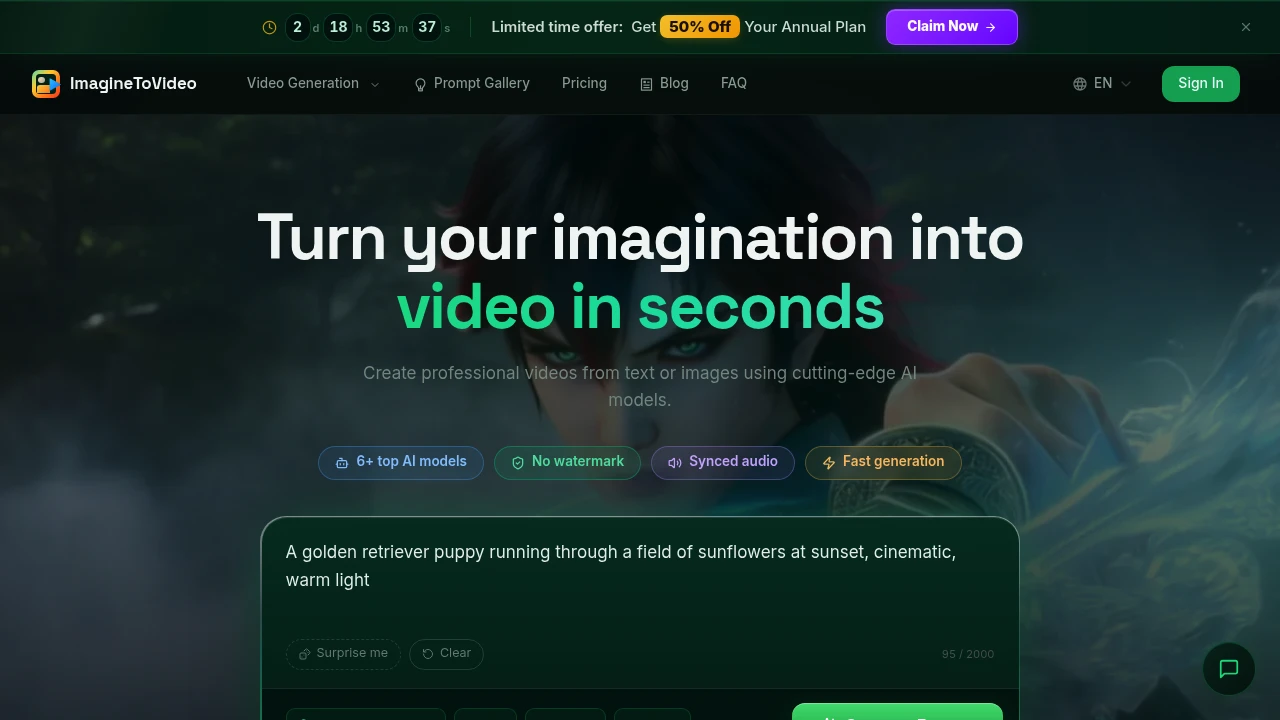
Create short AI videos from text prompts, still images, or existing footage without starting with a traditional editing workflow. The platform is designed for creators, marketers, artists, and other users who want to turn ideas or existing visual assets into finished clips quickly.
You can start with a written prompt, animate a still image, restyle existing video, or build a multi-scene story. Templates provide another way to begin when you want a guided workflow rather than a blank canvas. With multiple video models, synced audio, clean downloads, and clips up to 30 seconds, the platform is built around fast AI video creation.
Key Features
Multiple AI Video Models
Choose from a range of video generation models depending on the type of output, quality, speed, and credit budget you need.
Available models include:
- Seedance 2.5
- Seedance 2.0
- Seedance 2.0 Fast
- Kling V3
- Kling V3 Omni
- VEO 3.1
- VEO 3.1 Fast
The platform shows different credit costs based on the selected model, video length, and resolution, allowing you to choose an appropriate generation level before creating a clip.
Text-to-Video
Turn written prompts into short video clips. This makes it possible to start with an idea or creative direction without needing source footage.
Text-to-video can be used for social content, creative concepts, product visuals, short stories, and other video projects.
Image-to-Video
Animate still images and artwork into moving clips. This is useful when you already have product photography, illustrations, concept art, or other visual assets and want to turn them into video.
Artists can also use image-to-video workflows to explore motion and animation from existing artwork.
Video-to-Video
Restyle or transform existing footage using AI. Instead of creating a clip entirely from scratch, you can use video you already have as the starting point for a new visual treatment.
Multi-Scene Video Creation
Build videos across multiple scenes when a single generated shot is not enough. This provides a workflow for creating more structured stories and sequences from several visual moments.
Product Video Creation
Create short-form product videos from existing product assets or creative directions. This makes the platform useful for marketers who want to turn product imagery into promotional video content without manually editing every clip.
Templates
Use templates when you want a guided starting point. Templates can make it easier to create common types of video content without developing the entire concept and workflow from a blank page.
Synced Audio
Generated clips include matching audio, allowing video and sound to be created together rather than requiring a separate audio-generation or editing workflow.
No Watermark
Downloads remain free of watermarks on every plan. This allows generated clips to be used as clean visual assets without platform branding added to the exported video.
Up to 30 Seconds and 4K
Generated clips can run for up to 30 seconds, with resolution options depending on the model.
- Up to 1080p on some models
- Up to 4K with VEO 3.1
This provides options ranging from lightweight social clips to higher-resolution video output.
Built For Creators and Marketers
The platform is designed for people who want video output quickly without learning or managing a full editing suite.
Creators can turn image libraries into social clips, marketers can create product advertisements, and artists can animate concept work in styles such as anime or claymation. The range of creation modes also makes it useful when the starting material varies from project to project.
Common Use Cases
Social Media Videos: Turn prompts or image libraries into short clips for social posts.
Product Marketing: Convert product shots into short promotional videos and advertisements.
Concept Art Animation: Animate existing artwork and explore different visual treatments.
Anime and Claymation Styles: Experiment with creative visual styles from existing images or concepts.
YouTube Content: Create short visual segments and supporting clips for video content.
Multi-Scene Stories: Build sequences from multiple generated scenes rather than relying on a single shot.
Existing Footage Restyling: Use video-to-video generation to transform footage you already have.
Commercial Use
Paid plans include a commercial use license, making them suitable for creators and businesses producing content for commercial projects.
Credit-Based Generation
The platform uses credits for video generation, with the cost varying according to factors such as the model, video length, and resolution. This lets users select the level of generation they need rather than treating every video request as having the same cost.
There is a free starting offer with 30 credits, and no credit card is required to begin. Higher plans provide additional credits along with expanded production capabilities.
Higher-Tier Features
Paid plans add capabilities for users who generate video more regularly, including:
- More generation credits
- Concurrent generations
- Custom intros and outros
- API access
- Priority support
These options make the platform suitable for both individual creators producing occasional clips and teams with larger or more automated video workflows.
Why It Matters
Creating short video content from scratch can require scripting, asset preparation, animation, editing, audio, and rendering. For many social and marketing projects, that production process can be disproportionate to the length of the final clip.
This AI video platform combines multiple creation methods and video models in one workflow. Whether you start with text, an image, existing footage, or a multi-scene concept, you can move from an idea or source asset to a finished short video without building the entire edit manually.
Create Short AI Videos Faster
Generate videos from text prompts, animate still images, restyle existing footage, or build multi-scene stories with a selection of current AI video models. With synced audio, no-watermark downloads, clips up to 30 seconds, up to 4K output on VEO 3.1, and a free 30-credit starting offer, the platform provides a flexible workflow for creators, marketers, artists, and businesses producing short-form video.


