
Midnight Screens
A wall of 2,375 screens where you bid for placement and turn a URL into a five-second spot.
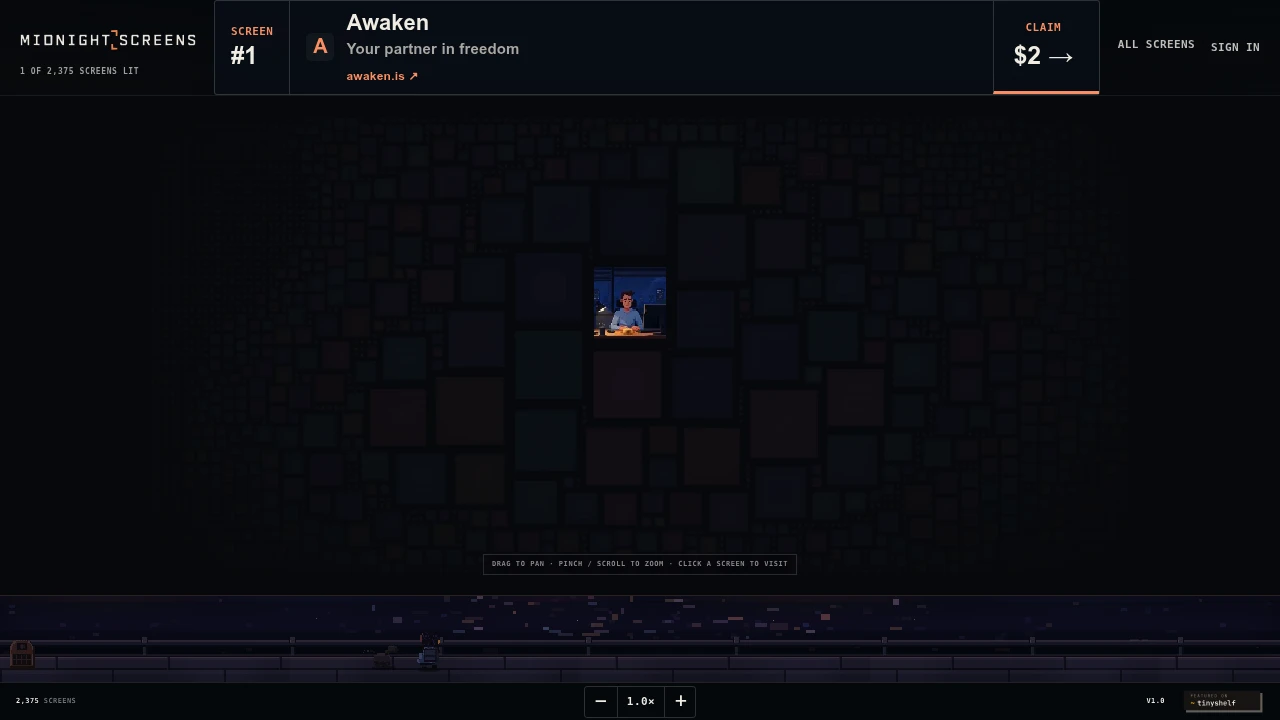
This paid screen wall gives marketers, founders, and creators a public placement tied to a website, project, or profile. Claim a screen, attach a link, and manage your position through a private account flow. Each screen has a live price, while higher bids can move a placement upward on the wall.
The platform is built around a simple public display rather than a full advertising dashboard. The wall shows current positions, occupants, prices, and clicks, while the built-in spot builder turns a submitted URL into a short visual scene. You can refine the generated scene, add a reference image, and save a five-second video loop for your screen.
Key Features
Live Screen Market
See how the public wall changes in real time.
- View current screen positions
- See who occupies each screen
- Monitor live prices
- Track position movement
- See clicks associated with screens
The live market makes the placement system visible, so you can see where your screen sits and how its position changes.
Bid-Based Screen Placement
Move your screen higher on the wall by increasing your total bid.
If another participant outbids you, your screen moves down one position rather than being removed from the wall. This creates a visible ranking system where the position of each screen reflects the current bidding activity.
URL-to-Spot Builder
Turn a website, project, or profile into a short visual placement.
Add your URL and the system reads the source to create a five-second spot. You can then refine the generated scene with additional direction and provide a reference image when needed.
- Start with a URL
- Generate a five-second visual scene
- Add creative direction
- Include a reference image
- Save the resulting video loop
This provides a quick way to create a branded screen presence without building a video from scratch.
Private Account Access
Manage your screens through a private email-based access flow.
- Sign in through an emailed link
- Return to your account without a traditional password flow
- Manage claimed screens
- Adjust bids
- Maintain control of your placement
This keeps the account experience lightweight while providing access to the screen management tools.
Click Tracking
See clicks generated through your screen.
The interface displays click activity alongside the screen's position and price, giving you a simple performance signal for the public placement.
Built For Public-Facing Promotion
The screen wall is designed for people who want a visible placement for a website, project, profile, or brand without managing a conventional advertising campaign.
Marketers can use a screen to create a public-facing promotional placement.
Founders can put a product or startup in front of visitors through a fixed public position.
Creators can promote a personal site, profile, or project with a simple visual spot.
Common Use Cases
Website promotion: Attach a website to a public screen and make it directly accessible through the placement.
Project launches: Give a new project a visible position on the wall.
Founder promotion: Put a startup or personal project into a public display.
Creator visibility: Promote a profile, portfolio, or personal website.
Branded visual placement: Generate a short visual loop from an existing website or profile.
Position-based promotion: Increase your bid to move higher on the wall while remaining visible even after being outbid.
Campaign monitoring: Track your screen's current position, price, and clicks from the live market.
Why It Matters
Traditional advertising platforms can involve campaigns, targeting settings, creative management, bidding dashboards, and multiple layers of configuration. This screen wall reduces the concept to a more visible and straightforward placement system.
You claim a screen, connect a URL, create a short visual spot, and compete for position through bidding. If someone outbids you, you move down rather than disappearing from the wall, while the public interface makes positions, prices, occupants, and clicks visible.
Put Your Project on the Screen Wall
Claim a public screen, connect your website or profile, create a five-second visual spot, and use bidding to control your position on a live wall built around simple, visible placement rules.


