
Perimetery PRO
Throttle, cap, or block devices on a WiFi network from a Windows or Linux PC without installing anything on them.
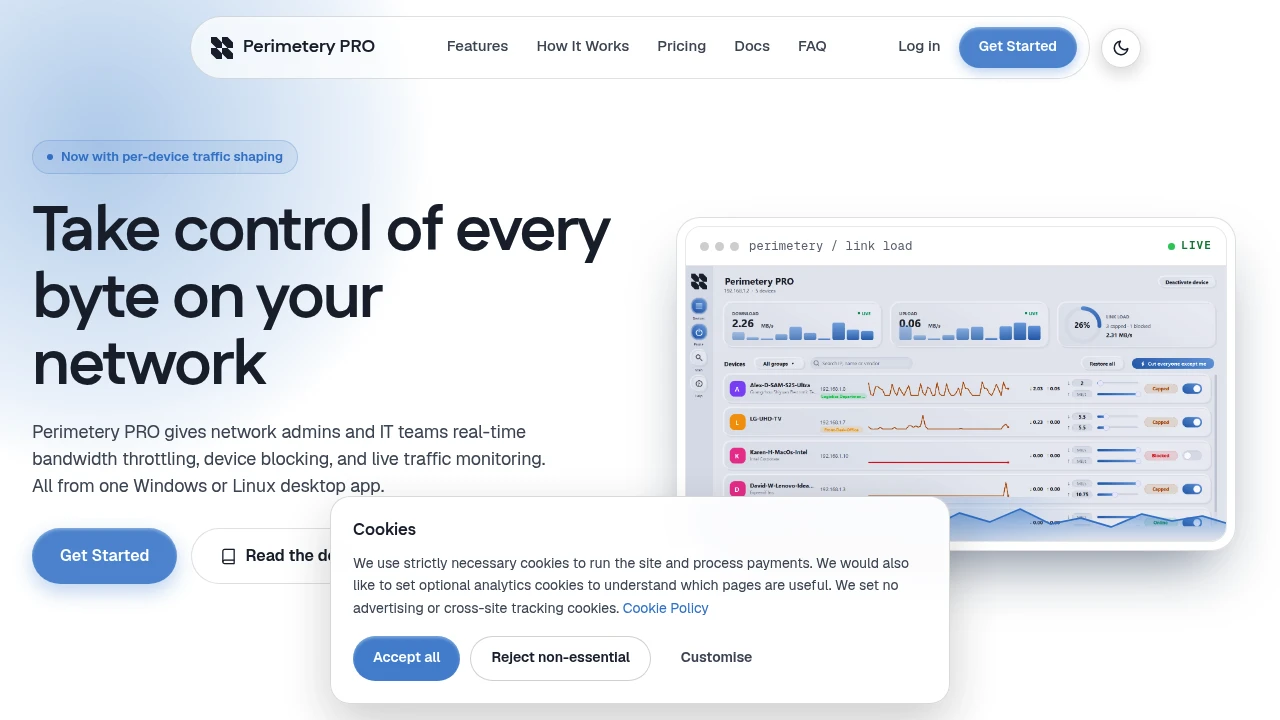
Perimetery PRO lets users control WiFi access on a per-device basis from a single Windows or Linux computer. It’s aimed at people who need to manage network usage without installing software on the phones, tablets, laptops, or other devices being controlled.
The workflow focuses on direct network control. You can identify an individual device, limit its bandwidth, slow its connection down, or block its access entirely. That makes it useful for home networks, small offices, and shared WiFi environments where administrators want quick controls without configuring every device separately.
Key Features
Per-Device WiFi Control
Manage individual devices instead of applying restrictions across the entire network.
The tool lets you target specific devices, making it possible to control one connection without affecting everyone else using the WiFi.
Speed Limiting
Reduce the bandwidth available to a specific device.
This is useful when you want to limit network consumption while still allowing the device to remain connected rather than blocking it completely.
Device Blocking
Stop a selected device from accessing the network.
Blocking provides a stronger control option when slowing a connection is not enough and a device needs to be prevented from using the WiFi entirely.
No Software on Target Devices
Control devices without installing anything on them.
The management happens from the Windows or Linux computer running the tool, so the devices being restricted do not need their own client or configuration.
Windows and Linux Support
Run the network control tool from either supported desktop platform.
This makes it suitable for users who want to manage their network from a Windows or Linux machine rather than relying on software installed across individual devices.
Fast Network Changes
Apply device-level restrictions quickly.
The product description emphasizes changes being applied in milliseconds, which is useful when you need to react to network usage without waiting for a lengthy configuration process.
Built for Per-Device WiFi Management
The tool combines bandwidth controls and device blocking into a simple network management workflow that can be operated from one computer.
Key benefits include:
- Control individual WiFi devices
- Limit bandwidth for specific devices
- Slow connections without fully blocking them
- Block devices from network access
- Avoid installing software on managed devices
- Run the controller on Windows
- Run the controller on Linux
- Apply restrictions in milliseconds
- Manage shared networks from one machine
Built For
- Home Network Users
- Small Office Administrators
- Network Administrators
- Shared WiFi Managers
- Parents
- Guest Network Managers
- Small Businesses
- IT Teams
Common Use Cases
- Limiting WiFi usage on individual devices
- Slowing down high-bandwidth devices
- Blocking unwanted devices
- Managing guest WiFi access
- Controlling shared household networks
- Managing small office networks
- Restricting individual devices without installing software
- Quickly changing network access
- Managing bandwidth on shared connections
Why It Matters
Managing bandwidth across a shared WiFi network can become difficult when restrictions need to apply to individual devices rather than everyone connected to the network. A network-wide limit can affect legitimate users, while installing management software on every device adds another layer of configuration.
This tool takes a per-device approach. Instead of requiring software on the phones, laptops, or tablets being managed, the controls are applied from a Windows or Linux computer. Users can choose between reducing a device's speed and blocking its network access entirely.
The emphasis on fast changes also makes the workflow useful for situations where network access needs to be adjusted immediately. Rather than building complicated device-specific configurations, the product focuses on a small set of direct controls that can be applied to individual connections.
Control WiFi Access From One Computer
Run the tool from a Windows or Linux computer, select the device you want to manage, and apply a bandwidth limit or block its network access without installing software on the target device.