
Ping Parrot
On-call paging with repeat alerts, escalation policies, scheduling, and multi-channel delivery for teams that can’t miss critical incidents.
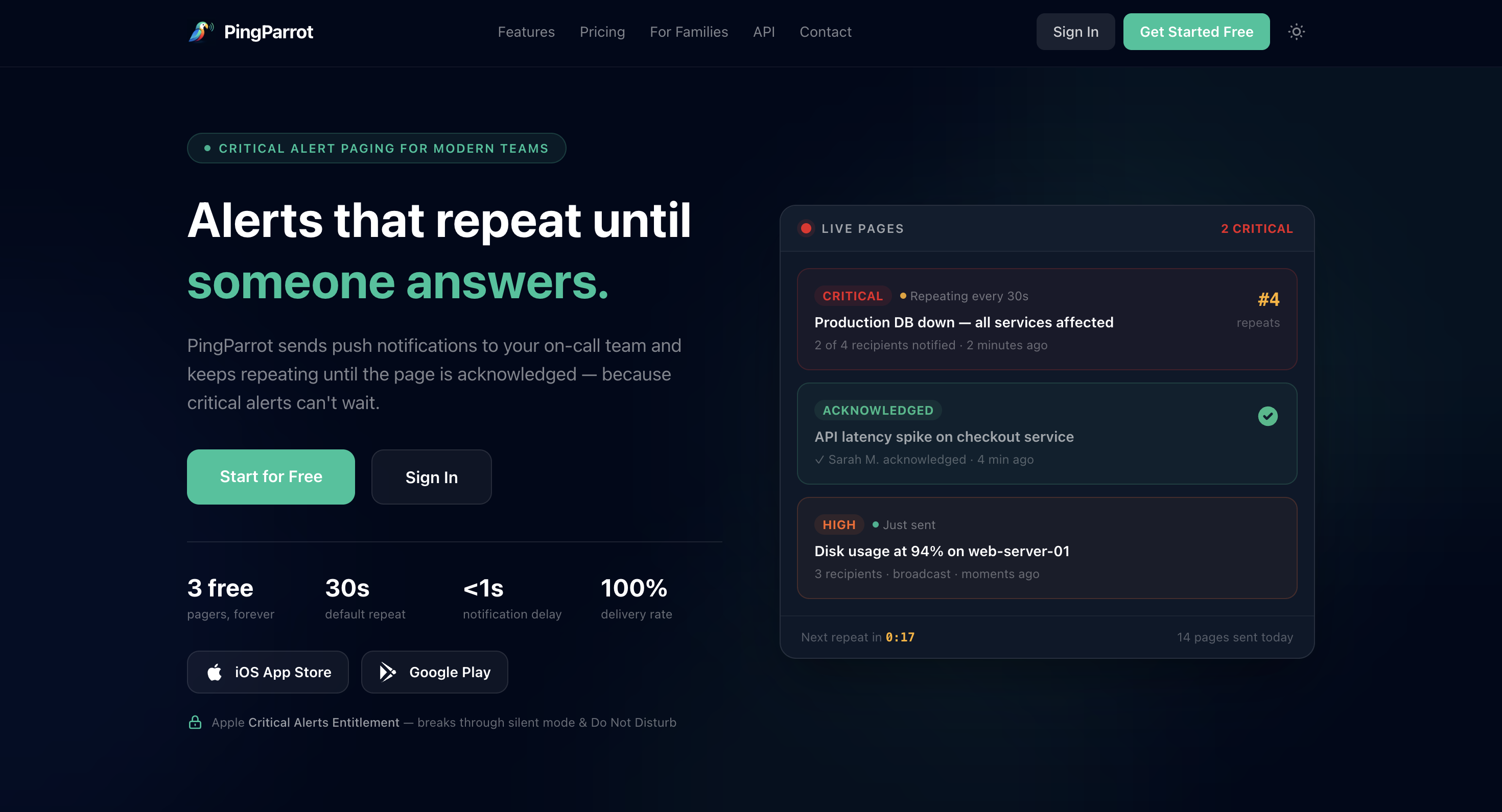
Ping Parrot is an on-call alerting tool for teams that need critical alerts to keep reaching people until someone acknowledges them. It combines repeating pages, on-call schedules, escalation policies, and multiple notification channels, making it useful for DevOps, SRE, IT operations, facilities teams, managed service providers, and other situations where receiving an alert is not enough and a confirmed response is required.
Key Features
Repeating Alerts
Keep critical pages active until someone responds.
Ping Parrot can repeat alerts at a set interval until they are acknowledged, helping prevent important incidents from being missed or buried among ordinary notifications.
On-Call Scheduling
Manage responder rotations and availability.
Teams can create on-call schedules with rotations and live calendar synchronization, making it easier to know who is responsible for responding at any given time.
Escalation Policies
Automatically move an unanswered page to another responder.
If the initial person does not acknowledge the alert, escalation policies can move it to a backup responder or another team.
Push, Email, and SMS Alerts
Reach responders through multiple notification channels.
Ping Parrot supports:
- Push notifications
- Email alerts
- SMS notifications
Push alerts can repeat until acknowledged, while email is automatically sent with every page. SMS provides another option for responders who prefer receiving critical alerts by text.
Mobile Apps
Acknowledge incidents from iOS and Android.
Responders can manage pages through the mobile apps or acknowledge alerts through an email link, giving them a way to respond without opening a separate monitoring system.
Critical iOS Alerts
Break through notification restrictions when necessary.
On iOS, critical alerts can bypass silent mode and Do Not Disturb, helping important pages reach responders even when normal notifications would be muted.
REST API
Trigger pages directly from monitoring systems.
The REST API lets monitoring and infrastructure tools create pages without requiring a dedicated SDK, making it easier to connect Ping Parrot to existing incident workflows.
Audit Trail
Keep a record of the incident lifecycle.
The system tracks information such as:
- Delivery attempts
- Acknowledgements
- Event history
- Escalations
This provides visibility into what happened during an incident and whether alerts were successfully acknowledged.
Outgoing Webhooks
Send page events to other systems.
Webhooks can notify external services when events occur, including pages being sent, acknowledged, or escalated.
Maintenance Windows
Suppress alerts during planned downtime.
Maintenance windows can prevent expected downtime from generating unnecessary pages while preserving the incident record for later review.
Built for Reliable Incident Alerting
Ping Parrot combines persistent notifications, on-call scheduling, escalation, and incident tracking into one paging workflow.
Key benefits include:
- Repeat critical alerts until acknowledged
- Create on-call rotations
- Sync schedules with calendars
- Escalate unanswered pages
- Send push notifications
- Send email alerts
- Send SMS notifications
- Acknowledge pages from mobile apps
- Acknowledge alerts through email links
- Trigger pages through a REST API
- Track delivery and acknowledgement history
- Send outgoing webhooks
- Suppress planned downtime with maintenance windows
- Support critical iOS alerts
Built For
- DevOps Teams
- SRE Teams
- IT Operations Teams
- Facilities Teams
- Managed Service Providers
- Engineering Teams
- Infrastructure Teams
- Small Businesses
- Families Requiring Confirmed Responses
Common Use Cases
- Responding to production incidents
- Managing on-call rotations
- Alerting engineers about outages
- Escalating unanswered incidents
- Connecting monitoring systems to paging
- Handling critical IT alerts
- Managing facilities incidents
- Suppressing planned maintenance alerts
- Tracking incident acknowledgements
- Requiring confirmation that an alert was received
Why It Matters
Critical alerts are only useful when someone actually responds. A notification that arrives while a phone is muted, gets buried in an inbox, or goes to an unavailable responder can leave an incident unattended.
Ping Parrot is built around acknowledgement rather than simple delivery. Pages can repeat until someone responds, and escalation policies can move unanswered incidents to another person or team. Multiple notification channels give responders more ways to receive the alert, while the audit trail records what happened throughout the process.
The combination of repeating pages, scheduling, escalation, and API access also makes it possible to connect the paging workflow to existing monitoring and operational systems without building the entire alerting layer yourself.
Keep Critical Alerts Going Until Someone Responds
Connect Ping Parrot to your monitoring or operational workflow, configure your on-call schedule and escalation rules, and let critical pages continue through push, email, or SMS until someone acknowledges the incident.
Three pagers are available for free, pages can repeat without a limit, and no credit card is required to get started.