
PlanSeats
Create seating charts for weddings, galas, and corporate events with guest lists, auto-assignment, and print-ready exports.
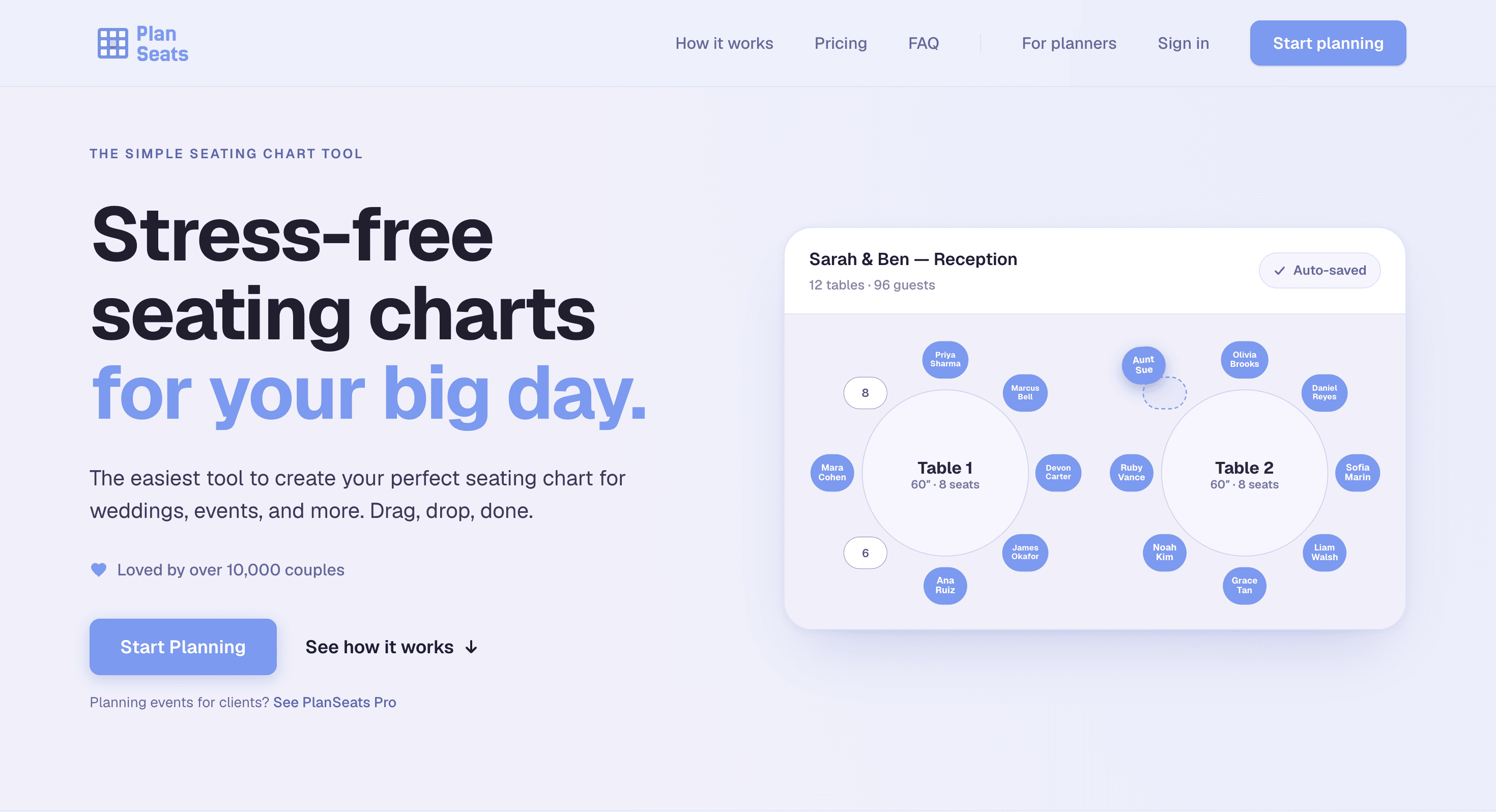
PlanSeats is a seating chart tool for weddings and events. It is built for couples, planners, coordinators, and venues that need to organize guests, tables, and room elements in one place without spending hours building a layout manually.
The tool lets you create a complete event seating plan, make changes as arrangements shift, and keep the guest list connected to the room layout. You can import names from a spreadsheet, place guests and tables with drag and drop, or use automatic seat assignment when you want the system to handle the initial placement.
Key Features
Guest List Import
Bring an existing guest list into the seating chart instead of entering every person individually.
You can:
- Paste guest names from a spreadsheet
- Add guests manually
- Keep guests connected to their assigned seats
- Make changes as the seating plan develops
This makes it easier to move from an existing guest list to a visual seating arrangement.
Drag-and-Drop Layout
Build the seating chart visually by moving tables and guests around the room.
The drag-and-drop interface makes it possible to quickly:
- Position tables
- Move guests between seats
- Rearrange the room
- Adjust the layout as plans change
This is useful when you're experimenting with different table arrangements or responding to last-minute seating changes.
Automatic Seat Assignment
Let PlanSeats fill available seats automatically when you don't want to place every guest by hand.
Automatic assignment can speed up the initial seating process, giving you a starting arrangement that you can then adjust manually.
Full Room View
PlanSeats lets you work with the broader event space rather than only viewing individual tables.
You can place room elements such as:
- Dance floors
- Bars
- Tables
- Other event areas
Seeing these elements together helps keep the seating arrangement aligned with the actual venue layout.
PDF Export and Live Sharing
Share the finished seating chart with other people involved in the event.
You can:
- Export the chart as a PDF
- Print the seating plan
- Share a live link
- Give planners, coordinators, or other collaborators access to the current arrangement
This makes it easier to keep everyone working from the same version.
Multi-Device Support
Work on the seating chart from the device that is most convenient.
PlanSeats supports use across:
- Laptops
- Tablets
- Phones
This is useful when making changes away from a desk or checking the layout during venue planning.
Autosave
Your work is automatically saved while you build the seating chart.
This helps protect your progress while you're adding guests, moving tables, and making changes to the event layout.
Built For Weddings and Events
PlanSeats is designed for people responsible for organizing guest seating and room layouts.
It is a good fit for:
- Couples planning their wedding
- Wedding planners
- Event coordinators
- Venues
- Reception organizers
- Planners managing multiple events
Common Use Cases
- Creating wedding reception seating charts
- Assigning guests to tables
- Importing guest lists from spreadsheets
- Automatically filling available seats
- Rearranging tables and guests
- Planning around dance floors and bars
- Keeping families together
- Separating guests who should not sit near each other
- Matching seating arrangements to venue floor plans
- Sharing seating charts with event collaborators
- Exporting finished layouts for printing
Why It Matters
Seating plans can become difficult to manage when guest lists are kept in spreadsheets while room layouts are drawn separately on paper or in another application. Every change can mean updating several versions of the same plan.
PlanSeats brings the guest list and physical room layout together. You can see where people are sitting, move guests between tables, and adjust the wider room arrangement from the same interface.
The room view is particularly useful when seating decisions depend on the venue itself. You can keep families together, create distance between specific guests, and make sure tables work around important areas such as the dance floor and bar.
The free plan also makes it easy to start without a credit card. Planners and venues that need more capacity can use the Pro tier, which includes unlimited events, client sharing, and custom branding.
Simple Seating Planning With PlanSeats
Create wedding and event seating charts by importing guests, arranging tables and room elements visually, and assigning seats automatically or manually. With PDF export, live sharing, autosave, and multi-device support, PlanSeats gives couples, planners, coordinators, and venues a straightforward way to manage the full seating layout in one place.