
PNG to Favicon Converter
Free client-side tool that turns an image into favicon.ico, touch icons, a web manifest, and HTML code.
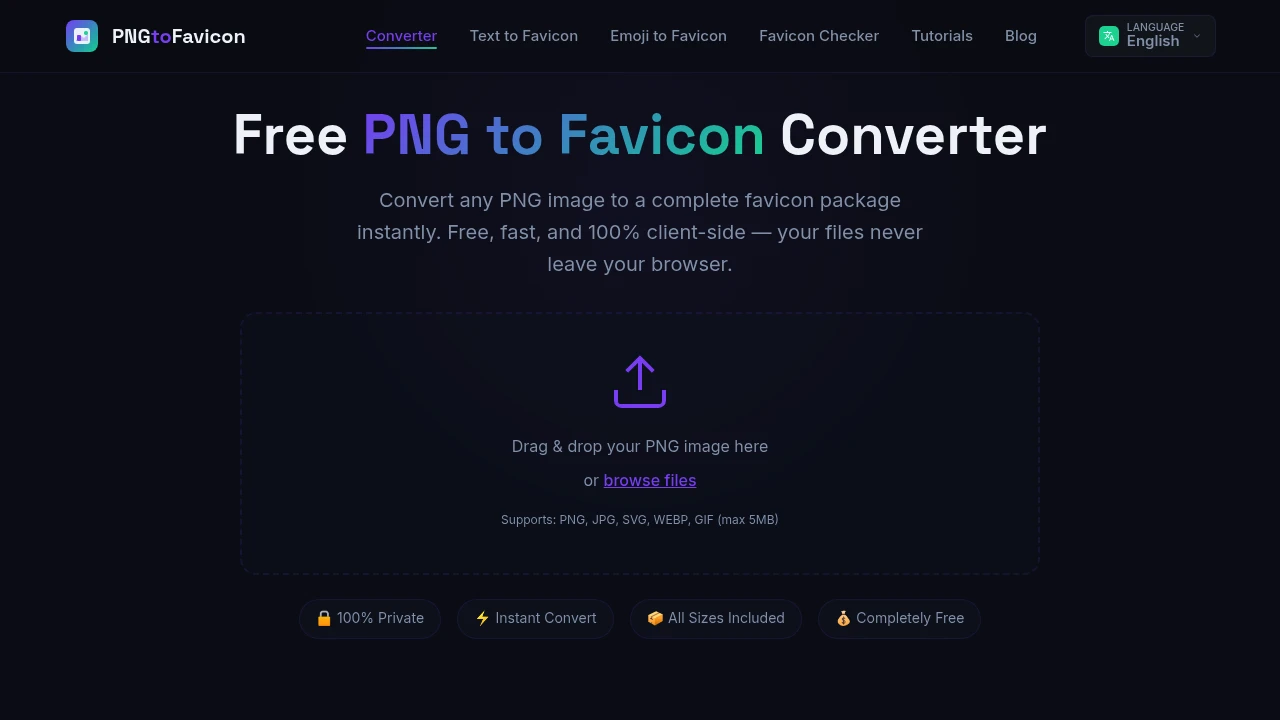
This favicon generator turns a single image into a complete favicon and app icon package for websites, web apps, and home screen installs. It is built for developers, designers, bloggers, and business owners who want to generate the required icon files from one source image without uploading that image to a server.
The tool runs entirely in the browser. Users can upload a PNG, JPG, SVG, WEBP, or GIF file up to 5MB, choose how the image should be processed, and generate a package containing classic browser favicons, Apple touch icons, Android Chrome icons, and a web app manifest.
Key Features
Local Browser Processing
Generate favicon files without sending the source image to a remote server.
All image processing takes place client-side in the browser.
This means:
- The source image stays on your device
- No server-side image upload is required
- Processing happens locally
- No account or signup is required
This can be useful for users who prefer not to send design assets to an external service.
Multiple Image Format Support
Start with a range of common image file types.
The tool supports source files including:
- PNG
- JPG
- SVG
- WEBP
- GIF
Files can be uploaded up to 5MB in size.
This gives users flexibility when starting from an existing logo, illustration, graphic, or other brand asset.
Complete Favicon Package
Generate multiple icon files from one source image.
The tool creates a collection of files designed for different browsers, devices, and web application environments.
The generated package can include:
favicon.ico- PNG favicon files
- Apple touch icons
- Android Chrome icons
- Web app icon files
site.webmanifest
This helps users avoid generating each icon format separately.
Classic ICO Output
Create a traditional favicon for browser compatibility.
The generated favicon.ico file can be used as a standard favicon for websites and older browser environments.
This provides a fallback option alongside modern PNG-based icons.
PNG Favicon Sizes
Generate common PNG icon sizes for different browser and device requirements.
Supported output sizes can include:
- 16 × 16 pixels
- 32 × 32 pixels
- 48 × 48 pixels
- 180 × 180 pixels
- 192 × 192 pixels
- 512 × 512 pixels
These sizes can be used across browser tabs, bookmarks, mobile home screens, and progressive web applications.
Apple Touch Icons
Create icons for Apple devices and home screen shortcuts.
The generated package includes Apple touch icon support, allowing websites and web applications to provide a dedicated icon when users save them to a compatible home screen.
This can help maintain a more consistent branded appearance outside the browser tab.
Android Chrome Icons
Generate icons for Android and Chrome-based web experiences.
The tool creates Android-oriented icon sizes such as:
- 192 × 192 pixels
- 512 × 512 pixels
These files can be used for Android Chrome and progressive web application workflows.
Web App Manifest Generation
Generate a site.webmanifest file alongside the icon assets.
The manifest file helps define the icon resources used by a web application.
This can support:
- Progressive web apps
- Android home screen installs
- Browser-based app experiences
- Modern web application metadata
Generating the manifest alongside the icon files reduces the amount of manual setup required.
Ready-Made HTML Snippet
Get the HTML code needed to add the generated icons to a website.
The tool includes a ready-made <head> snippet that can be added to a site's HTML.
This can help users connect:
- Standard favicons
- PNG icons
- Apple touch icons
- Manifest files
The snippet reduces the need to manually write each icon reference.
Transparency and Background Controls
Adjust how the source image appears in the generated icons.
Users can choose image options such as:
- Keeping transparency
- Adding a background color
- Adjusting the background appearance
This can be useful when a logo or graphic was originally designed for a transparent background but needs a more visible appearance at small icon sizes.
Rounded Corner Options
Adjust the shape of the generated icon.
The tool includes options for applying rounded corners to the source image before generating the final icon files.
This gives users additional control over how a logo or graphic appears across different devices and platforms.
Icon Size Selection
Choose from common favicon and application icon dimensions.
The tool supports commonly used sizes for different environments, including:
- Browser tabs
- Legacy favicon support
- Apple devices
- Android devices
- Progressive web applications
This allows one source image to be adapted into a broader set of platform-specific outputs.
ZIP Package Download
Download all generated files together.
Instead of downloading each icon individually, the tool packages the generated files into a ZIP archive.
The package can include:
- Favicon files
- PNG icons
- Apple touch icons
- Android icons
- The web app manifest
- HTML implementation code
This makes it easier to move the complete icon set into a website or application project.
Built for Website and App Icon Generation
The favicon generator combines local browser processing, multiple image format support, classic ICO output, PNG icons, Apple touch icons, Android icons, manifest generation, and HTML implementation code into one workflow.
Key benefits include:
- Process images entirely in the browser
- Keep source files on your device
- No server-side uploads
- No signup required
- Support for PNG, JPG, SVG, WEBP, and GIF
- Generate
favicon.ico - Create multiple PNG favicon sizes
- Generate Apple touch icons
- Create Android Chrome icons
- Generate a
site.webmanifestfile - Access ready-made HTML code
- Preserve transparency when needed
- Add custom background colors
- Apply rounded corners
- Choose from common icon dimensions
- Download all generated assets as a ZIP package
Built For
- Web Developers
- Frontend Developers
- Designers
- Bloggers
- Business Owners
- SaaS Founders
- Indie Hackers
- Marketing Teams
- Website Owners
- Progressive Web App Developers
- Ecommerce Businesses
- Anyone Creating a Website or Web App
Common Use Cases
- Creating a favicon from a company logo
- Generating browser tab icons
- Creating Apple touch icons
- Preparing Android home screen icons
- Building icon assets for a progressive web app
- Generating a
site.webmanifestfile - Creating multiple favicon sizes from one image
- Adding icons to a new website
- Updating an existing site's favicon package
- Converting a logo into web-ready icon formats
- Preparing a complete icon package without using multiple tools
- Generating favicon assets without uploading source files to a server
Why It Matters
A modern website or web application may need several versions of the same icon. A traditional favicon.ico file can still be useful for browser compatibility, while PNG files may be needed for modern browser tabs, Apple touch icons, Android devices, and progressive web applications.
Creating each version manually can involve resizing images, converting formats, generating manifest files, and writing the required HTML references.
This tool simplifies that process by starting with a single source image and generating the common favicon and application icon assets in one browser-based workflow. Users can keep transparency, add a background, apply rounded corners, select common sizes, and receive both the generated files and the HTML needed to add them to a site.
Because the processing happens locally in the browser, the source image does not need to be uploaded to a server. This combines privacy and convenience for users who want a complete favicon package without relying on multiple conversion tools.
Generate a Complete Favicon Package From One Image
Upload a PNG, JPG, SVG, WEBP, or GIF image, process it entirely in your browser, choose options such as transparency, background color, rounded corners, and icon sizes, generate favicon.ico, PNG favicon files, Apple touch icons, Android Chrome icons, and a site.webmanifest file, copy the ready-made HTML snippet, and download the complete package as a ZIP without sending your source image to a server.