
MiniMax H3
Multimodal AI video generator that creates short clips from text, images, and references with native audio and official API access.
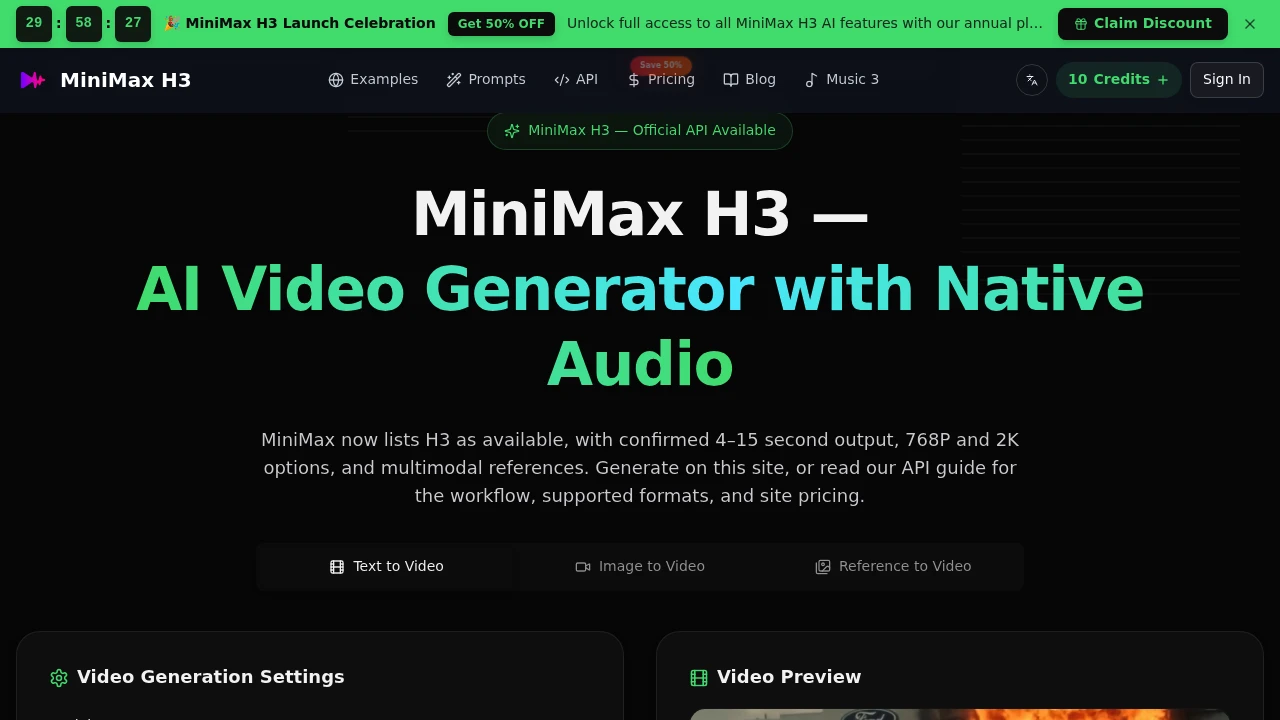
This multimodal AI video generator creates short cinematic clips from text prompts, images, and reference media. It is designed for creators, marketers, filmmakers, and developers who want to test visual ideas quickly without building a full production pipeline.
The tool focuses on short, reviewable shots, with confirmed clip lengths of 4 to 15 seconds and output options of 768P or 2K. Text can describe an entire scene, while images and other reference media can provide additional control over composition, character appearance, product framing, motion, voice, and atmosphere.
Key Features
Text to Video
Turn written scene descriptions into short video clips using text prompts.
Prompt guidance is designed around practical shot construction, with attention to:
- Main subject
- Movement
- Framing
- Lighting
- Sound
- Intended ending
This makes text-to-video useful for quickly testing individual shots before committing to a larger production.
Image to Video
Use a still image as the foundation for a moving clip.
Image inputs can help anchor:
- Composition
- Character appearance
- Product framing
- First-frame visuals
This gives creators more control over the starting visual than a text-only generation.
Reference to Video
The generator supports multimodal reference inputs, allowing images, videos, and audio to influence the resulting clip.
The current API documentation supports up to:
- 9 reference images
- 3 reference videos
- 3 reference audio files
Reference media can provide identity, movement cues, voice, or atmosphere when maintaining consistency within a scene matters.
Native Stereo Audio
Audio is generated as part of the video experience rather than being treated as a separate production step.
Native stereo audio can support:
- Dialogue
- Ambient sound
- Timed effects
This helps keep sound and visuals aligned within short cinematic clips.
Instruction-Based Editing
The tool supports targeted editing instructions for modifying specific parts of a generated or referenced scene.
Changes can focus on:
- Characters
- Objects
- Backgrounds
- Visual effects
- Dialogue
This provides a way to iterate on a shot without having to completely restart the creative process.
Short Cinematic Clips
The generator is built around focused video outputs rather than long-form productions.
Confirmed generation lengths range from 4 to 15 seconds, making it suitable for individual shots, concepts, transitions, product moments, and short social content.
768P and 2K Output
Generated clips are available in 768P or 2K options, giving creators a choice between different output resolutions depending on the intended use.
Official API
An official API allows developers to integrate video generation into their own workflows and applications.
This makes the platform suitable not only for manual creative exploration but also for prototyping automated video-generation workflows.
Large Prompt Capacity
The API supports prompts of up to 7,000 characters, giving users room to describe more detailed scenes, actions, audio requirements, and visual direction.
Built For AI Video Production
Creators can experiment with short cinematic concepts, social clips, and visual ideas without starting from a complete production workflow.
Marketers can prototype product teasers, advertisements, campaign concepts, and short promotional scenes.
Filmmakers can use generated shots for previsualization, reference exploration, and testing how individual scenes might work.
Developers can use the official API to integrate multimodal video generation into applications and automated workflows.
Common Use Cases
Previsualization
Generate short shots to explore composition, movement, lighting, sound, and scene direction before moving into a larger production.
Product Teasers
Use product images or reference media to create short cinematic product moments for marketing and promotional concepts.
Social Video Concepts
Create short clips designed for social content where a focused visual idea is more useful than a long generated sequence.
Character and Scene Testing
Use reference images and videos to establish visual identity and experiment with how characters or scenes move.
Shot Prototyping
Test different visual directions quickly by generating individual 4 to 15 second clips rather than producing an entire sequence at once.
Multimodal Creative Workflows
Combine text, images, video, and audio references when a scene needs more control over identity, composition, motion, or atmosphere.
Why It Matters
AI video generation becomes more useful for production work when creators can control more than just the text prompt. A still image can establish the look of a product or character, reference video can influence movement, and audio references can help shape the sound of a scene.
This tool brings those inputs together while keeping the output focused on short, reviewable clips. Its native stereo audio, multimodal references, instruction-based editing, and API access make it suited to workflows where visual and audio direction need to remain connected.
The short clip format also makes experimentation practical. Instead of treating AI video as a replacement for an entire production pipeline, teams can use it to test individual shots, concepts, and creative directions quickly.
Create Multimodal Cinematic Clips
This AI video generator brings together text-to-video, image-to-video, reference media, native stereo audio, and instruction-based editing in one workflow. With 4 to 15 second clips, 768P and 2K output, support for multiple reference types, a 7,000-character prompt limit, and an official API, it gives creators, marketers, filmmakers, and developers a focused way to prototype cinematic video ideas.