
Productify
Bulk upload designs to Printify, reuse product settings, review the batch, and create multiple listings with AI-generated copy.
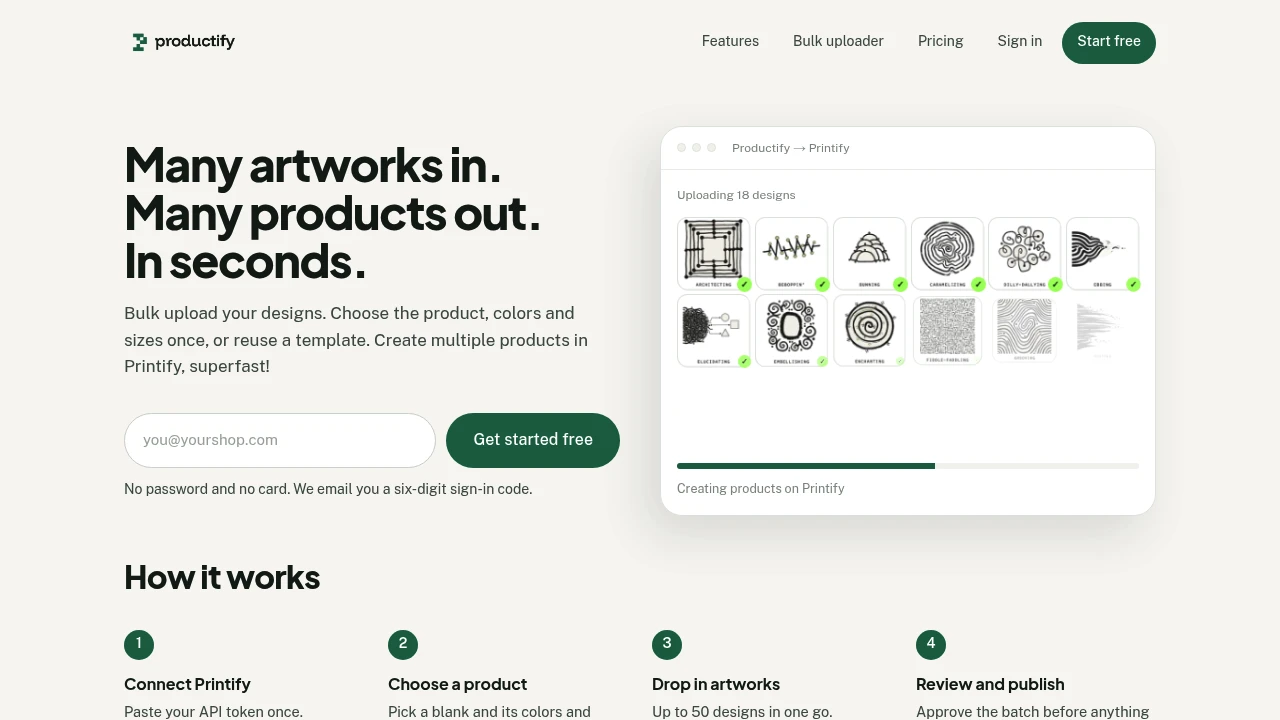
Productify helps Printify sellers turn multiple artworks into product listings without repeating the same setup for every design. Connect your Printify shop, choose a product blank, colors, and sizes once, then apply that setup across a batch of artworks.
It is built for Printify sellers, artists, and small shops that need to grow a product catalog without turning every design into a separate manual task. The workflow combines batch uploads, reusable templates, preflight checks, generated listing copy, and a review step before products are created and synced to Printify.
Key Features
One-Time Product Setup
Choose the product, colors, and sizes once and reuse that configuration across multiple designs. You can also clone an existing product to speed up repeated listing creation.
Batch Artwork Uploads
Upload multiple artworks in a single pass, with support for up to 50 designs at a time. This makes it easier to process larger batches without repeating the same product configuration.
Reusable Templates
Save a product setup and reuse it across future artwork batches. This is useful when multiple designs share the same blank, available colors, and size options.
Preflight Review
Check designs before products are created. If an artwork may print too softly, it is flagged during the review process so you can identify potential print-quality issues before continuing.
AI Listing Copy
Generate a title, description, and tags for each artwork. You can choose a voice for the generated copy, making it easier to create individual listing content across a larger batch.
Editable Listing Output
Generated text remains editable. You can change the title, description, or tags before creation, or leave descriptions empty if you prefer to write your own product copy.
Review Before Creation
Review the batch before anything is created in your Printify shop. This keeps the final approval step under your control rather than automatically publishing every generated listing.
Printify Sync
Once approved, products sync to Printify with mockups ready. The workflow leaves publishing under your control, allowing you to decide when products should actually go live.
Simple Access
Sign in using an email code without needing a password or credit card. This keeps access straightforward for sellers who want to get started quickly.
Built For Faster Printify Catalog Creation
Printify Bulk Product Creator is built for sellers moving from a small collection of products toward a larger catalog. Instead of repeating product setup for every artwork, sellers can configure the parts that stay consistent once and then apply them across a batch.
Common Use Cases
- Creating multiple Printify product listings
- Turning artwork collections into product batches
- Reusing the same product blank across designs
- Applying shared colors and sizes to multiple artworks
- Uploading up to 50 designs at once
- Checking artwork for potential print-quality issues
- Generating titles, descriptions, and tags
- Editing AI-generated listing copy
- Preparing product mockups in Printify
- Growing a print-on-demand catalog with less repetitive setup
Pricing
The product uses usage-based pricing, so you pay as you use it rather than relying on a traditional recurring subscription structure.
Why It Matters
Creating print-on-demand products can become repetitive when every new artwork requires the same product, color, size, and listing setup. This tool focuses on removing that repetition while keeping the parts that need human review under the seller's control.
The main value is the combination of batch creation and review. Sellers can reuse their product setup, process up to 50 designs at once, catch potential print-quality issues, generate listing copy, and approve the batch before products are created and synced to Printify.
Create Printify Products in Bulk
Turn multiple artworks into Printify-ready product listings with reusable setups, batch uploads, preflight review, generated listing copy, and seller-controlled approval.


