
Rankly
Free online ranking tool for uploading images, arranging them into tiers, and downloading a shareable PNG without an account.
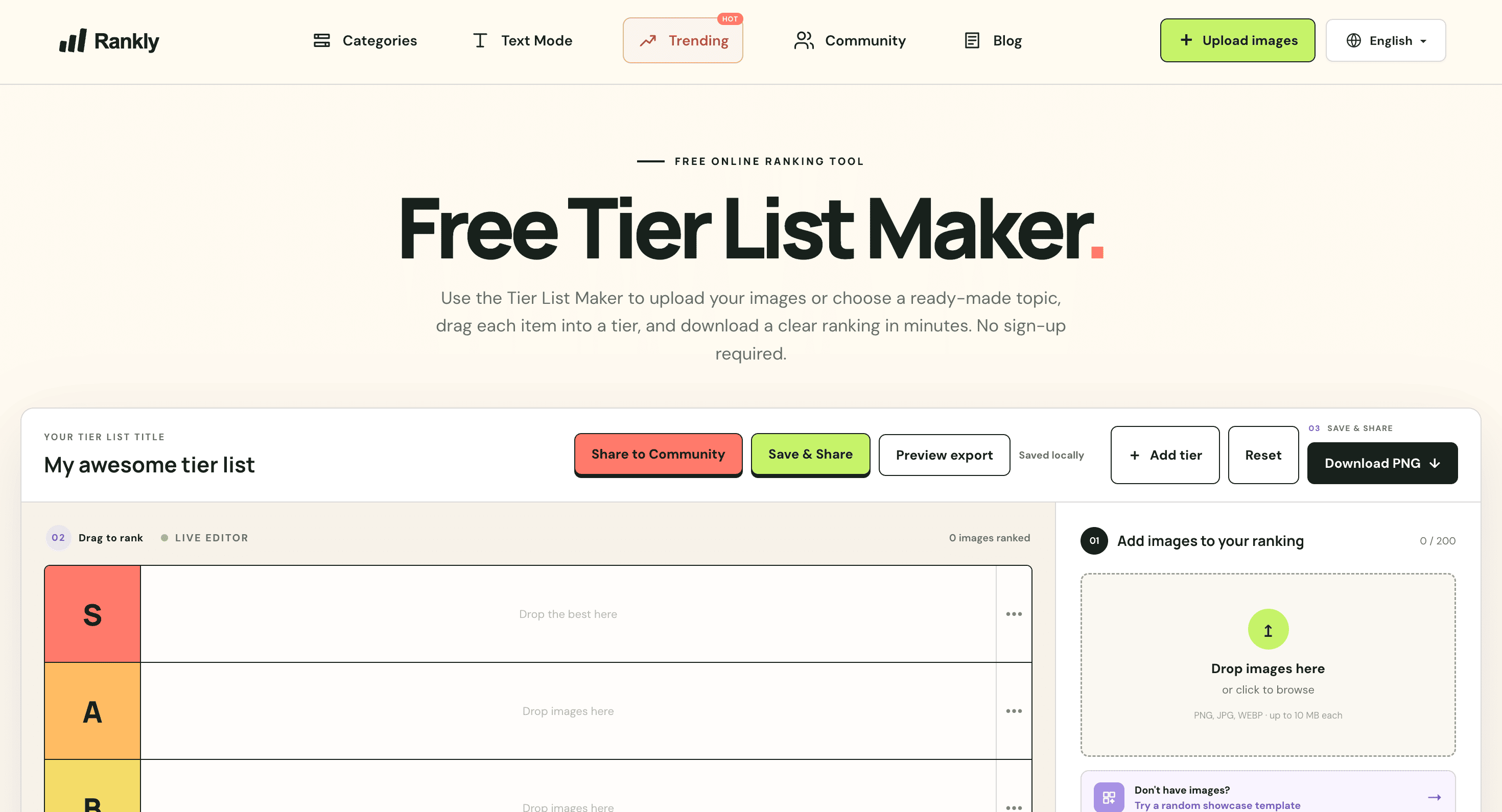
Tier List Maker is a browser-based tool for people who want to rank images quickly and share the finished result as a PNG. It is suited to fandom lists, opinion pieces, classroom activities, and other ranking tasks where a simple drag-and-drop board is enough.
The editor lets you start with your own images or choose from ready-made topic templates. You can place items into tiers, rename the tier labels, and export the completed board without creating an account. Images are processed locally in the browser rather than being sent through the editor.
Key Features
Custom Image Uploads
Build a tier list using your own images.
The tool supports JPG, PNG, and WebP files, allowing users to create rankings around their own subjects, collections, or ideas.
Topic Templates
Start from a ready-made ranking instead of an empty board.
Templates cover topics such as:
- Games
- Movies
- Sports
- Food
- Other community-focused subjects
This gives users a quick starting point that they can customize to their own ranking.
Flexible Tiers
Customize the ranking structure to match your preferences.
Tier labels can be renamed, so standard rows such as S and A can be replaced with whatever scale or categories you want to use.
Drag-and-Drop Editing
Arrange items directly on the ranking board.
Images can be moved between tiers and the unranked area, making it easy to sort items gradually and change decisions as you build the list.
PNG Export
Turn the finished tier list into a shareable image.
The completed board can be exported as a PNG, making it suitable for posting, sharing, or including in other content.
Local Image Processing
Keep uploaded images inside the browser.
The editor processes images locally rather than sending them through an external service, which allows users to create tier lists without uploading their images to a remote editor.
Built For Tier List Creators
The tool is a good fit for:
- Fandom communities
- Content creators
- Students and teachers
- Sports fans
- Gamers
- Movie communities
- Bloggers
- Social media users
- Anyone creating image-based rankings
Common Use Cases
- Creating fandom tier lists
- Ranking games or characters
- Comparing movies
- Ranking sports players or teams
- Creating food rankings
- Building classroom ranking activities
- Making opinion-based lists
- Creating community discussion boards
- Ranking personal image collections
- Exporting rankings for social media
Why It Matters
Many tier list tools add unnecessary complexity when all someone wants to do is place images into ranked rows and share the result. This tool keeps the workflow focused on the core task: choose images, drag them into tiers, customize the labels, and export the finished board.
The template library also reduces the work involved in starting from scratch. Users can select a topic-specific board and adjust it rather than building an empty ranking every time.
The local processing approach is another useful part of the workflow. Since images stay in the browser during editing, users can work with their own images without sending them through the editor's servers. Combined with no required sign-up, this makes the tool suitable for quick one-off rankings as well as recurring community lists.
Create and Share Tier Lists
Build image-based rankings with custom uploads or ready-made templates, arrange items through drag-and-drop, customize tier labels, and export the finished board as a PNG. The browser-based editor keeps the process simple and lets you create a tier list without an account.