
RAWCraft
iPhone app that grades Apple ProRAW photos with built-in looks or imported .cube LUTs and .xmp presets, then exports a new file.
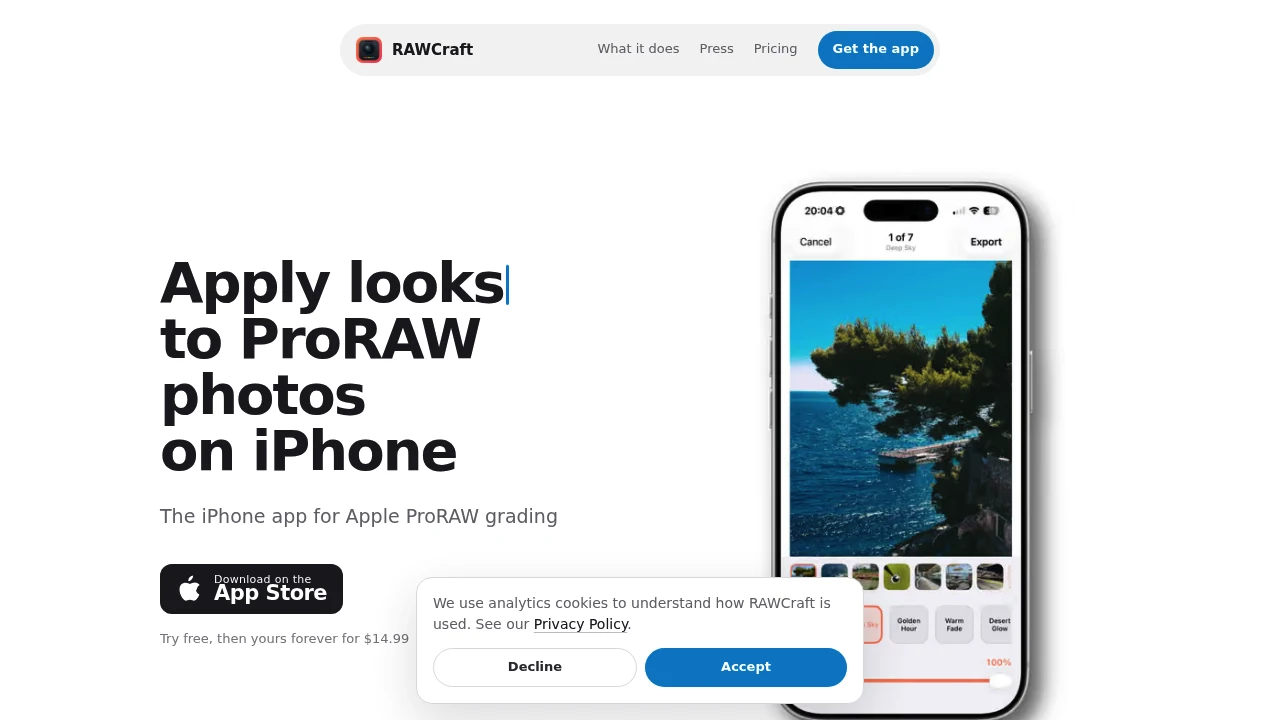
RAWCraft is a focused iPhone photo grading app for photographers who shoot Apple ProRAW and want to apply a finished look without opening a full photo editor. It keeps the workflow simple and on-device: choose a look, adjust its intensity, and export the result while leaving the original RAW file untouched.
The app includes 10 built-in looks and supports importing your own .cube LUTs and .xmp presets. That makes RAWCraft useful for photographers who already have established grading styles from desktop software or preset packs and want to reuse them directly on iPhone.
Key Features
Built-In Looks
RAWCraft includes 10 built-in looks for photographers who want a quick starting point without importing their own grading files.
Choose a look and adjust its strength to create anything from a subtle grade to a more pronounced finish.
Custom LUT and Preset Import
You can bring your existing color-grading workflow to iPhone by importing:
.cubeLUTs.xmppresets
This allows photographers to reuse styles they already use with desktop editing tools or preset collections.
Single Intensity Slider
RAWCraft keeps the editing interface deliberately small.
Instead of working through multiple adjustment panels, one intensity slider controls how strongly the selected look is applied. This makes it easy to blend a grade without digging through a full set of editing controls.
Batch Export
Process multiple photos at once with support for up to 30 photos per batch.
This is useful when applying the same look across a group of ProRAW images rather than finishing every photo individually.
Flexible Export Formats
Finished photos can be exported in several common formats:
- HEIC
- JPEG
- TIFF
- AVIF
sRGB and Display P3 Output
RAWCraft supports both sRGB and Display P3 color output, giving photographers a choice of color space when exporting finished images.
On-Device Processing
The app processes photos directly on the iPhone.
There is no account requirement or internet connection requirement, keeping the workflow available even when working offline.
Original RAW Preservation
RAWCraft does not overwrite the original RAW source.
Your Apple ProRAW file remains untouched, allowing you to return to the original image and create different exports or apply another look later.
Built For ProRAW Photographers
RAWCraft is designed for photographers who already shoot Apple ProRAW and want a faster way to apply a visual style on iPhone.
It is particularly suited to:
- Photographers who want quick on-device grading
- Mobile shooters who prefer not to open a full editor
- Preset users with existing
.xmpfiles - Color grading workflows built around
.cubeLUTs - Creators who need finished photos quickly for publishing or sharing
Common Use Cases
- Quick ProRAW grading: Apply a finished look without opening a full editing suite.
- Preset reuse: Bring existing
.cubeLUTs or.xmppresets onto iPhone. - Batch photo processing: Apply a look across up to 30 photos at once.
- Social media exports: Create HEIC, JPEG, TIFF, or AVIF versions for publishing and sharing.
- Mobile photography workflows: Finish photos directly on the device.
- Consistent visual style: Use the same LUT or preset across multiple images.
- Offline editing: Process photos without an internet connection.
- Non-destructive workflow: Keep the original ProRAW file unchanged.
Pricing
RAWCraft offers 10 full-quality exports for free so you can try the workflow before purchasing.
After the free exports, the app is available as a one-time $14.99 purchase. There is no subscription, and future updates are included with the purchase.
Why It Matters
Full photo editors offer extensive control, but that can be unnecessary when the goal is simply to apply a consistent look to a ProRAW image. RAWCraft focuses on that narrower workflow, reducing the number of controls between the original photo and the finished export.
Its support for custom LUTs and presets is particularly useful for photographers who already have a visual style established elsewhere. Combined with batch export, multiple output formats, color-space options, and on-device processing, it provides a compact way to finish ProRAW photos without changing the original files.
RAWCraft is intentionally not a replacement for a complete photo editor. It does not focus on cropping, retouching, curves, or video editing. Its value is the focused workflow for applying and blending a look.
Grade ProRAW Photos Faster With RAWCraft
Choose a look, adjust its intensity, and export finished photos directly from your iPhone. With built-in looks, .cube LUT and .xmp preset support, batch processing, flexible exports, and untouched original RAW files, RAWCraft gives ProRAW photographers a simpler way to finish images on-device.


