
ReceiptLine
A WhatsApp-native receipt tool for solo bookkeepers to collect, categorize, and export client expenses each month.
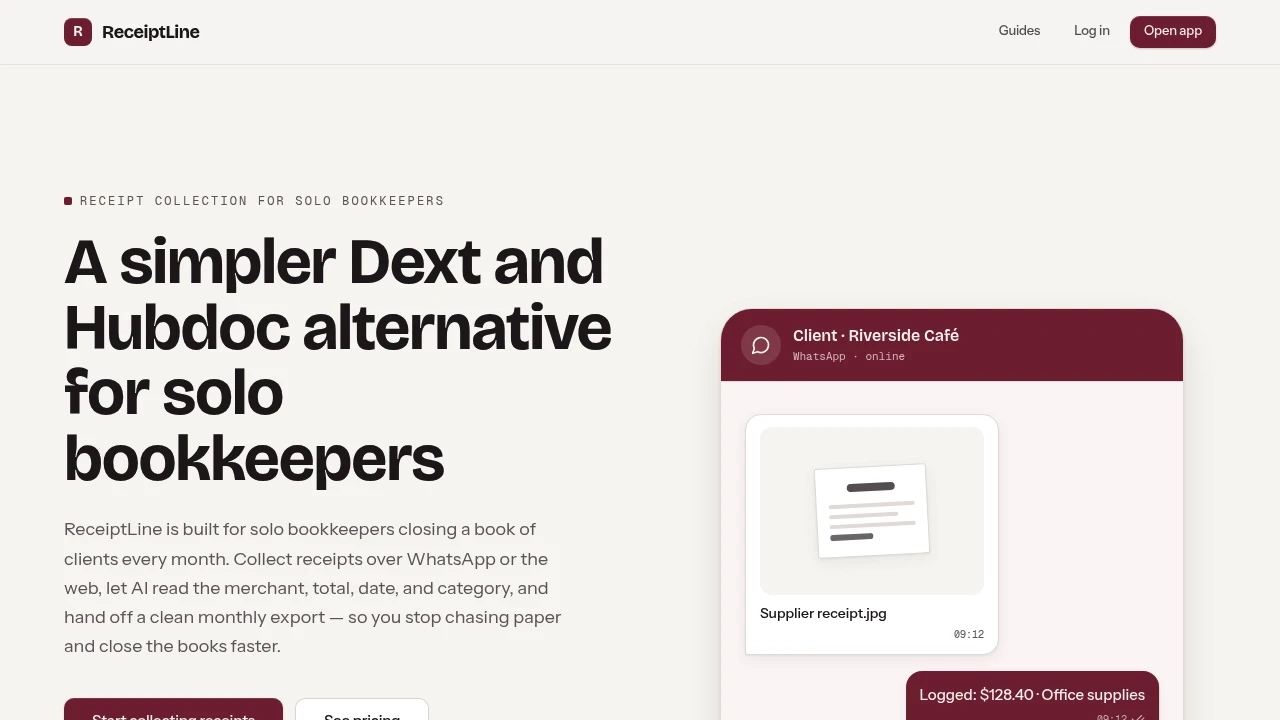
ReceiptLine is a receipt collection and expense data extraction platform that helps solo bookkeepers, freelancers, and small businesses gather receipts, extract key expense details, and prepare monthly records for accounting workflows. It combines WhatsApp receipt capture, web uploads, AI-powered data extraction, review workflows, and CSV exports in one streamlined system.
The platform is designed for bookkeepers who manage receipts across multiple clients and want to reduce the manual work involved in chasing missing documents, reading receipt details, and preparing expense data for month-end close. Instead of acting as a full accounting platform, ReceiptLine focuses specifically on collecting receipts and turning them into structured records that can be handed off to an existing ledger or accounting application.
Key Features
WhatsApp Receipt Capture
Collect receipts through a messaging channel clients already use.
ReceiptLine allows clients or bookkeepers to submit receipt images through a connected WhatsApp number.
The workflow supports:
- Receipt photo submissions
- Client-side receipt collection
- Bookkeeper-managed uploads
- WhatsApp-based document capture
- Simplified receipt submission
This can reduce the friction involved in asking clients to upload documents through a separate accounting portal.
Web Receipt Uploads
Upload receipt images directly through the web.
ReceiptLine supports web-based uploads for users who do not want to use WhatsApp.
Supported image formats include:
- JPEG
- PNG
- WebP
This provides an alternative workflow for clients who prefer direct file uploads or need to submit receipt images outside of WhatsApp.
AI-Powered Receipt Extraction
Turn receipt images into structured expense information.
The AI extraction workflow can identify details such as:
- Merchant name
- Transaction date
- Total amount
- Tax amount
- Currency
- Suggested expense category
This reduces the amount of information that needs to be manually entered from each receipt.
Expense Category Suggestions
Get assistance organizing receipts into expense categories.
ReceiptLine can provide a suggested category for each extracted expense.
This can help users:
- Organize expense records
- Speed up review workflows
- Prepare data for accounting systems
- Reduce repetitive categorization work
- Maintain more structured month-end records
The suggested information can still be reviewed before it becomes part of the final export.
Receipt Review Workflow
Review extracted information before exporting records.
Each receipt is intended to pass through a review process before the expense data is included in the monthly export.
Users can review information such as:
- Extracted merchant details
- Transaction dates
- Expense totals
- Tax information
- Currency
- Suggested categories
- Notes
This gives bookkeepers AI-assisted data extraction without requiring them to hand over full control of the final records.
Monthly CSV Export
Prepare completed expense records for month-end handoff.
ReceiptLine generates a CSV containing completed expense information that can be used with an existing bookkeeping or accounting workflow.
The export can include practical fields such as:
- Merchant
- Date
- Total
- Tax
- Currency
- Expense category
- Capture source
- Notes
This makes it easier to move receipt information into a ledger, accounting application, or internal reporting workflow.
Multi-Client Receipt Collection
Collect and organize receipts across different bookkeeping relationships.
The platform is designed for workflows where a bookkeeper may need to gather documents from multiple clients.
This can help reduce the need to:
- Chase paper receipts
- Request repeated uploads
- Search through message threads
- Manually collect expense documents
- Re-enter receipt information
ReceiptLine provides a more structured collection process while keeping receipt submission relatively simple for clients.
WhatsApp and Web-Based Flexibility
Use different collection methods depending on the client.
ReceiptLine supports both:
- WhatsApp receipt capture
- Web-based uploads
This means bookkeepers can use WhatsApp when clients prefer a familiar messaging workflow while still supporting clients who need a browser-based upload option.
Focused Receipt Workflow
Use a tool designed specifically for receipt collection and handoff.
ReceiptLine does not attempt to replace a complete accounting system.
Instead, it focuses on:
- Receipt collection
- Receipt image uploads
- AI data extraction
- Expense review
- Monthly record preparation
- CSV export
This makes it suitable for users who already have an accounting process and need a simpler way to get receipt information into that workflow.
Flat Monthly Pricing
Use the platform with a straightforward pricing structure.
ReceiptLine offers:
- One flat monthly price
- $59 per month
- Receipt collection tools
- AI-powered extraction
- Review workflows
- Monthly CSV exports
This can be useful for solo bookkeepers or small teams that prefer predictable software costs.
Built for Receipt Collection and Month-End Preparation
ReceiptLine combines WhatsApp receipt capture, web uploads, AI-powered receipt extraction, expense category suggestions, review workflows, and monthly CSV exports into one focused receipt management workflow.
Key benefits include:
- WhatsApp receipt collection
- AI receipt data extraction
- Web-based receipt uploads
- Expense category suggestions
- Receipt review workflows
- Monthly CSV exports
- Multi-client receipt collection
- Simplified month-end preparation
Built For
- Solo Bookkeepers
- Freelance Bookkeepers
- Small Accounting Practices
- Freelancers
- Small Business Owners
- Operations Teams
- Businesses Managing Expense Receipts
- Professionals Preparing Monthly Expense Records
Common Use Cases
- Collecting client receipts through WhatsApp
- Uploading receipt images through the web
- Extracting merchant and transaction details
- Reviewing AI-generated expense information
- Preparing monthly expense records
- Exporting receipt data to CSV
- Organizing receipts before month-end close
- Reducing manual receipt data entry
- Managing receipts across multiple clients
- Handing structured expense data to accounting software
Why It Matters
Receipt collection is often one of the more repetitive parts of bookkeeping. Clients may send photos through scattered channels, forget to submit receipts, upload documents late, or provide images that still require manual data entry. This can create extra work at month-end when bookkeepers need to gather missing documents and turn unstructured receipt images into usable expense records.
ReceiptLine focuses on simplifying that specific workflow. Clients can submit receipt images through WhatsApp or the web, AI extracts key information from each receipt, the bookkeeper can review the suggested data, and completed records can be exported as a monthly CSV for handoff to an existing ledger or accounting system. Rather than replacing the entire accounting stack, it helps organize the step between receiving a receipt and preparing the underlying expense data.
Collect, Review, and Export Receipt Data From One Place
Collect receipts through WhatsApp or web uploads, extract merchant, date, total, tax, currency, and expense category information with AI, review each receipt before finalizing the record, organize receipt data across clients, and export completed monthly expenses as a structured CSV for your existing bookkeeping or accounting workflow.