
Video Upscaler
AI video enhancement tool that upscales blurry, compressed, or low-resolution footage to sharper HD or 4K exports online.
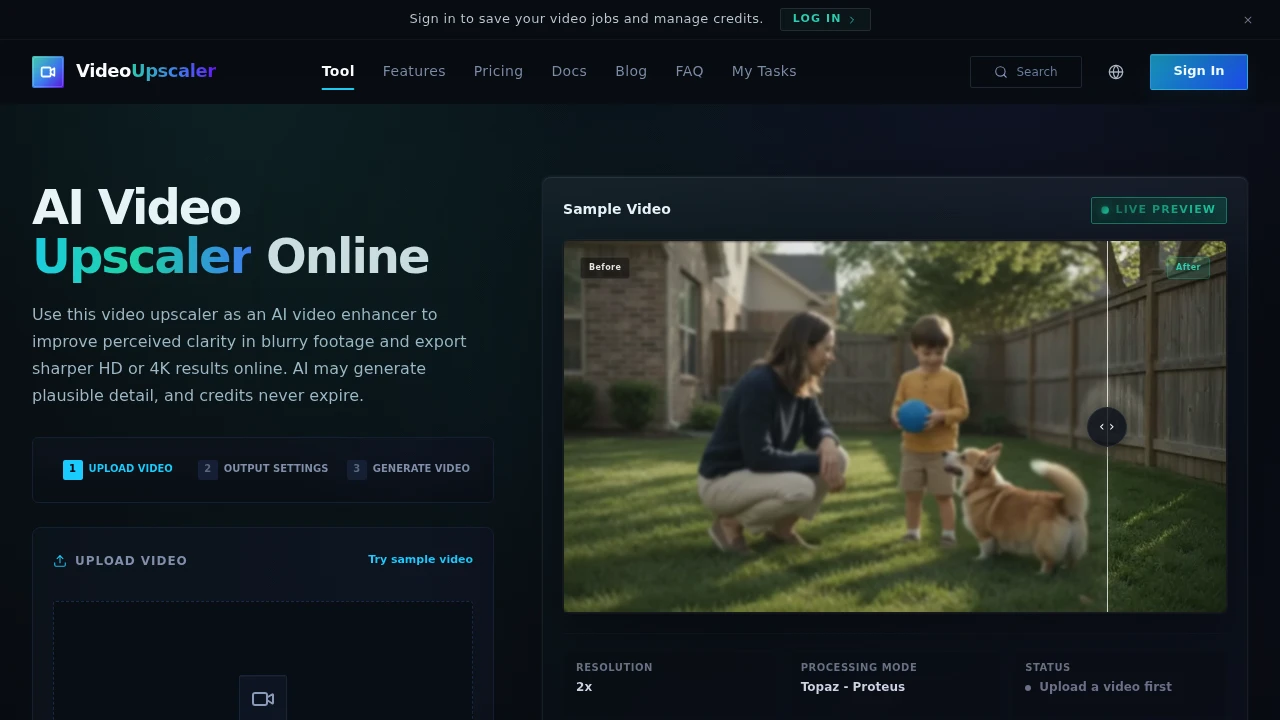
Enhance blurry, noisy, and low-resolution videos with AI-powered upscaling directly from your browser. This browser-based video upscaler helps creators, editors, archivists, marketers, and everyday users restore footage, improve perceived clarity, and export sharper HD or 4K videos without rebuilding existing edits.
Upscale and Restore Videos With AI
Instead of simply increasing a video's resolution, this AI-powered tool enhances perceived image quality by reducing noise, sharpening details, and improving clarity while preserving natural-looking motion. Upload your video, preview the enhancement, compare before-and-after results, and export a cleaner version ready for publishing or archiving.
Whether you're restoring family recordings, improving social media clips, or preparing professional content, the workflow focuses on producing higher-quality video from existing footage.
Key Features
AI Video Upscaling
Increase video quality using advanced AI enhancement.
Upscale footage to:
- 2× resolution
- 4× resolution
- HD
- 2K
- 4K
depending on your source video.
Video Restoration
Refresh older or lower-quality footage.
Suitable for restoring:
- Family videos
- Archived recordings
- Historical footage
- Old camera clips
- Legacy media
with improved visual clarity.
Noise Reduction
Reduce unwanted visual artifacts in compressed videos.
Improve footage by reducing:
- Digital noise
- Compression artifacts
- Grain
- Visual distortion
- Low-quality image defects
for cleaner playback.
Blur Reduction
Improve the appearance of soft or blurry footage.
Enhance:
- Subject definition
- Fine textures
- Edge clarity
- Overall sharpness
- Visual readability
while maintaining natural-looking results.
Creator Content Enhancement
Prepare higher-quality videos for online publishing.
Optimise content including:
- Tutorials
- Interviews
- Gameplay videos
- B-roll footage
- Social media clips
for a more polished presentation.
Social Media & Platform Optimisation
Create cleaner videos for modern publishing platforms.
Prepare content for:
- Vertical videos
- Instagram Reels
- YouTube Shorts
- TikTok
- Reposted content
with additional flexibility for cropping and resizing.
Professional AI Enhancement Models
Choose enhancement models that match your footage.
Available options include:
- Topaz enhancement model
- Proteus balanced mode
- Automatic model selection
- Source-aware optimisation
- AI-powered processing
for different restoration needs.
Live Preview & Comparison
Evaluate improvements before exporting.
Review:
- Live previews
- Side-by-side comparisons
- Before-and-after playback
- Enhancement quality
- Final output
to choose the best settings.
Flexible Video Support
Upload common video formats with ease.
Supported formats include:
- MP4
- MOV
- WebM
- M4V
- GIF
with uploads up to 200 MB.
Flexible Credit System
Pay only for the processing you use.
The platform offers:
- Credit-based processing
- Settings-based usage
- No expiration on credits
- Flexible enhancement options
- Scalable workflows
for occasional or regular video enhancement.
Built for AI Video Enhancement
The platform combines AI video upscaling, restoration, noise reduction, blur correction, professional enhancement models, browser-based processing, and flexible export options into one powerful video enhancement solution.
Key benefits include:
- AI video upscaler
- Video restoration
- Video quality enhancer
- 4K video upscaling
- AI video sharpening
Built For
- Content Creators
- Video Editors
- Archivists
- Marketing Teams
- Social Media Managers
- Filmmakers
Common Use Cases
- Restoring old family videos
- Improving archived footage
- Enhancing YouTube videos
- Preparing Instagram Reels and Shorts
- Cleaning compressed downloads
- Upscaling videos for higher-resolution displays
Why It Matters
Simply enlarging a video rarely improves how it looks. This browser-based AI video upscaler focuses on enhancing perceived image quality by reducing noise, improving sharpness, restoring texture, and producing cleaner-looking footage suitable for modern displays. With support for multiple video formats, professional AI enhancement models, live previews, before-and-after comparisons, flexible output resolutions up to 4K, and browser-based processing, users can improve existing videos without starting their editing workflow from scratch.
Restore, Sharpen, and Upscale Videos With AI
Upload MP4, MOV, WebM, M4V, or GIF files, reduce blur and compression artifacts, restore older footage, enhance tutorials and social media videos, preview improvements before exporting, choose professional AI enhancement models, and export sharper HD, 2K, or 4K videos ready for sharing or archiving.