
Accounting Converter
Convert PDFs, scans, and spreadsheets into Excel, CSV, QBO, QFX, QIF, IIF, and 35+ accounting formats.
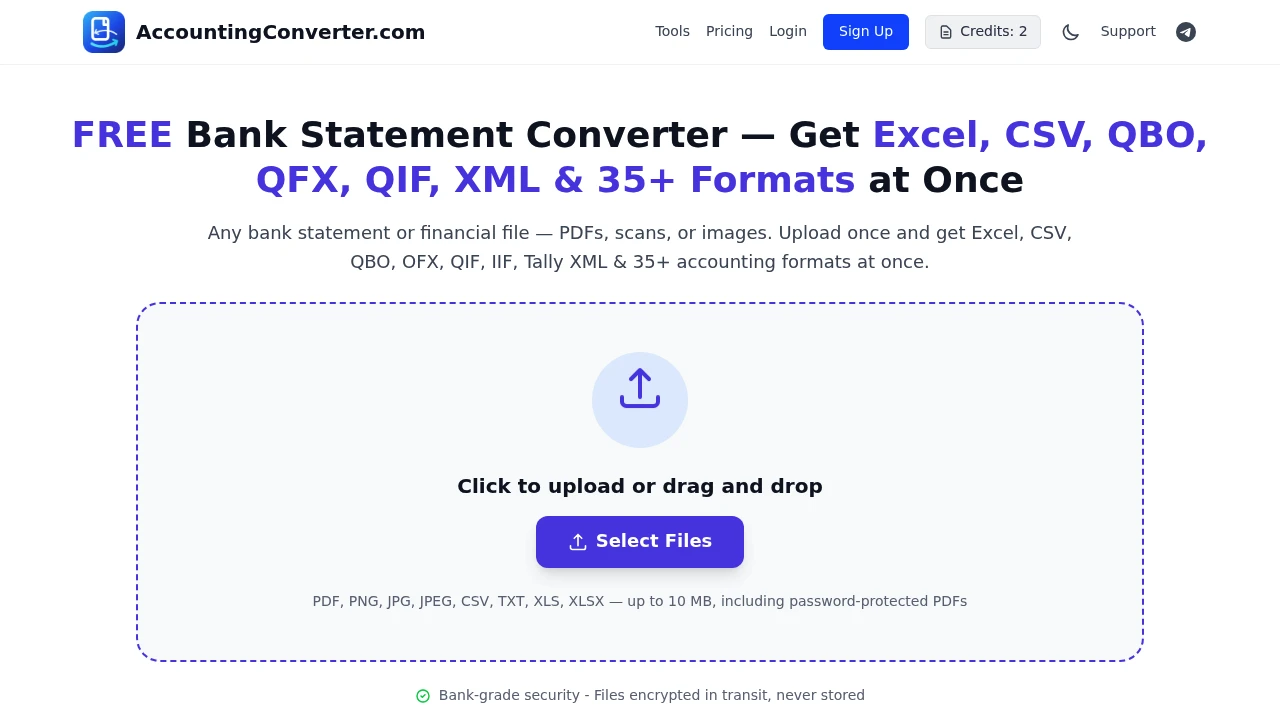
This bank statement converter turns bank statements and other financial files into accounting-ready formats for accountants, bookkeepers, small businesses, and anyone who needs transaction data that can be imported into accounting software without manual reentry.
It supports PDFs, scans, images, CSV, TXT, XLS, and XLSX files, including password-protected PDFs. Upload a financial file, let the service extract dates, transactions, amounts, and related accounting data, then choose from 35+ output formats for different bookkeeping and accounting workflows.
Key Features
Broad File Support
Convert financial documents from a wide range of source formats.
Supported inputs include:
- PNG
- JPG
- JPEG
- CSV
- TXT
- XLS
- XLSX
- Password-protected PDFs
This makes the converter useful when bank data arrives in different formats or needs to be processed from scanned documents and images.
35+ Accounting Output Formats
Choose the format that matches your accounting workflow after the financial data has been extracted.
Available formats include:
- Excel
- CSV
- QBO
- QFX
- QIF
- IIF
- OFX
- Tally XML
- And other supported accounting formats
The broad export selection makes it possible to prepare the same source statement for different bookkeeping and finance software.
Accounting-Ready Transaction Data
The service extracts the core information needed to turn a bank statement into an importable accounting file.
This includes:
- Dates
- Transactions
- Amounts
- Related accounting data
The extracted information is then packaged into the selected output format rather than leaving you with raw document text.
Simple Upload And Conversion
The workflow is designed around three basic steps:
Upload → Extract → Download
Upload the statement or financial file, select the desired output format, and download the converted accounting file.
This keeps the process focused on getting transaction data from an existing document into a format your accounting workflow can use.
Security And Privacy
The service states that uploaded files are encrypted in transit and never stored.
An anonymous conversion option is also available, allowing users to convert files without creating an account.
No Signup Option
You can use the conversion workflow without signing up.
This makes the service suitable for one-off statement conversions where you need to transform a financial file without setting up a permanent account.
Converter Tools
The platform also includes a small collection of converter tools organized by file format.
These provide additional ways to process financial data depending on the source and desired output format.
Account-Based Features
Users who create an account can access additional functionality for ongoing conversion work.
Account-based options include:
- Saved conversion history
- Higher page limits
- More pages per month
- Additional usage capacity
Paid plans also provide API access for teams that want to integrate financial file conversion into their own workflows.
Built For Accounting Workflows
Accountants
Convert client bank statements into accounting formats without manually re-entering every transaction.
Bookkeepers
Process statements and prepare transaction files for import into bookkeeping systems.
Small Businesses
Turn downloaded or scanned bank statements into structured files that can be used with accounting software.
Financial Data Cleanup
Convert messy or inconsistent source files into standardized formats for further accounting work.
Common Use Cases
Converting Bank Statements To QBO
Upload a statement and convert its transaction data into QBO format for compatible accounting workflows.
Preparing Tally Data
Use Tally XML output when preparing transaction data for Tally-based accounting workflows.
Converting Statements To Excel
Export financial data into Excel for review, cleanup, or spreadsheet-based bookkeeping.
Creating OFX, QIF, Or IIF Files
Choose from multiple accounting interchange formats depending on the software or workflow receiving the converted data.
Processing Scanned Statements
Upload scanned PDFs or financial images and extract transaction information for conversion.
Handling Password-Protected PDFs
Process supported password-protected bank statement PDFs as part of the conversion workflow.
Flexible Input, Accounting-Focused Output
Bank statements can arrive as PDFs, spreadsheets, images, or text files, while accounting systems often expect a very specific import format. Converting between those formats manually can mean retyping transactions or restructuring large amounts of financial data.
This service focuses specifically on that gap. It accepts a broad range of financial files, extracts the relevant transaction information, and converts it into one of 35+ accounting-oriented output formats.
Why It Matters
Manual bank statement entry is repetitive and creates unnecessary work when the underlying transaction data already exists in a digital document. The challenge is often getting that information into the exact file format required by an accounting system.
The converter simplifies that workflow by combining broad input support, accounting-focused extraction, and a large selection of export formats. Anonymous conversion also makes it practical for occasional users, while account-based plans provide higher limits and API access for recurring workflows.
Turn Bank Statements Into Importable Accounting Files
Upload a PDF, scan, image, CSV, TXT, XLS, or XLSX file and convert its transaction data into an accounting-ready format. With 35+ export options including Excel, CSV, QBO, QFX, QIF, IIF, OFX, and Tally XML, plus anonymous conversion and API access on paid plans, the platform provides a simple path from financial statements to bookkeeping software.


