
AlertForge
Creates custom OBS-ready overlays, alerts, stingers, and channel art from a saved style sheet for Twitch, YouTube, and Kick.
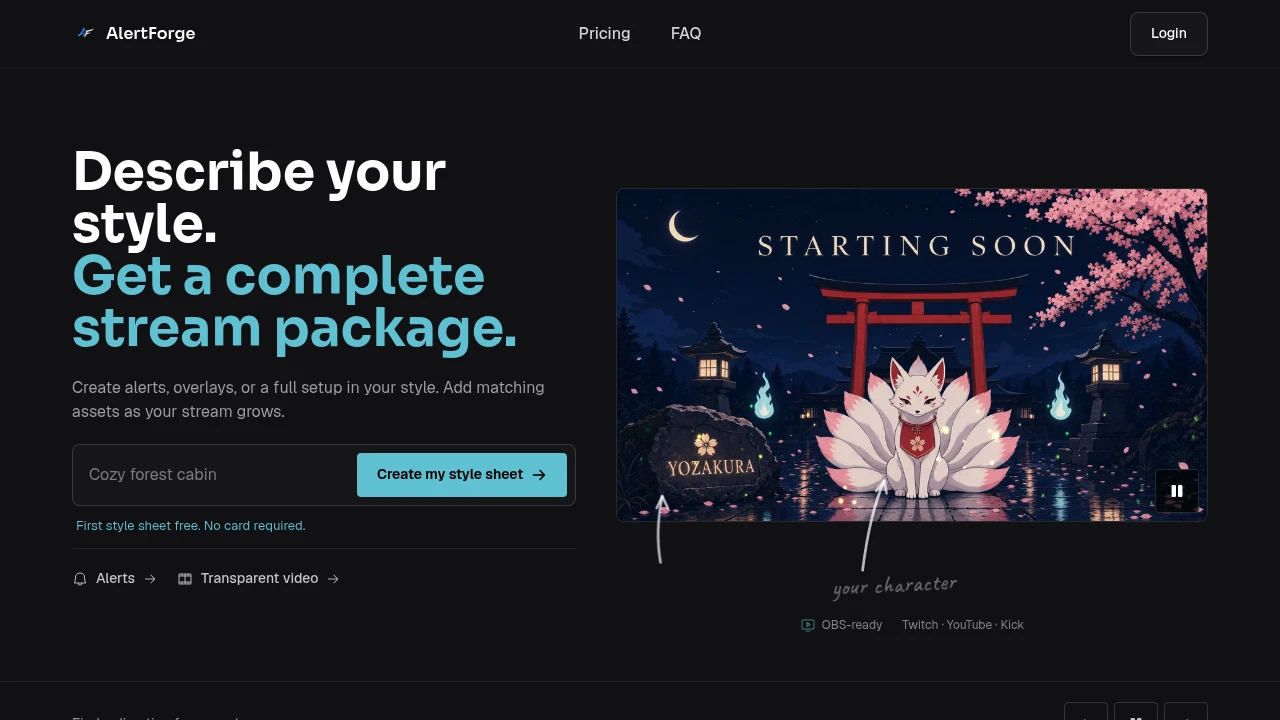
AlertForge helps streamers create a cohesive visual identity for OBS without starting from a blank canvas or designing every asset separately. Describe your character, colors, and theme, preview the resulting style sheet, and then generate matching overlays, alerts, stingers, and channel artwork built around the same visual direction.
The workflow is centered on a reusable style sheet that keeps future assets consistent as your channel grows. You can start with a single alert or scene, revise the style before generating finished files, and return later to create additional pieces without having to redesign the visual identity from scratch.
Key Features
AI-Powered Style Sheets
Start by describing the visual direction you want for your channel, including your character, colors, and overall theme.
AlertForge creates a style sheet that acts as the foundation for the rest of your stream graphics, helping different assets maintain a consistent appearance.
You can also revise the style before generating the finished files, giving you an opportunity to refine the direction rather than committing to the first concept.
Matching Stream Assets
Generate multiple types of stream graphics from the same underlying style.
Available assets include:
- Scenes
- Alerts
- Stingers
- Cam frames
- Panels
- Labels
- Badges
- Emotes
- Channel artwork
This allows your starting screen, alert animations, transitions, webcam frame, and supporting channel graphics to feel like part of one visual system.
OBS-Ready Exports
Export finished assets in formats designed for streaming workflows.
Exports include:
- Transparent WebM animations
- PNG artwork
This makes the generated graphics suitable for integrating into OBS and other streaming setups.
Preview Before Generating
Check the style direction before using credits to generate the finished assets.
The preview workflow lets you review the overall look and make revisions before committing to final generation.
Saved Style Sheets
Keep your visual identity available for future asset creation.
Once a style sheet is established, you can return later to generate additional matching pieces without starting the design process again.
This is particularly useful for channels that begin with a few graphics and gradually expand their visual setup.
Streaming Platform Support
AlertForge is designed around common streaming and broadcasting platforms and tools.
It supports workflows for:
- Twitch
- YouTube
- Kick
- OBS Studio
- Streamlabs
- StreamElements
- Facebook Gaming
- TikTok Live
Built For Streamers
Twitch Creators
Build matching scenes, alerts, emotes, panels, and other channel graphics around a consistent identity.
YouTube Streamers
Create a unified visual system for live streams and supporting channel artwork.
Kick Creators
Develop a recognizable stream setup without designing each visual component independently.
New Streamers
Start with a small number of assets and expand the setup as the channel grows.
Established Channels
Create additional graphics that match an existing style sheet instead of introducing unrelated visual designs.
Common Use Cases
Build a Complete Stream Package
Generate a coordinated collection of scenes, alerts, transitions, panels, and channel graphics from one style.
Create a Starting Soon Screen
Add an animated scene that matches the rest of the channel's visual identity.
Design Matching Alerts
Create silent alert videos and other notification graphics that share the same character and theme.
Add a Stream Stinger
Generate a matching stinger transition rather than using a standalone asset with a different visual style.
Expand an Existing Setup
Return to a saved style sheet and create new graphics as your channel needs additional assets.
Create a Single Asset
You do not need to generate a complete package. Start with one alert or scene and add additional pieces later.
Standard Stream Asset Pack
A standard pack can cover the major components of a stream setup while maintaining a common visual direction.
It can include:
- Animated scenes
- Offline scene
- Silent alert videos
- Stinger transition
- Cam frame
- Panels
- Labels
- Badges
- Emotes
Because these pieces are generated from the same style, the resulting stream can feel more cohesive than a collection of individually designed graphics.
Start Small and Expand Later
AlertForge is not limited to complete stream packages. If you only need one alert, one scene, or another individual asset, you can create that piece first and return later for the rest.
The saved style sheet means future additions can continue from the same character, colors, and theme rather than requiring the entire design process to start again.
Pricing
The platform provides a way to test the design direction before committing to paid generation.
The available options include:
- A free first style sheet
- Signup credits
- No credit card required to start
- One-time credit purchases
- Monthly credit allowances
This gives occasional creators the option to purchase credits when needed, while more active channels can use a recurring allowance when they regularly update their graphics.
Why It Matters
Stream graphics often become inconsistent when scenes, alerts, emotes, and channel artwork are sourced or designed separately. A creator may have a strong individual asset but still end up with a stream that feels visually disconnected.
AlertForge approaches the problem from the style first. The style sheet establishes the visual direction, and subsequent assets are generated from that same foundation. This makes it easier to build a cohesive stream identity while still allowing creators to add graphics gradually.
Build a Consistent Stream Identity
Use AlertForge to define your character, colors, and theme, preview the visual direction, and generate matching OBS-ready scenes, alerts, stingers, cam frames, panels, badges, and emotes. Whether you need a complete starting package or just one new alert, the reusable style sheet lets you keep expanding your stream without redesigning the visual identity from scratch.


