
asvg
Search a maintained library of brand logos, icons, and country flags in SVG, PNG, WebP, and JSX.
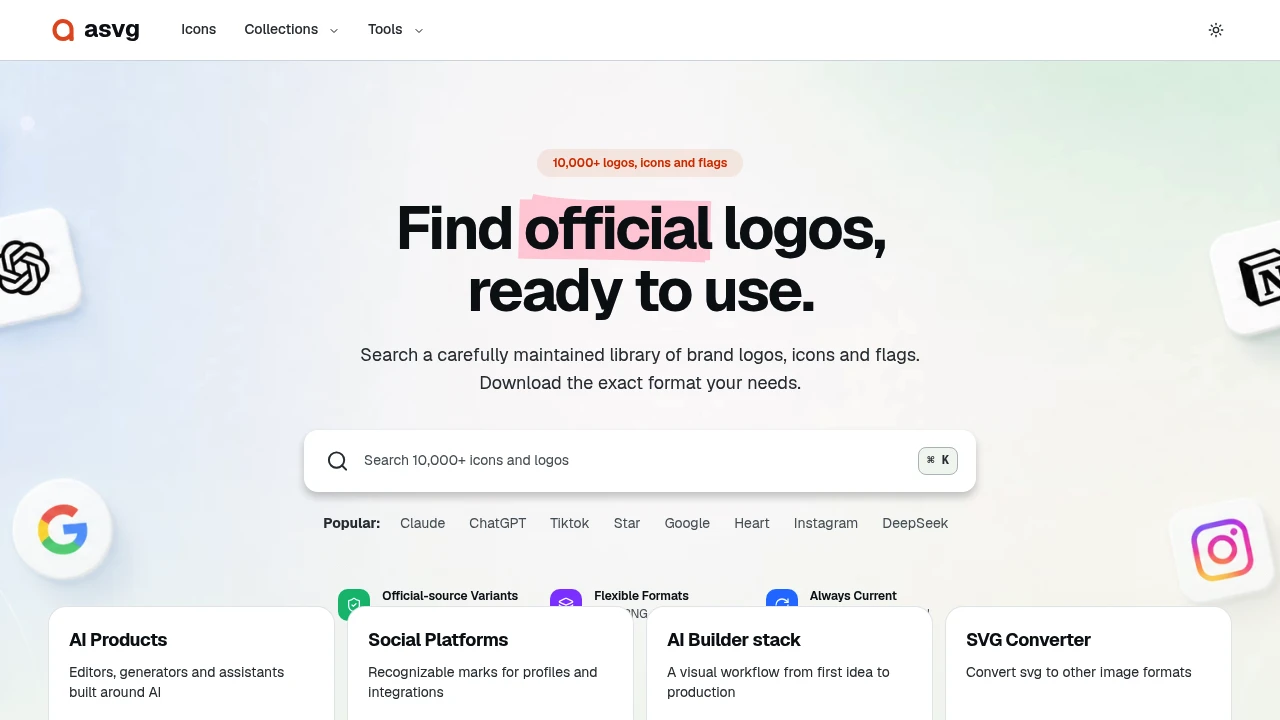
This library helps teams find brand logos, icons, and country flags without searching through random websites or manually collecting files from multiple sources. It is built for designers, developers, marketers, and anyone creating interfaces, documentation, presentations, or asset collections that require clean and consistent visual marks.
The platform provides a searchable collection of more than 10,000 assets. Many logos and icons are sourced directly from official websites, and official variants are identified on individual icon pages, making it easier to find a version that aligns with a brand's own visual identity.
Key Features
Large Asset Library
Browse a collection of more than 10,000 visual assets.
The library includes:
- Brand logos
- Product icons
- Technology icons
- Country flags
- Other commonly used visual marks
This gives users a central place to search for assets that may otherwise need to be collected from multiple websites.
Brand Logos and Icons
Find visual marks for products, companies, services, and technologies.
The collection can be useful when building:
- App integration pages
- Technology stacks
- Product dashboards
- Documentation
- README files
- Comparison pages
- Presentation decks
Instead of manually searching for each individual logo, users can browse and search through the same library.
Country Flags
Access country flags alongside logos and icons.
This can be useful for projects involving:
- Country selectors
- Language settings
- International products
- Location lists
- Data dashboards
- Documentation
- Presentation slides
Keeping flags and other visual assets in the same library can simplify projects that require multiple types of icons.
Official-Source Variants
Identify versions of assets that are sourced from official websites.
Official variants are marked on individual icon pages, helping users distinguish between versions that originate from a brand's own website and other available variants.
This can reduce the guesswork involved when choosing a logo or icon for a project.
Multiple File Formats
Download assets in formats suitable for different types of projects.
Supported formats include:
- SVG
- PNG
- WebP
- JSX
This gives users flexibility depending on whether an asset is being used in a website, application, presentation, or development project.
Searchable Asset Collection
Search for specific logos, icons, and flags without manually browsing through large folders.
The searchable library can help users quickly locate:
- Specific brands
- Software products
- Technologies
- Services
- Countries
- Common visual marks
This is particularly useful when working on projects with large numbers of integrations or supported platforms.
Curated Collections
Browse collections organized around common use cases.
These collections can provide a starting point for projects involving:
- Product integrations
- Documentation
- Developer tools
- Technology stacks
- Dashboards
- Presentations
This can make it easier to find groups of related assets instead of searching for every icon individually.
Browser-Based Asset Tools
Use additional tools for working with visual assets in different formats.
The platform includes browser-based tools related to:
- Image conversion
- Asset generation
- Image compression
These tools can support workflows where an asset needs to be adjusted or converted before being used in a project.
Built for Visual Asset Workflows
The library combines logos, icons, country flags, multiple export formats, and browser-based asset tools into one searchable resource for people who regularly need visual marks in their work.
Key benefits include:
- Access more than 10,000 assets
- Find brand logos and product icons
- Browse country flags
- Identify official-source asset variants
- Search for specific marks quickly
- Download assets in SVG format
- Use PNG and WebP files
- Access JSX versions for development projects
- Browse curated asset collections
- Find visuals for app integrations and dashboards
- Use assets in documentation and README files
- Support presentation and slide design
- Convert, generate, and compress images in the browser
Built For
- Designers
- Developers
- Frontend Engineers
- Product Teams
- Technical Writers
- Documentation Teams
- Marketers
- Presentation Designers
- SaaS Companies
- Open Source Maintainers
- Content Creators
- International Product Teams
Common Use Cases
- Adding brand logos to an integrations page
- Building a technology stack diagram
- Creating a SaaS comparison page
- Adding icons to product documentation
- Finding logos for README files
- Creating country selectors
- Adding flags to international applications
- Building settings pages
- Designing dashboards
- Preparing presentation slides
- Creating developer documentation
- Collecting visual assets for a product directory
- Converting a logo into another file format
- Compressing images before publishing
Why It Matters
Finding the correct logo, icon, or country flag can take more time than expected. Teams often end up searching through image results, outdated repositories, unofficial copies, or individual brand websites just to find a usable version of a visual asset.
This library provides a more centralized approach by bringing thousands of logos, icons, and flags into a searchable collection. The availability of multiple formats also makes it easier to move from discovery to implementation without converting every file manually.
The identification of official-source variants is particularly useful when visual accuracy matters. Instead of guessing which version of a logo is current or closest to the brand's own usage, users have an additional signal to help them choose an appropriate asset.
Find Logos, Icons, and Flags in One Library
Search through more than 10,000 brand logos, product icons, and country flags, identify official-source variants, choose from formats such as SVG, PNG, WebP, and JSX, browse curated collections, and use browser-based conversion, generation, and compression tools to prepare visual assets for apps, documentation, dashboards, presentations, and other projects.


