
BetterKnocks
Door-to-door sales software for territory planning, knock logging, route tracking, and crew performance on web and mobile.
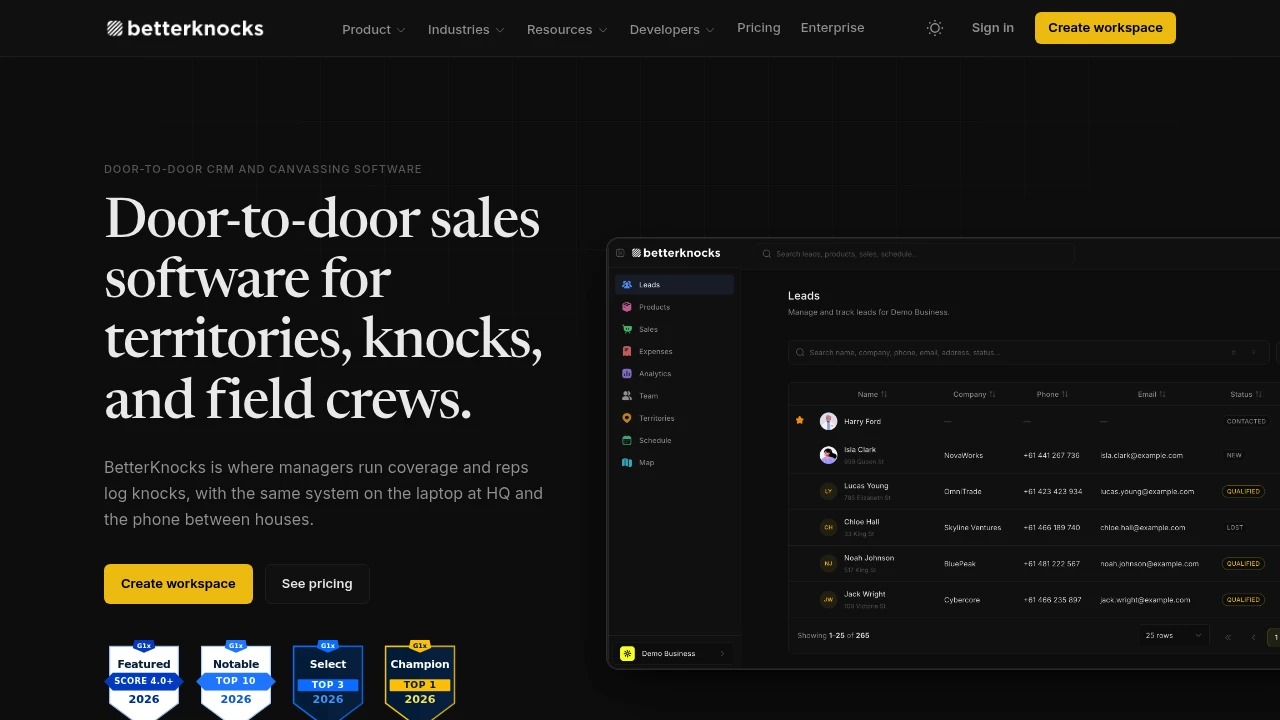
BetterKnocks is door-to-door sales operations software built for teams that work address by address. Managers can use it to plan territories, assign crews, monitor production, and track field activity, while reps use the mobile app to follow routes, log knocks, manage leads, and keep sales activity updated between houses.
Built for route-based sales organizations in solar, pest control, security, telecom, roofing, and similar industries, BetterKnocks focuses specifically on daily canvassing rather than trying to operate as a generic CRM. Leads, territories, knocks, appointments, and sales remain connected to the address and the rep responsible for the activity.
Key Features
Territory Mapping
Plan and manage field territories directly on a map.
Managers can:
- Draw territory zones
- Assign crews to territories
- View knock pins
- Monitor activity across assigned areas
- Organize territories around field teams
This gives managers a visual way to control where crews are working and how territory coverage is progressing.
Knock Logging
Give reps a structured way to record what happened at each door.
Reps can log a disposition after every knock, with the resulting activity updating the associated lead stage.
This keeps field activity connected to the individual address rather than requiring reps to manually reconstruct their activity later.
Route-Based Field Work
The mobile app provides reps with the tools they need while canvassing.
The field view includes:
- Maps
- Lead lookup
- Analytics
- Schedules
- Sales tools
- Route information
Reps can work from the same lead and territory data used by the office while keeping the interface focused on the current field activity.
Team Performance Tracking
Managers can monitor production and rep performance from a centralized web view.
Performance tracking includes:
- Knocks
- Closes
- Conversion
- Rep output
- KPIs
- Leaderboards
This gives sales managers visibility into both activity levels and outcomes across their field organization.
Shared Scheduling
Keep appointments and follow-up activity on a common calendar.
Teams can coordinate:
- Appointments
- Callbacks
- Sit-downs
- Other scheduled sales activity
Because the scheduling data is shared between the web and mobile experience, office teams and field reps can work from the same information.
Sales Tracking
Record deals directly from the field and connect each sale to the appropriate address and rep.
This maintains the relationship between:
Address → Rep → Knock → Lead → Appointment → Sale
That address-based structure is central to door-to-door sales operations and helps teams understand the complete history of activity at a location.
Web and Mobile Workflow
BetterKnocks keeps the office and field views synchronized so managers and reps work from the same underlying data.
Managers get a broader operational view with:
- Dashboards
- Leaderboards
- Territory information
- KPI tracking
- Team performance
Reps get a lighter mobile experience focused on:
- Current routes
- Leads
- Knocks
- Schedules
- Personal statistics
- Sales activity
This separation keeps each interface aligned with the type of work being performed.
Built For Door-to-Door Sales Teams
Solar Sales
Manage canvassing territories, door activity, appointments, and sales across solar field teams.
Pest Control
Organize address-based territories and track daily rep activity across neighborhoods.
Security Sales
Coordinate crews, monitor knocks, and connect field activity to leads and closed deals.
Telecom Sales
Manage route-based prospecting and follow-up across assigned territories.
Roofing Sales
Track canvassing, appointments, callbacks, and sales by address and rep.
Common Use Cases
Plan Daily Territories
Draw territories, assign crews, and give reps clear areas to work.
Track Every Knock
Record the outcome at each address and automatically keep lead stages aligned with field activity.
Monitor Rep Production
Compare knocks, conversions, closes, and overall output through manager dashboards and leaderboards.
Coordinate Appointments
Keep callbacks, sit-downs, and appointments visible to both field reps and office teams.
Track Sales by Address
Connect deals to the property and rep that generated them, maintaining a complete field-sales history.
Roles, Teams, and Permissions
BetterKnocks supports structured access for organizations with multiple teams and management levels.
Capabilities include:
- Roles and permissions
- Teams and squads
- Territory reporting
- Shared operational data
- Manager and rep views
This allows larger field organizations to separate responsibilities while keeping territory and sales activity within the same system.
Reporting and Integrations
The platform also provides tools for organizations that need to take their field-sales data beyond the core application.
Additional capabilities include:
- Territory reports in PDF
- Territory reports in CSV
- Realtime visit tracking
- API access
- MCP integration
- Additional integrations
These features provide options for reporting, data workflows, and connecting BetterKnocks with other systems used by the organization.
Pricing
BetterKnocks offers plans designed to accommodate different sizes of field-sales organizations.
The available structure includes:
- Free tier: Up to 1,000 leads and 10 territories
- Paid plans: Per-user pricing tiers
- Enterprise: Custom setup for larger field organizations
This gives smaller teams a way to start with the core territory and lead workflow while providing room to expand as the sales organization grows.
Built Around the Address
Generic CRMs typically organize sales around contacts and opportunities. BetterKnocks is structured around the reality of door-to-door sales, where the address is the starting point for prospecting, territory planning, rep activity, appointments, and eventually the sale.
The workflow follows the field operation:
Territory → Route → Address → Knock → Lead Status → Appointment → Sale
That makes the platform particularly suited to teams where physical coverage and rep activity are as important as the eventual sales outcome.
Why It Matters
Door-to-door sales teams have operational requirements that do not always fit neatly into traditional CRM workflows. Managers need to know where crews are working, which addresses have been visited, how many doors reps are knocking, and which activities are turning into appointments and sales.
BetterKnocks brings those activities together around the territory and address. Managers get operational visibility through dashboards, KPIs, leaderboards, and territory reporting, while reps have the mobile tools needed to work their routes and update leads in the field.
Run Your Door-to-Door Sales Operation in One Place
Use BetterKnocks to plan territories, assign crews, manage routes, log every knock, coordinate appointments, and track sales from the address where the activity started. With synchronized web and mobile views, team performance dashboards, reporting, realtime visit tracking, and field-focused sales tools, it provides a dedicated operating system for route-based sales teams.


