
CaptionCreator
Generate, translate, and export subtitles from video or audio in 76 languages with AI.
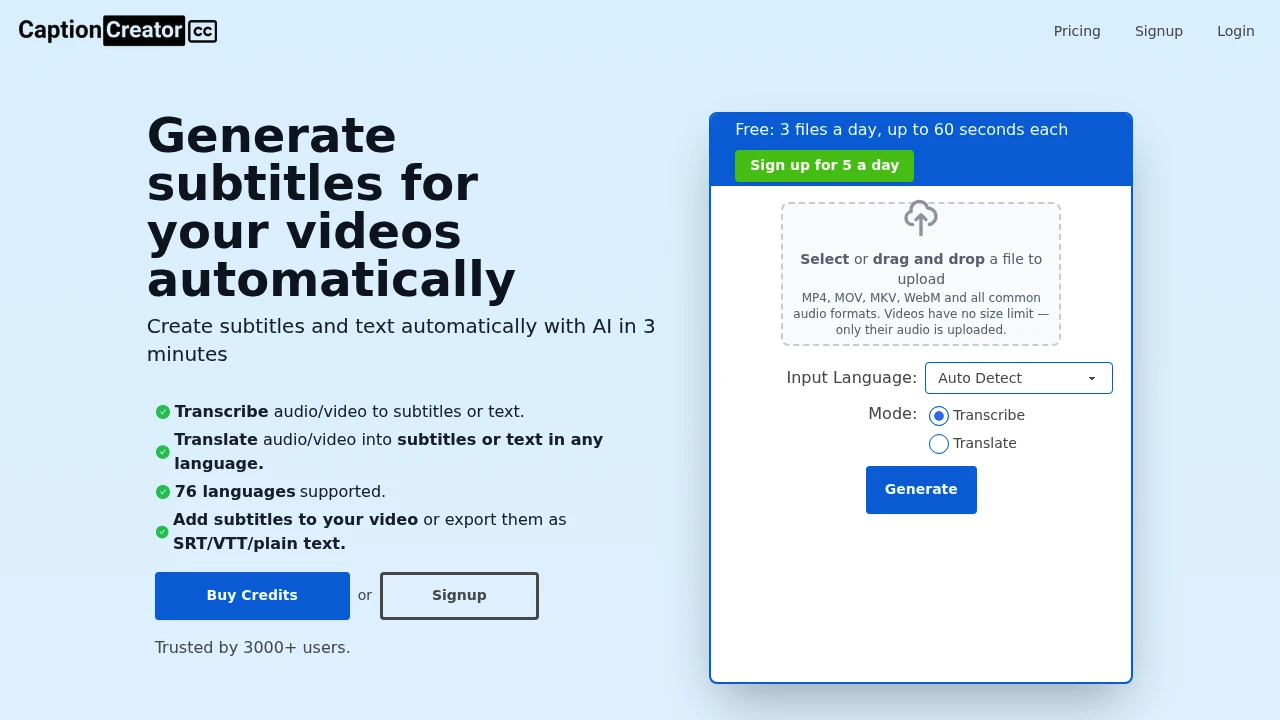
This AI subtitle generator creates captions from video or audio files for creators who need subtitles quickly for editing, publishing or burning directly into videos. It supports short clips, longer recordings and multilingual content, combining transcription and translation in one workflow.
The platform supports 76 languages and is designed to handle noisy audio, diverse accents and recordings where multiple languages are spoken. You can upload common video or audio formats, edit subtitles in the built-in studio, then export subtitle files or add captions directly to the video.
Key Features
Video and Audio Transcription
Turn spoken content into editable subtitles without manually transcribing recordings.
- Upload video or audio files
- Generate subtitles from speech
- Support noisy recordings
- Handle diverse accents
- Support recordings containing more than one language
- Edit generated subtitles in the studio
Multilingual Transcription and Translation
The platform supports 76 languages for transcription and translation, making it useful for creators working with international audiences.
- Transcribe speech into subtitles
- Translate subtitles into a target language
- Create multilingual content from existing recordings
- Keep transcription and translation in the same workflow
This removes the need to move between separate transcription and translation tools when preparing multilingual videos.
Multiple Input Formats
Upload common video and audio files directly into the subtitle workflow.
Supported video formats include:
- MP4
- MOV
- MKV
- WebM
Common audio formats are also supported, allowing the tool to work with both recorded video and standalone audio.
Subtitle Editing Studio
Review and adjust generated captions before exporting them.
- Edit subtitles directly in the studio
- Correct transcription results
- Prepare captions for export
- Refine subtitles before burning them into the video
The editing workflow keeps caption preparation focused without requiring a separate full video editing suite.
Flexible Subtitle Export
Export captions in formats suited to different publishing and editing workflows.
- SRT
- VTT
- Plain text
- Subtitles burned into the video
This allows creators to either provide a separate subtitle file or produce a video with captions permanently included.
High-Quality Video Export
Export processed videos at different resolutions depending on the plan.
- Up to 1080p on free access
- 4K support on paid plans
- Subtitle burning directly into video
The higher-resolution option makes the platform suitable for creators who need captioned videos ready for higher-quality publishing workflows.
Built For Creators and Multilingual Content
The tool is designed for creators who regularly need captions without wanting to manage a full video production workflow. It works for short-form clips as well as longer recordings and can support multilingual projects through its transcription and translation capabilities.
It is particularly useful when the main requirement is getting from a recording to accurate, editable and exportable subtitles quickly.
Common Use Cases
Short-form video captions: Generate subtitles for clips intended for social media and other short-form platforms.
Long recordings: Process longer videos when manually transcribing speech would be time-consuming.
Multilingual videos: Translate spoken content into subtitles in a target language.
Podcast and interview transcription: Turn recorded conversations into editable subtitle or text files.
Burned-in captions: Add subtitles directly to a video when separate caption files are not enough.
Video editing workflows: Export SRT or VTT files for use in other editing and publishing tools.
Noisy recordings: Generate captions from recordings with less-than-perfect audio conditions.
Pricing
The free tier is designed for trying the service with shorter clips and does not require a credit card. Paid plans provide more minutes and higher file and video-length limits, making them better suited to creators with recurring subtitle work or larger backlogs.
Paid access also removes watermarks and adds 4K export support.
Why It Matters
Creating subtitles manually can take significant time, especially when working with frequent video uploads, longer recordings or multiple languages. Switching between separate transcription, translation, subtitle editing and video export tools can add even more friction.
This platform brings those steps together in one focused workflow. Upload a video or audio file, generate and translate subtitles, edit them in the studio, then export caption files or burn the subtitles directly into the video.
For occasional users, the free tier provides a way to process shorter clips without a card. For creators with ongoing caption requirements, paid plans increase the available minutes and file limits while removing watermarks and adding higher-resolution exports.
Create Subtitles From Video or Audio
Turn recordings into editable, translated and exportable subtitles with support for 76 languages, common video and audio formats, SRT and VTT exports, and burned-in captions. Start with shorter clips for free or use paid plans for higher-volume subtitle work and 4K video exports.


