
Curfew
Nighttime blocker for iPhone and Mac that shuts off distracting access at a set hour and restores it at 6am.
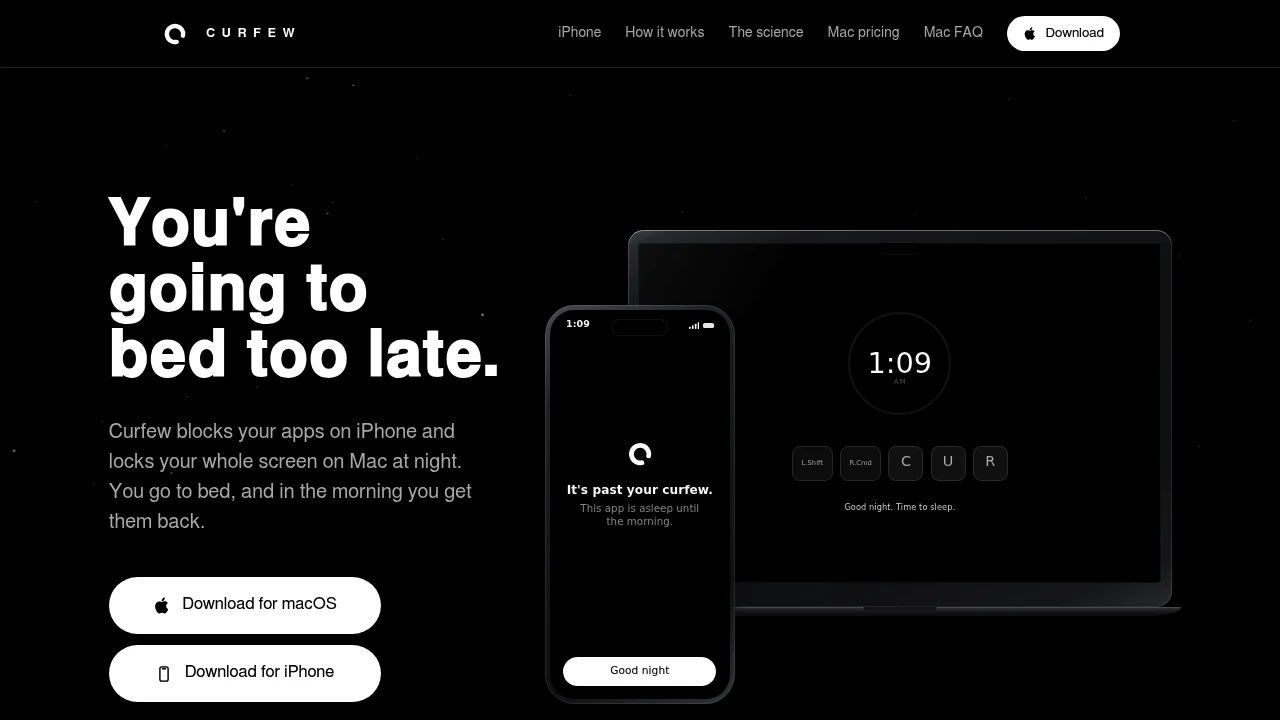
Curfew helps people break the habit of using their devices long after they intended to stop. On iPhone, it blocks distracting apps at bedtime while keeping essential apps available. On Mac, it takes a broader approach by locking the entire screen, making it harder to keep scrolling, working, or browsing through the night.
It’s built around a fixed nightly sleep routine. Choose a curfew time in the evening, and Curfew automatically activates each night before restoring access at 6am. That makes it useful for people dealing with bedtime procrastination, late-night work, or the habit of continuing to use devices after deciding it’s time to sleep.
Key Features
iPhone App Blocking
Block distracting iPhone apps at bedtime while keeping essential apps accessible.
- Blocks selected distracting apps
- Keeps essential apps available
- Designed specifically for bedtime routines
- Runs automatically according to your schedule
Full-Screen Mac Lock
Curfew takes a more comprehensive approach on Mac by covering the entire screen rather than blocking individual apps or websites.
- Locks the full screen
- Works across multiple displays
- Covers Spaces
- Remains active throughout the night
- Makes continued browsing or working harder
Automatic Nightly Schedule
Set your preferred evening curfew and let the schedule repeat automatically.
- Starts at your chosen bedtime
- Runs every night
- Automatically restores access at 6am
- No need to activate it manually each evening
Emergency Snooze
When something genuinely needs attention, Curfew provides a brief way to regain access.
- Emergency snooze option
- Temporary access when needed
- Keeps the main focus on maintaining the nightly routine
Offline Mac Operation
The Mac version can continue enforcing the curfew without requiring an internet connection during use.
- Works offline
- No continuous internet requirement
- Designed for reliable nightly blocking
No Mac Account Required
The Mac version can be activated without creating an account.
- No login required
- Simple activation
- No account-based setup
Privacy-First Design
Curfew is designed to help control device use without monitoring what you do.
- No activity tracking
- Privacy-focused behavior
- Focuses on access control rather than usage surveillance
Built For Better Bedtime Habits
Curfew is designed for people who already know when they want to stop using their devices but struggle to follow through once bedtime arrives.
It can help create a consistent boundary between device use and sleep by automatically restricting access each night rather than relying entirely on willpower.
Built For
- People who procrastinate at bedtime and keep using their devices
- Late-night workers who find it difficult to stop working
- Heavy phone users who keep scrolling after bedtime
- Mac users who want a stronger screen-level restriction
- People building a fixed sleep routine
- Privacy-conscious users who don't want their activity tracked
Common Use Cases
Stopping Late-Night Scrolling
Block distracting iPhone apps when your chosen bedtime arrives so you aren't tempted to keep scrolling.
Ending Late-Night Work
Use the Mac screen lock to create a clear boundary between working hours and your nightly routine.
Building a Consistent Curfew
Set one schedule that automatically activates every night and ends at 6am.
Reducing Bedtime Procrastination
Create a device-level barrier when you know it's time to stop using your phone or computer.
Creating a Screen-Free Night
Use the Mac's full-screen lock to make continued browsing or working less accessible after curfew.
A Fixed Nightly Device Routine
Curfew is built around a simple idea: make the stopping point automatic.
Instead of deciding every night when to put the device away, you choose a curfew once and let the app enforce it. On iPhone, that means restricting distracting apps. On Mac, it means covering the entire screen across displays and Spaces.
A Stronger Boundary on Mac
The Mac version is designed to be difficult to ignore once curfew begins. Rather than targeting individual websites or applications, it locks the whole screen and stays active through the night.
That makes it useful for people whose late-night usage isn't limited to one particular app. Whether you're browsing, working, or switching between applications, the screen-level restriction provides the same boundary.
Separate iPhone & Mac Products
Curfew is available as separate products for iPhone and Mac, allowing you to choose the version that matches the device you want to control.
The Mac version uses a one-time purchase and can be used on two Macs. The iPhone and Mac versions are separate products, so purchasing one does not automatically provide access to the other.
Why It Matters
Knowing when to stop using a device doesn't always make it easy to stop. Late-night scrolling, unfinished work, and endless browsing can push bedtime later even when you've already decided to sleep.
Curfew turns that decision into a recurring device-level boundary. With automatic scheduling, app blocking on iPhone, and full-screen locking on Mac, it helps make the transition away from devices part of your nightly routine.
Set Your Curfew and Step Away
Choose your bedtime, let Curfew enforce it every night, and create a clearer boundary between device use and the rest of your evening.


