
Curio Design
A library of design systems you can pass to Claude, Cursor, Codex, or ChatGPT as DESIGN.md files.
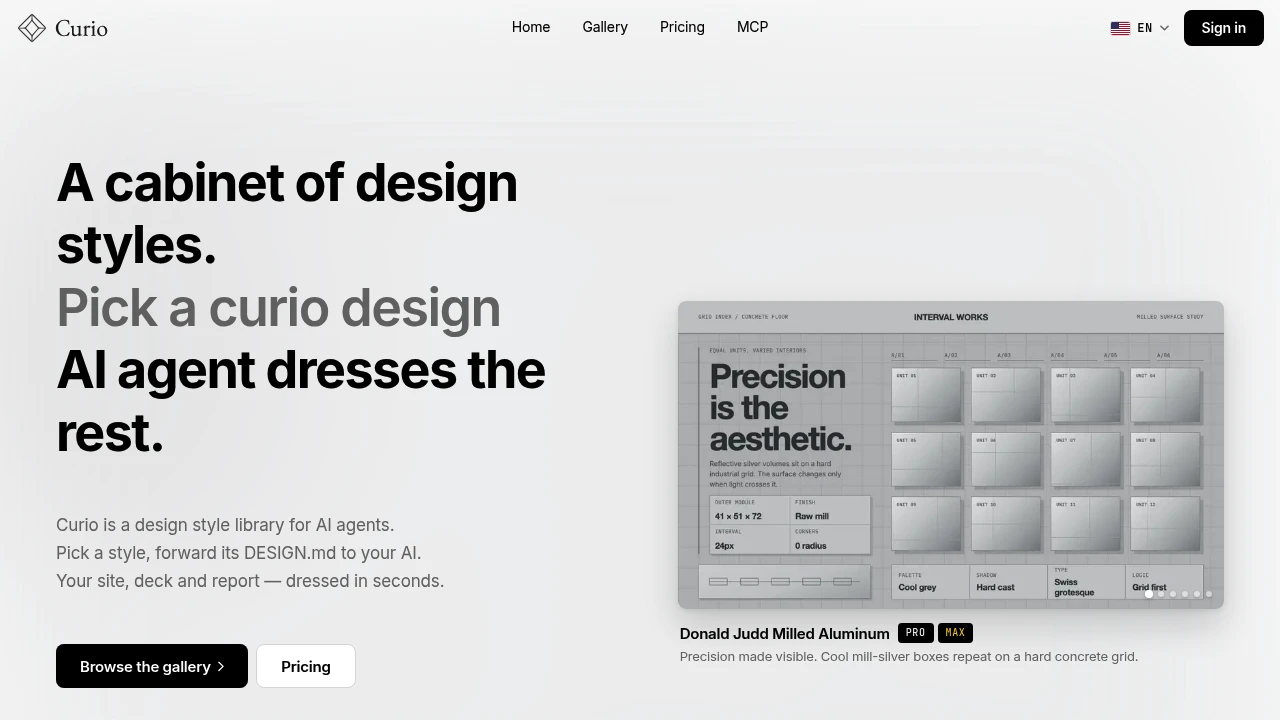
Curio is a design style library for people using AI agents to create websites, decks, reports, and other visual work. Instead of relying on an AI model to decide what a finished project should look like, Curio lets you choose a specific design style and provide its DESIGN.md to your AI agent so the visual direction is explicit from the start.
The library is built around a broad collection of design systems rather than a single template or aesthetic. With 2,131 design systems and 25 design tags, Curio gives makers a way to explore different visual directions, from clean corporate layouts to more distinctive design references, with new free and paid designs added each week.
Key Features
DESIGN.md Export
Each design style is packaged into a DESIGN.md file that AI agents can read and apply to generated work.
The workflow is straightforward:
- Choose a design style
- Export or access its
DESIGN.md - Provide it to your AI agent
- Let the agent apply the visual direction to your project
This makes the design intent explicit rather than leaving the model to infer the visual language from a prompt alone.
Large Design System Library
Curio provides a large catalog of design systems for different types of visual work.
- 2,131 design systems
- New designs added weekly
- Free and paid designs
- Multiple visual directions
- Suitable for sites, decks, reports, and other AI-generated work
The breadth of the library makes it possible to search for a specific aesthetic instead of starting every AI project from a blank visual direction.
Tag-Based Browsing
Explore the library using 25 design tags. Tags provide a way to narrow the available styles and find design systems that better match the intended look of a project.
This is particularly useful when you know the general visual direction you want but do not yet have a specific design system in mind.
Works With Common AI Tools
Curio's design files are intended to work with common AI development and creation tools, including:
- Claude
- Cursor
- Codex
- ChatGPT
The same design-first workflow can therefore be incorporated into different AI-assisted workflows.
Free Browsing
You can explore the Curio library before committing to paid access.
The free tier allows users to browse and try available designs, making it possible to evaluate different visual directions on a smaller project before using the library more regularly.
Built For AI-Assisted Creators
Curio is designed for solo builders, designers, and teams using AI in their creative workflow.
It is especially useful when an AI-generated project is technically or structurally acceptable but still feels visually generic. Rather than repeatedly refining prompts to describe the desired aesthetic, users can select an existing design system and give the model a concrete visual reference.
Common Use Cases
AI-Generated Websites
Choose a design system before asking an AI agent to build a website, giving the generated interface a clearer visual direction.
Presentations and Decks
Apply a consistent design style to AI-generated presentation work instead of relying on generic layouts.
Reports
Use a defined visual system when generating reports and other information-heavy documents with AI.
Design Exploration
Browse different styles and tags when you know you want something distinctive but have not settled on a specific visual direction.
Repeatable AI Workflows
Keep a chosen design system available as a reusable DESIGN.md reference across AI-assisted projects.
Free And Paid Design Library
Curio separates its library into free and paid designs. Users can browse the collection and try available designs through the free tier, while paid plans provide access to the full cabinet.
This gives makers a way to test the design-system approach on a small project before committing to broader access.
Why It Matters
AI can generate functional websites, decks, and reports from relatively simple instructions, but the visual direction is often left implicit. Curio addresses that gap by making design intent a concrete input to the AI workflow.
Instead of asking an agent to make something that merely “looks good,” you can select a design system, provide its DESIGN.md, and give the model a defined visual language to work from.
Give AI Output A Clearer Design Direction With Curio
Explore thousands of design systems, find a visual style that fits your project, and hand its DESIGN.md to your AI tool. Curio gives makers a practical way to make AI-generated websites, decks, and reports feel more intentionally designed rather than relying on generic visual output.


