
Edn.chat
Medical revision platform featuring sourced answers, EDN practice, ECOS stations, flashcards, and over 1,000 stations.
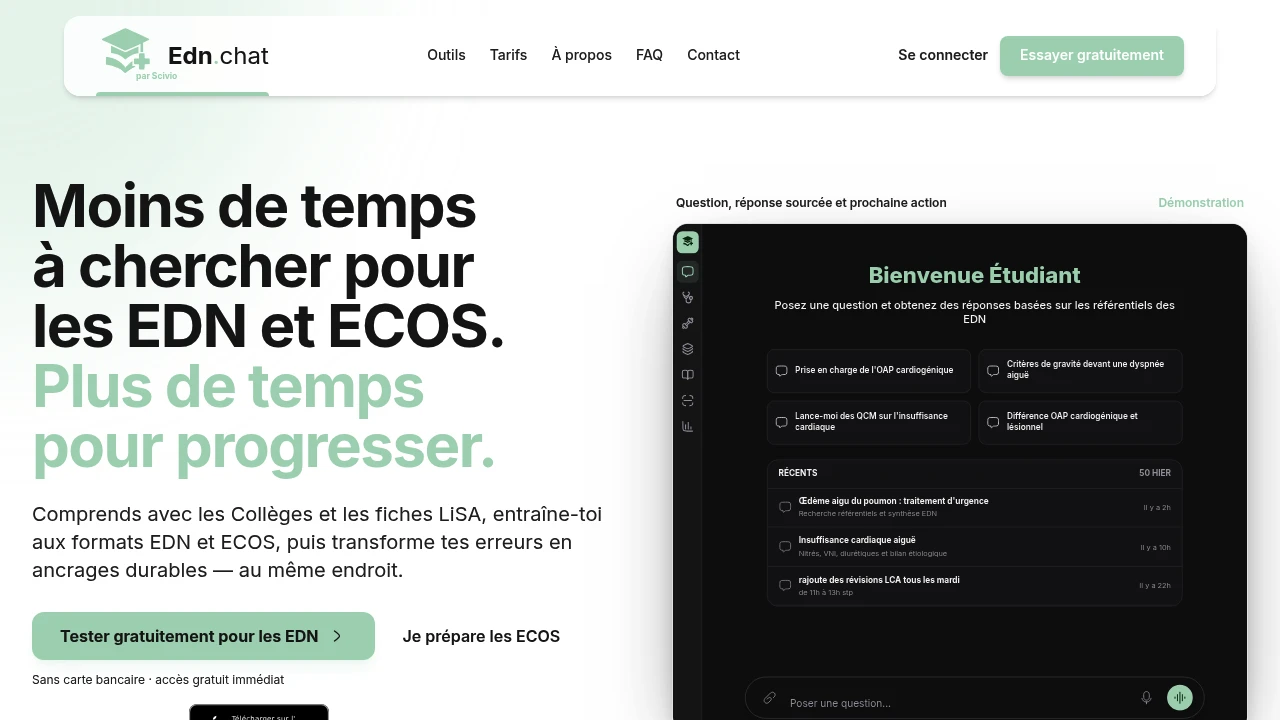
Designed for medical students in their clinical years, this learning platform brings curriculum understanding, exam-format practice, and targeted revision into one workflow. Students can ask a question, verify the answer against Collèges or LiSA resources, and turn difficult concepts or mistakes into study notes, flashcards, or new practice exercises.
The platform is built to reduce the need to switch between separate revision resources. It combines sourced explanations with EDN and ECOS preparation, allowing students to move from understanding a concept to correcting mistakes, retaining the information, and practicing it again in an exam-style format.
Key Features
Cited Medical Answers
Get answers supported by the Collèges and LiSA resources.
Each supported answer provides access to the relevant source passage, allowing students to consult the underlying material rather than relying solely on an isolated explanation.
This creates a direct connection between:
- The question
- The explanation
- The source material
- The next revision activity
EDN Exam Practice
Practice multiple EDN question formats with corrections.
Supported formats include:
- DP
- KFP
- QRM
- QROC
- TCS
Students can use these formats to practice exam-style questions and review the corrections afterward.
ECOS Preparation
Prepare for ECOS through individual or grouped practice stations.
The platform includes more than 1,000 ECOS stations, with a scoring rubric to help structure practice and assessment.
This provides a dedicated workflow for working through clinical situations rather than treating ECOS preparation as ordinary question-based revision.
Knowledge Retention
Turn mistakes and difficult concepts into material for further study.
Users can transform what they struggle with into:
- Study notes
- Flashcards
- New practice exercises
This keeps revision connected to actual gaps in understanding. Instead of simply moving on after getting a question wrong, students can use the mistake as the starting point for another learning cycle.
Extensive Content Library
The platform includes a continuously updated document collection alongside its extensive ECOS station library.
With more than 1,000 ECOS stations and ongoing document updates, students can use the same environment for source consultation, revision, and exam practice.
Progressive Learning Workflow
The platform connects several stages of medical revision in sequence:
Understand → Correct → Retain → Practice
A student can start by asking a question, consult the cited Collèges or LiSA passage, identify what was misunderstood, turn the gap into a flashcard or study note, and then practice the concept again through an appropriate exam format.
Built For Clinical-Year Medical Students
EDN Candidates
Practice DP, KFP, QRM, QROC, and TCS questions with corrections while revising the underlying curriculum.
ECOS Candidates
Work through individual or grouped stations with a scoring rubric and access to a large station library.
Students Revising From Official Resources
Connect explanations directly to Collèges and LiSA source material instead of relying only on standalone AI answers.
Students With Targeted Revision Needs
Turn mistakes and difficult concepts into personalized revision material and additional exercises.
Common Use Cases
Understanding Difficult Concepts
Ask a question and consult an answer supported by the relevant Collèges or LiSA source passage.
Preparing For EDN
Practice multiple EDN question formats and review corrections within the same learning environment.
Preparing For ECOS
Practice stations individually or in groups and use the scoring rubric to structure preparation.
Revising Mistakes
Convert areas of difficulty into study notes and flashcards for later review.
Reinforcing Knowledge
Follow an explanation with a new exercise to test whether the concept has been retained.
Medical Imaging And LCA Preparation
Use the platform's revision workflow for preparation alongside its EDN and ECOS-focused content.
Free And Subscription Access
The free plan provides access to the platform's different learning modes with a limited number of daily queries and does not require a credit card.
The subscription provides:
- Higher usage allowance
- Broader access
- Continued access to the platform's learning workflows
This allows students to test the core experience before committing to a subscription.
Continuously Updated Learning Content
The platform maintains an evolving document collection alongside its ECOS content. This gives students a revision environment where source material and practice resources can be used together rather than requiring separate systems for each stage of preparation.
Why It Matters
Medical exam preparation can become fragmented across curriculum documents, question banks, flashcard tools, and separate resources for EDN and ECOS preparation. That fragmentation makes it easy to answer a question without understanding the source, or to identify a mistake without turning it into useful revision material.
This platform connects those steps. Students can start with a question, verify the answer using cited Collèges or LiSA material, revisit the relevant concept, turn the difficulty into a flashcard or study note, and then practice it again.
The result is a continuous revision workflow centered on the student's actual gaps rather than isolated question answering.
Understand, Correct, Retain, Practice
Bring sourced medical explanations, EDN question formats, ECOS stations, corrections, flashcards, and targeted revision into one place. With cited Collèges and LiSA resources, more than 1,000 ECOS stations, multiple EDN formats, and a workflow built around mistakes and retention, the platform helps clinical-year medical students move from understanding a concept to practicing it again.


