
Genvibe
Build web and mobile apps from prompts, Figma frames, or screenshots, then preview, export, or deploy the full project.
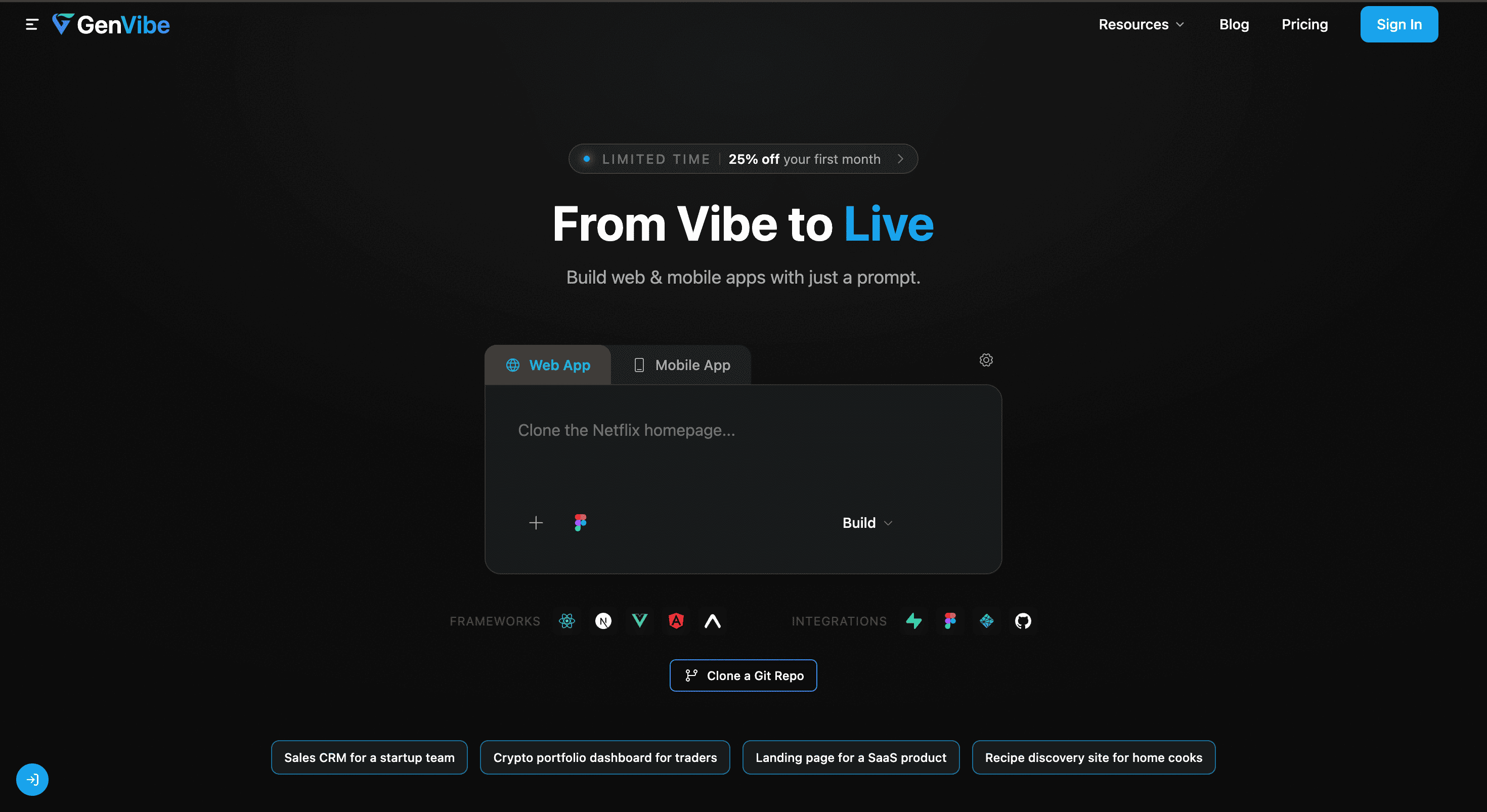
GenVibe is an AI app builder for people who want to turn ideas and designs into real, usable applications rather than static mockups. It converts plain-English descriptions, Figma frames, and UI screenshots into working web and mobile projects, with live preview and source-code export built into the workflow.
The platform supports both web and native mobile output, allowing the same starting point to become a React, Vue, Svelte, Angular, or React Native application. It is suited to solo builders, designers, and teams working on product prototypes, internal tools, landing pages, SaaS dashboards, ecommerce experiences, and mobile-first products.
Key Features
Prompt To App
Describe the application or interface you want in plain English and GenVibe generates the underlying project.
The generated output can include:
- Project structure
- Components
- Routing
- Styles
- Supporting code
This provides a way to move from an idea to a working application without manually building the initial project from scratch.
Figma Import
Turn existing Figma designs into application code.
You can connect a Figma account and import frames while preserving layout details and design tokens. This makes the workflow useful for designers who already have a structured interface design and want to move toward an executable project.
Screenshot To Code
Rebuild an interface from a UI screenshot.
Upload a screenshot and GenVibe generates working app code using Tailwind CSS styling. This provides another starting point for teams that have a visual reference but do not have the original implementation.
Web App Generation
Generate applications for multiple web frameworks from the same workflow.
Supported outputs include:
- React
- Vue
- Svelte
- Angular
This gives developers flexibility over the framework used in the resulting project rather than locking every generated application to a single stack.
Mobile App Generation
Create native mobile projects using React Native + Expo.
The generated projects can run on both:
- iOS
- Android
This allows teams to take the same idea-driven workflow beyond browser applications and into mobile product development.
Backend Generation
Generate backend components from natural-language requirements.
GenVibe can create:
- Supabase schemas
- Authentication flows
- REST endpoints
- Database migrations
This extends the app-building workflow beyond the interface layer, giving projects generated data structures, authentication, and API components as part of the same process.
Preview And Ship
Test and move generated projects toward deployment without leaving the core workflow.
GenVibe provides an isolated cloud sandbox for previewing projects, then lets you:
- Export the full source code
- Push projects to GitHub
- Deploy to Netlify
This creates a direct path from generated application to runnable and publishable project.
Multiple Ways To Start
GenVibe does not require every project to begin with a blank text prompt.
You can start with:
Plain-English idea → generated app
Figma frame → application code
UI screenshot → working interface
This flexibility is useful when a product already exists as a concept, design file, or visual reference.
Built For Builders And Product Teams
Solo Builders
Turn product ideas into working applications without spending the first stage of development setting up project structure and basic components.
Designers
Move from Figma frames or visual concepts toward usable code while retaining layout details and design tokens.
Development Teams
Use generated project structures and supporting code as a starting point for new applications and internal tools.
Product Teams
Create prototypes and functional product concepts that can be previewed, exported, and deployed.
Common Use Cases
Product Prototypes
Turn a product idea or design into a working application that can be tested and iterated.
Internal Tools
Generate dashboards and internal applications without manually starting every project from an empty codebase.
SaaS Dashboards
Use prompts, designs, or screenshots to generate SaaS interfaces and supporting application code.
Landing Pages
Build working web experiences from natural-language descriptions or existing visual designs.
Ecommerce Flows
Create product and purchasing interfaces from ideas or design references.
Mobile-First Products
Generate React Native + Expo projects for applications intended to run across iOS and Android.
Web And Mobile From One Workflow
One of GenVibe's key differences is that it covers both web and native mobile application generation.
Instead of stopping at front-end snippets or web-only output, the platform can generate projects across multiple web frameworks as well as React Native + Expo. This gives builders a broader path from an initial concept to an application they can actually run.
Source Code You Own
The generated source code remains yours.
GenVibe provides full source export and integrations for GitHub and Netlify, giving you a direct route from generated project to your own development and deployment workflow rather than keeping the application confined to the builder.
Why It Matters
Turning a product concept into a working application usually means translating ideas into designs, designs into components, and components into a functioning project with routing, styling, backend logic, and deployment.
GenVibe brings those stages closer together. You can start from a prompt, Figma frame, or screenshot, generate the application structure and code, add backend components, preview the result in an isolated sandbox, and then export or deploy the project.
The combination of multiple input types, web and mobile generation, backend creation, live preview, and full source export makes it useful for people who want to move from concept to something they can actually run and publish.
Turn Ideas And Designs Into Real Apps
Start with a plain-English idea, Figma frame, or UI screenshot and turn it into working web or mobile code. With support for React, Vue, Svelte, Angular, React Native + Expo, Supabase backends, live cloud previews, GitHub, and Netlify, GenVibe provides a direct path from concept to a usable application.


