
HamaraPDF
Free PDF tools that process files on your device, with merge, split, compress, convert, sign, OCR and edit features.
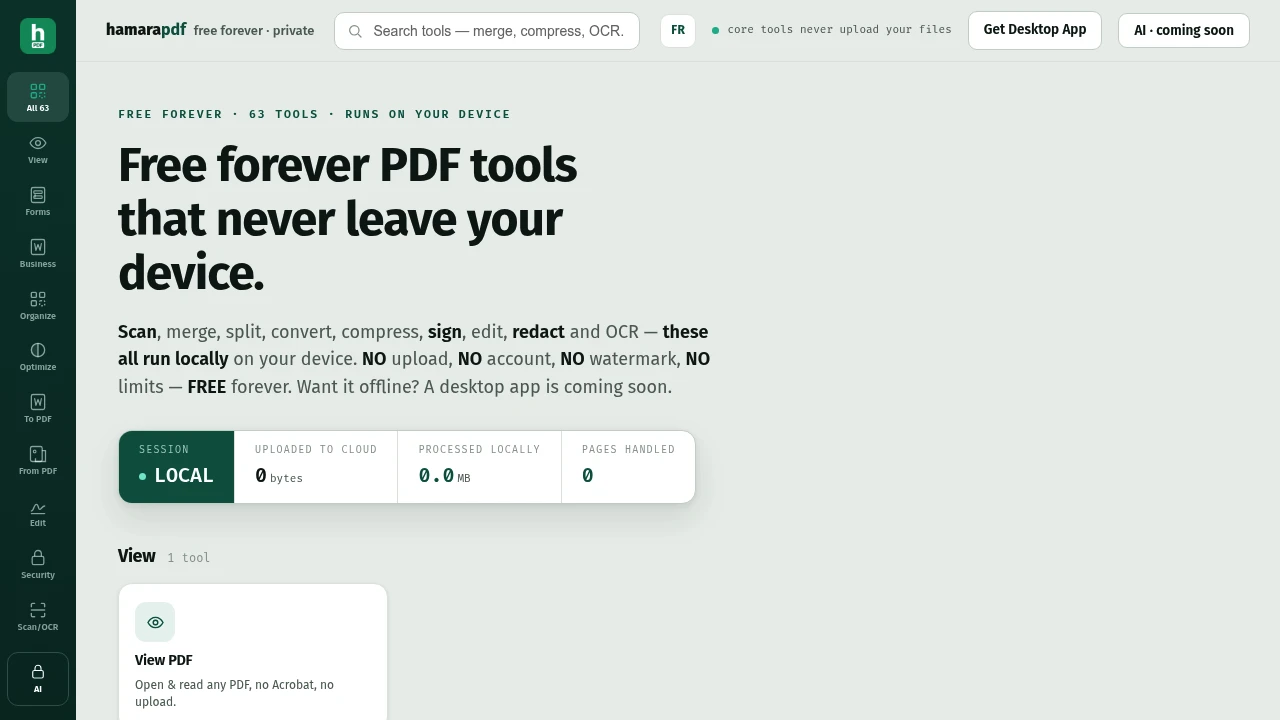
ModelCam is a free PDF toolkit for people who want to manage, convert, edit, and optimize documents without sending their files to a cloud service. Its core PDF tools run locally, keeping documents on your device while providing common workflows without requiring an account, signup, or watermark.
The toolkit covers everyday PDF tasks ranging from page organization and file conversion to OCR, document security, compression, and business document generation. It is designed for people who want a broad set of PDF utilities while keeping privacy and local processing at the center.
Key Features
PDF Organization
Manage the structure of PDF files directly from the browser.
- Merge PDFs
- Split documents
- Rotate pages
- Crop pages
- Reorder pages
PDF Conversion
Convert PDFs into common document and media formats.
- PDF to Word
- PDF to Excel
- PDF to images
- PDF to text
- Convert other supported formats to PDF
Editing & Document Security
Handle common document editing and preparation tasks.
- Sign PDFs
- Redact content
- Add watermarks
- Add page numbers
Scan & OCR
Work with scanned documents and turn them into searchable files.
- Process scanned PDF pages
- OCR scanned content
- Convert scanned text into searchable text
PDF Compression
Reduce PDF file sizes while preserving important document content.
The compression workflow focuses on reducing image data while keeping text, fonts, and vector artwork intact. This helps preserve selectable and readable content instead of flattening the document into a single image.
- Reduce image data
- Preserve text and fonts
- Retain vector artwork
- Avoid unnecessary quality loss for text-heavy PDFs
Business Document Tools
Generate commonly used business documents directly from the toolkit.
- GST invoices
- Quotations
- Receipts
- Delivery challans
Built For Private PDF Work
ModelCam is designed for people who need to work with documents without relying on a cloud-based PDF service.
It is particularly suited to:
- Individuals managing personal documents
- Businesses working with invoices and quotations
- Professionals handling sensitive PDFs
- Students organizing and converting documents
- Teams working with scanned paperwork
- Privacy-conscious users who prefer local document processing
Common Use Cases
Organizing PDF Files
Merge multiple documents, split large files, rotate pages, crop content, and rearrange pages before sharing or archiving them.
Converting Documents
Move PDF content into Word, Excel, image, or text formats when you need to continue working in another application.
Preparing Business Documents
Create GST invoices, quotations, receipts, and delivery challans without needing a separate document-generation workflow.
Making Scanned PDFs Searchable
Use OCR to extract text from scanned documents and make the resulting PDF easier to search and work with.
Reducing File Sizes
Compress large PDFs while retaining selectable text, fonts, and vector elements where possible.
Local PDF Processing
The core toolkit is designed around local processing, so PDFs can be handled without sending the document to a cloud service. This is particularly useful when working with private business documents, personal records, or files that you would rather keep on your own device.
The service does not require a login or signup, and the current online tools are available without watermarks.
PDF Compression Without Flattening
The compression approach is focused on reducing the size of image data inside a PDF rather than treating the entire document as a single image.
That means text can remain selectable, fonts can remain intact, and vector artwork can stay as vector content. For PDFs that are already mostly text, the tool avoids introducing unnecessary image compression simply to reduce the file size.
Security & AI Features
Password protection and PDF unlocking are exceptions to the local-processing approach. These functions use the ModelCam server because the current setup does not perform PDF encryption safely on-device.
AI features are separate from the current PDF toolkit and are marked as coming soon. The planned AI functionality is intended to run on the ModelCam engine rather than a public AI service.
Free PDF Tools
The current online PDF tools are available free forever, with no login, signup, or watermark required.
A desktop application for fully offline use is also planned, extending the local-processing approach beyond the browser.
Why It Matters
Many PDF tools require uploads, accounts, subscriptions, or watermarks before you can complete basic document tasks. ModelCam takes a different approach by putting local processing at the center of its PDF toolkit.
The result is a broad set of document utilities for organizing, converting, editing, scanning, compressing, and generating business PDFs while keeping the core workflow on your device.
Work With PDFs Privately
Merge, convert, edit, OCR, compress, and manage PDFs with a free toolkit designed around local processing, no signup, and no watermarks.


