
IraVoice
On-device dictation for Apple-silicon Macs that turns speech into text or structured Markdown without sending audio to a server.
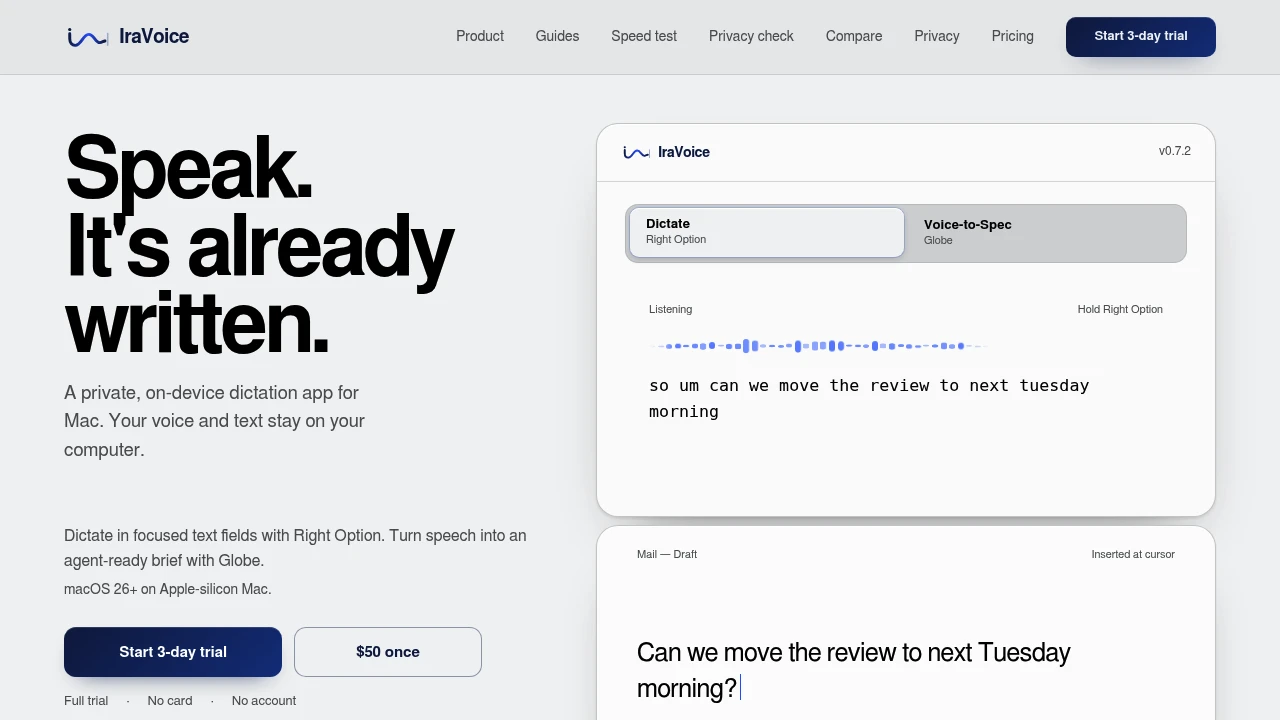
Capture speech privately on your Mac and instantly turn it into polished text or structured technical specifications. This on-device dictation app is built for Apple silicon Macs, helping writers, developers, engineers, and professionals use voice input without sending transcripts to the cloud.
Private Speech-to-Text That Runs Entirely on Your Mac
Instead of relying on cloud-based dictation services, this app performs speech recognition locally using Apple's on-device AI models. Whether you're writing documents, taking notes, coding, or planning projects, your voice stays on your Mac throughout the transcription process.
For more structured workflows, Voice-to-Spec transforms spoken ideas into organised Markdown documents that can be reviewed or shared with coding assistants when you choose.
Key Features
Instant Dictation
Insert polished text into any active application using a simple keyboard shortcut.
Use dictation for:
- Emails
- Documents
- Notes
- Chat applications
- Code comments
without interrupting your workflow.
Voice-to-Spec
Convert spoken ideas into structured Markdown specifications.
Generate documents such as:
- Product briefs
- Feature specifications
- Technical requirements
- Project outlines
- Development notes
ready for review or implementation.
Fully Local Speech Recognition
Keep voice processing entirely on your computer.
The app performs:
- Speech recognition
- Voice transcription
- AI processing
- Text generation
- Language formatting
using on-device Apple technologies.
Privacy-First Design
Protect sensitive information with local-only processing.
Privacy features include:
- No user accounts
- No product telemetry
- No cloud transcript storage
- No background data collection
- Local transcript processing
to keep your conversations private.
Apple Intelligence Integration
Improve transcription quality with built-in Apple AI capabilities.
Apple Intelligence enhances:
- Text formatting
- Writing quality
- Voice-to-Spec generation
- Structured output
- Natural language refinement
while keeping processing on your device.
Agent-Ready Markdown Output
Prepare structured specifications for AI coding assistants.
Export documentation suitable for:
- Development planning
- Technical specifications
- Engineering workflows
- AI-assisted coding
- Project documentation
using clean Markdown formatting.
Controlled External Handoff
Maintain complete visibility when sharing content externally.
If you choose to use an external coding assistant:
- Only the finished specification is shared
- Sharing occurs through a visible Terminal session
- Raw voice recordings remain on your Mac
- Local processing stays unchanged
- You control every handoff
for greater transparency.
Offline-First Experience
Continue working without relying on cloud services.
After the initial speech model download, the app supports:
- Local speech recognition
- Offline dictation
- Private transcription
- On-device processing
- Reliable everyday use
without continuous internet connectivity.
Secure License Management
Activate the application without creating an online account.
License management includes:
- One-time purchase
- Local licence storage
- macOS Keychain integration
- No recurring subscriptions
- Account-free activation
for a straightforward ownership experience.
Transparent AI Documentation
Review published information about the app's capabilities.
Supporting documentation includes:
- Recognition benchmarks
- Privacy information
- Processing limitations
- Source references
- Citation metadata
to help users evaluate the technology.
Built for Private AI Productivity
The app combines local speech recognition, AI-powered text formatting, structured document generation, offline processing, and privacy-first design into one voice productivity solution for macOS.
Key benefits include:
- Offline dictation
- AI speech-to-text
- Private voice transcription
- Voice-to-Markdown
- Local AI writing assistant
Built For
- Software Developers
- Writers
- Engineers
- Product Managers
- Technical Professionals
- Privacy-Conscious Users
Common Use Cases
- Dictating documents and emails
- Writing technical specifications
- Capturing brainstorming sessions
- Creating product requirements
- Preparing prompts for coding assistants
- Taking private voice notes
Why It Matters
Many speech-to-text tools depend on cloud processing, requiring users to upload sensitive conversations and personal notes to external servers. This app takes a different approach by performing speech recognition and text formatting directly on Apple silicon Macs using on-device AI models. With private dictation, Voice-to-Spec document generation, offline operation after initial setup, account-free licensing, and transparent privacy practices, users can capture ideas quickly while maintaining full control over where their voice data is processed and when structured documents are shared.
Turn Your Voice Into Private, Structured Workflows on macOS
Dictate polished text into any application, transform spoken ideas into structured Markdown specifications, process speech entirely on your Apple silicon Mac, keep transcripts private with local AI models, review and refine documents using Apple Intelligence, and optionally share finished specifications with external coding assistants only when you decide.


