
TypeAnySymbol
A browser-based symbol library with copy buttons, searchable categories, and typing guides for Windows, Mac, iPhone, Android, Word, and web.
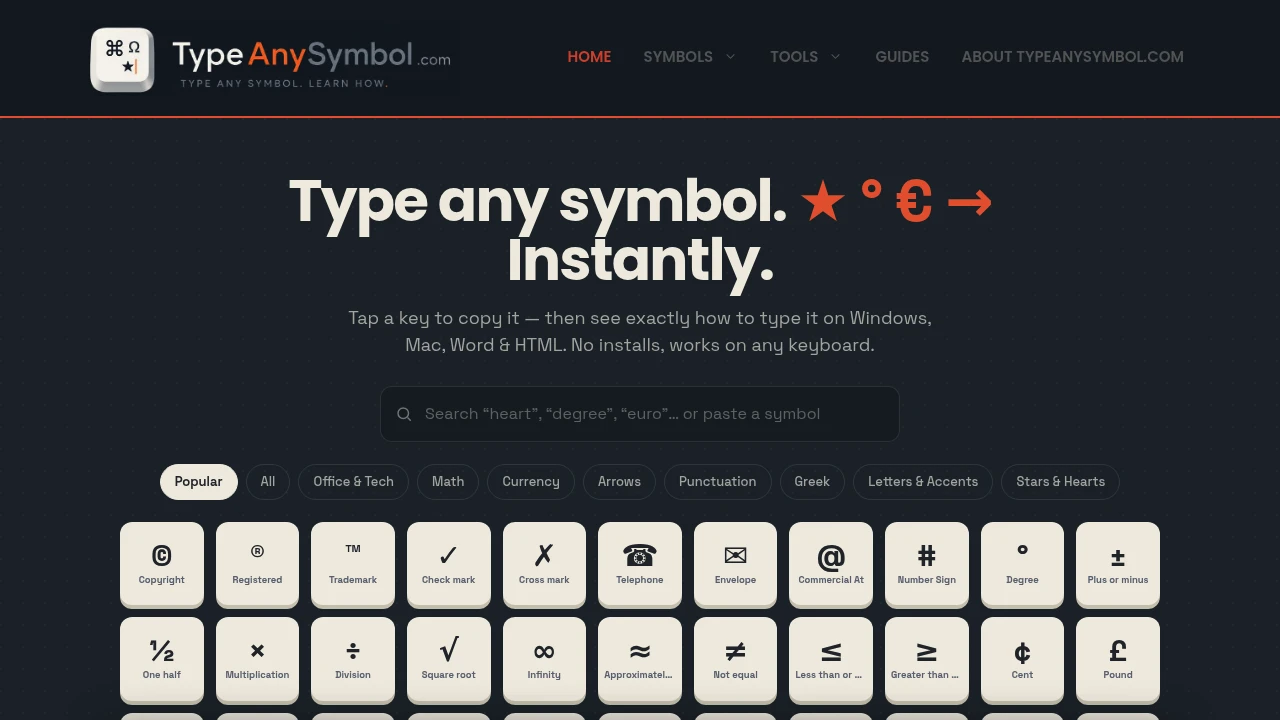
Find, copy, and learn how to type thousands of special symbols from one searchable online library. This browser-based symbol reference helps students, writers, designers, developers, marketers, and everyday users quickly access Unicode symbols, keyboard shortcuts, and typing guides without installing any software.
Copy Symbols and Learn Keyboard Shortcuts in Seconds
Instead of searching through keyboard menus or memorising complex character codes, browse a searchable library of over 1,000 symbols organised by category. Copy any symbol instantly, learn how to type it on different devices and applications, and discover the shortcuts that make future typing faster.
Whether you're writing documents, creating presentations, designing graphics, coding websites, or sending messages, the platform makes finding special characters simple.
Key Features
Instant Copy & Paste
Copy symbols with a single click.
Quickly copy:
- Mathematical symbols
- Currency signs
- Arrows
- Punctuation
- Decorative characters
for immediate use in any application.
Symbol Typing Guides
Learn how to type symbols across popular devices and software.
Guides are available for:
- Windows
- macOS
- iPhone
- Android
- Microsoft Word
- HTML
to help you use symbols without copying them every time.
Searchable Symbol Library
Find the character you need quickly.
Browse more than 1,000 Unicode symbols organised into searchable collections for faster discovery.
Organised Symbol Categories
Navigate symbols by topic instead of searching manually.
Popular categories include:
- Mathematical symbols
- Currency symbols
- Arrows
- Greek letters
- Accented characters
- Punctuation
- Stars
- Hearts
and many more.
Detailed Symbol Reference
Learn more about every character.
Each symbol includes:
- Symbol name
- Unicode information
- Character code
- Copy option
- Typing instructions
to serve as a complete reference.
Printable Top 100 Cheat Sheet
Keep the most popular symbols close at hand.
The downloadable PDF includes:
- Frequently used symbols
- Alt codes
- Keyboard shortcuts
- Common Unicode characters
- Quick reference tables
for offline use.
Unicode Standard Library
Access symbols based on the official Unicode Standard.
This ensures broad compatibility across:
- Operating systems
- Websites
- Applications
- Documents
- Digital platforms
that support Unicode characters.
Browser-Based Access
Use the library without installing software.
Simply open the website to:
- Search symbols
- Copy characters
- Learn shortcuts
- Browse categories
- Access guides
from any modern browser.
Cross-Platform Reference
Use the same symbol library regardless of device.
Helpful for users working across:
- Desktop computers
- Laptops
- Tablets
- Smartphones
- Multiple operating systems
with consistent guidance.
Built for Everyday Symbol Lookup
The platform combines a searchable Unicode library, one-click copy and paste, keyboard shortcut guides, symbol reference pages, printable cheat sheets, and cross-platform typing instructions into one practical symbol resource.
Key benefits include:
- Unicode symbol library
- Symbol copy and paste
- Alt code reference
- Keyboard symbol guide
- Special character lookup
Built For
- Writers
- Students
- Designers
- Developers
- Content Creators
- Office Professionals
Common Use Cases
- Adding special characters to documents
- Finding mathematical symbols
- Typing currency symbols
- Writing Greek letters
- Creating HTML content
- Copying symbols for social media and messaging
Why It Matters
Finding special characters often means searching through operating system menus, remembering Alt codes, or looking up Unicode values separately. This browser-based symbol library brings everything together by combining searchable symbols, instant copy-and-paste functionality, platform-specific typing guides, Unicode references, and printable shortcut sheets in one place. Users not only find the symbol they need but also learn the keyboard shortcuts to type it directly on Windows, macOS, mobile devices, Microsoft Word, and HTML, making future workflows faster and more efficient.
Find, Copy, and Type Special Symbols With Ease
Browse over 1,000 Unicode symbols, copy special characters instantly, learn keyboard shortcuts for Windows, Mac, iPhone, Android, Microsoft Word, and HTML, explore organised categories, access detailed symbol references, and download a printable cheat sheet to make typing special characters faster across every device.


