
Wings
Block-based editor for nested pages with LaTeX math, drawings, an AI panel, link sharing, and markdown export.
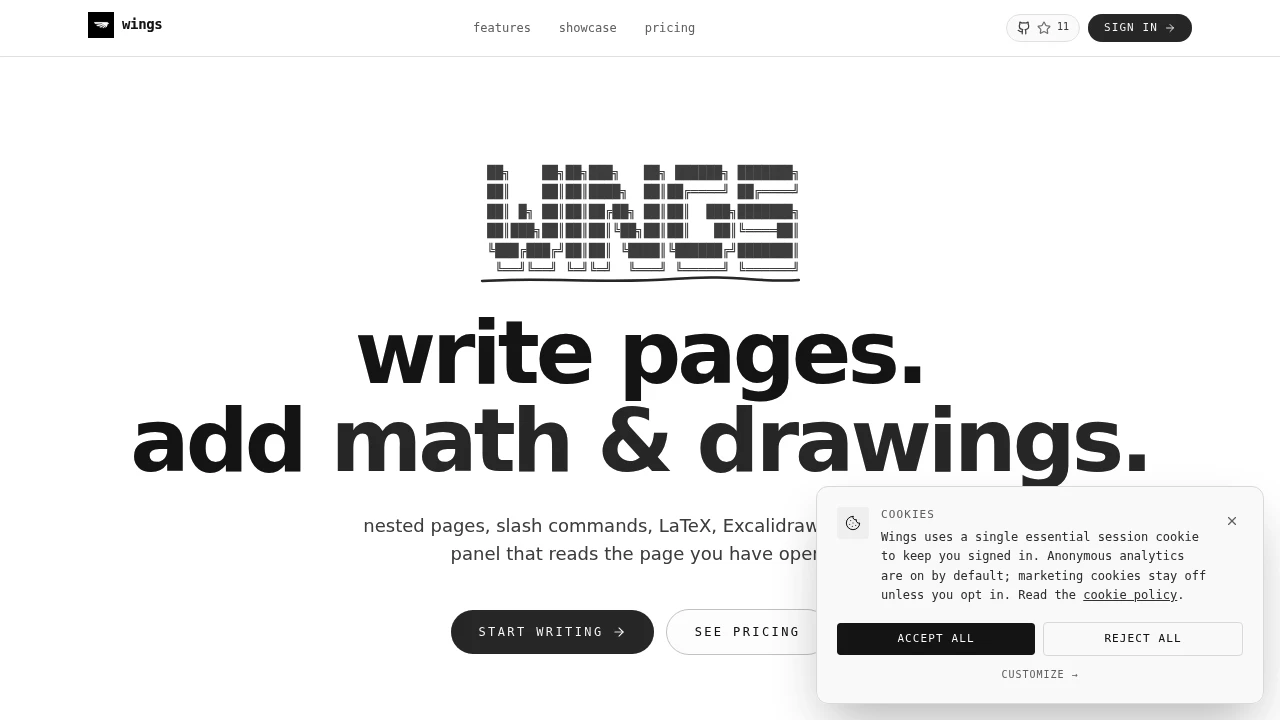
Wings is a flexible note-taking and document creation platform designed for people who want to combine written notes, equations, sketches, and AI assistance within a single workspace. It uses a block-based editor with nested pages, allowing users to organize different types of content without being restricted to a traditional document structure.
The platform is suited for students, researchers, developers, technical writers, and anyone who works with mixed-format content. Instead of switching between separate note-taking apps, equation editors, whiteboards, and AI tools, users can keep text, mathematical formulas, diagrams, and supporting content together on the same page.
Wings also supports private Local Vault pages, giving users the option to keep page bodies on their own device through a connected folder instead of cloud storage. New pages can use local storage for their content, while users can also opt to store content in the cloud when preferred. Account backup tools also make it possible to download data as a ZIP file and import folders back into the workspace.
Key Features
Block-Based Editor
Create and organize content using flexible editable blocks.
The editor allows pages to contain different types of content, including:
- Written notes
- Structured text
- Mathematical formulas
- Drawings
- Visual content
- Nested content blocks
This makes it easier to create documents that combine multiple formats without forcing everything into a fixed layout.
Nested Pages
Organize related notes and information into a structured hierarchy.
Users can create nested pages to:
- Group related notes
- Organize projects
- Structure study materials
- Separate topics and subtopics
- Build multi-level documentation
- Keep connected information together
This provides a more flexible way to organize information than maintaining a flat list of documents.
Local Vault for Private Pages
Keep the bodies of private pages on your own device.
Wings supports a Local Vault option for private pages, allowing page bodies to be stored locally through a connected folder.
For new pages, users can choose to:
- Keep page bodies on the device through a connected folder
- Use cloud storage instead
This gives users more control over where the contents of private pages are stored and allows local-first workflows for notes or documents they prefer not to keep in cloud storage.
Connected Folder Storage
Use a local folder as part of your private page workflow.
When Local Vault is enabled, page bodies can remain on the user's device through a connected folder.
This can be useful for people who want to:
- Keep private page content stored locally
- Maintain a local copy of their page bodies
- Organize private content through a connected folder
- Choose between local and cloud storage depending on the page
The feature adds flexibility for users who want different storage options within the same workspace.
Account Backup and Restore
Create a portable backup of your workspace data.
Wings includes account backup functionality that allows users to download their data as a ZIP file.
The backup workflow supports:
- ZIP downloads
- Folder import
- Restoring or bringing content back into the workspace
This provides a way to keep a portable copy of account data and move content back into Wings when needed.
LaTeX Math Support
Write mathematical formulas and technical content directly inside your notes.
The platform supports LaTeX for creating:
- Mathematical equations
- Scientific formulas
- Technical notation
- Algebraic expressions
- Research notes
- Engineering content
This makes the editor useful for students and professionals who regularly work with mathematical or technical material.
Excalidraw Drawing Support
Add diagrams, sketches, and visual ideas alongside written content.
Users can create content such as:
- Rough sketches
- Diagrams
- Flowcharts
- Visual explanations
- Technical illustrations
- Brainstorming layouts
This allows visual thinking to remain connected to the notes and explanations that support it.
AI Assistance Panel
Access AI support without leaving the editor.
The built-in AI panel can be used alongside your content, allowing users to get assistance while working on a page instead of switching between separate applications.
This can support workflows involving:
- Writing assistance
- Idea development
- Content exploration
- Note refinement
- Technical writing
- Research and planning
Mixed-Format Pages
Keep different types of information together in the same workspace.
A single page can combine:
- Text
- Notes
- Equations
- Drawings
- Structured blocks
- AI-assisted content
This is useful for workflows where ideas do not fit neatly into one format, such as technical notes, research documents, study materials, and project planning.
Shareable Pages
Share pages with other people using a direct link.
This allows users to:
- Send notes to collaborators
- Share technical documents
- Distribute study materials
- Share project information
- Provide access to specific pages
The link-based approach keeps sharing simple without requiring recipients to navigate through a larger document structure.
Markdown Export
Move your content outside the platform when needed.
Pages can be exported as Markdown, making it easier to:
- Reuse notes in other tools
- Store content locally
- Publish documentation
- Move content into developer workflows
- Keep portable copies of written material
This can be particularly useful for users who work with Markdown-based documentation systems.
Flexible Sign-In Options
Access the platform without a complicated account setup.
The available sign-in options include:
- Google sign-in
- Magic link authentication
This provides a straightforward way to access and manage your workspace.
Built for Mixed-Format and Local-First Note Taking
Wings combines a block-based editor, nested pages, LaTeX mathematics, Excalidraw drawing support, AI assistance, Local Vault storage, account backups, link-based sharing, and Markdown export into one flexible workspace.
Key benefits include:
- Block-based note taking
- Nested page organization
- Local Vault support for private pages
- Connected folder storage for page bodies
- Choice between local and cloud storage
- ZIP account backups
- Folder import
- LaTeX equation support
- Integrated sketches and diagrams
- AI-assisted writing
- Mixed-format documents
- Shareable pages
- Markdown export
Built For
- Students
- Researchers
- Developers
- Technical Writers
- Engineers
- Educators
- Knowledge Workers
- Project Planners
- People Working With Technical Notes
- Privacy-Conscious Users
- Users Who Prefer Local Storage
Common Use Cases
- Taking structured study notes
- Writing mathematical equations
- Creating technical documentation
- Combining notes with diagrams
- Planning projects and ideas
- Sketching concepts alongside written explanations
- Organizing research materials
- Creating nested knowledge bases
- Keeping private page bodies on a local device
- Using a connected folder for private content
- Choosing between local and cloud page storage
- Downloading account backups as ZIP files
- Importing folders back into the workspace
- Sharing notes through direct links
- Exporting documents to Markdown
Why It Matters
Many note-taking workflows require separate tools for writing, mathematical notation, diagrams, whiteboarding, AI assistance, and file storage. Moving between those tools can fragment context and make it harder to keep related information together.
Wings brings those formats into one block-based workspace while also giving users more control over where private page content lives. Users can create nested pages, write structured notes, add LaTeX equations, sketch ideas with Excalidraw, access AI assistance alongside their work, and choose whether new private pages keep their bodies on the device through a connected folder or use cloud storage.
The Local Vault feature is particularly useful for users who want a more local-first workflow for private content. Instead of requiring every page body to live in cloud storage, Wings can support device-based storage through a connected folder. Account backup tools add another layer of portability by allowing users to download a ZIP backup and import folders back into the workspace.
Write, Calculate, Sketch, and Keep Private Pages Where You Want
Create nested pages, write structured notes, add LaTeX equations, draw diagrams with Excalidraw, access AI assistance while editing, choose between Local Vault and cloud storage for private page bodies, connect local folders, download account backups as ZIP files, import folders when needed, share pages through direct links, and export your work as Markdown through one flexible block-based editor.


