
AI Remover
An online AI tool that removes subtitles, logos, captions, and other text overlays from videos without installing software.
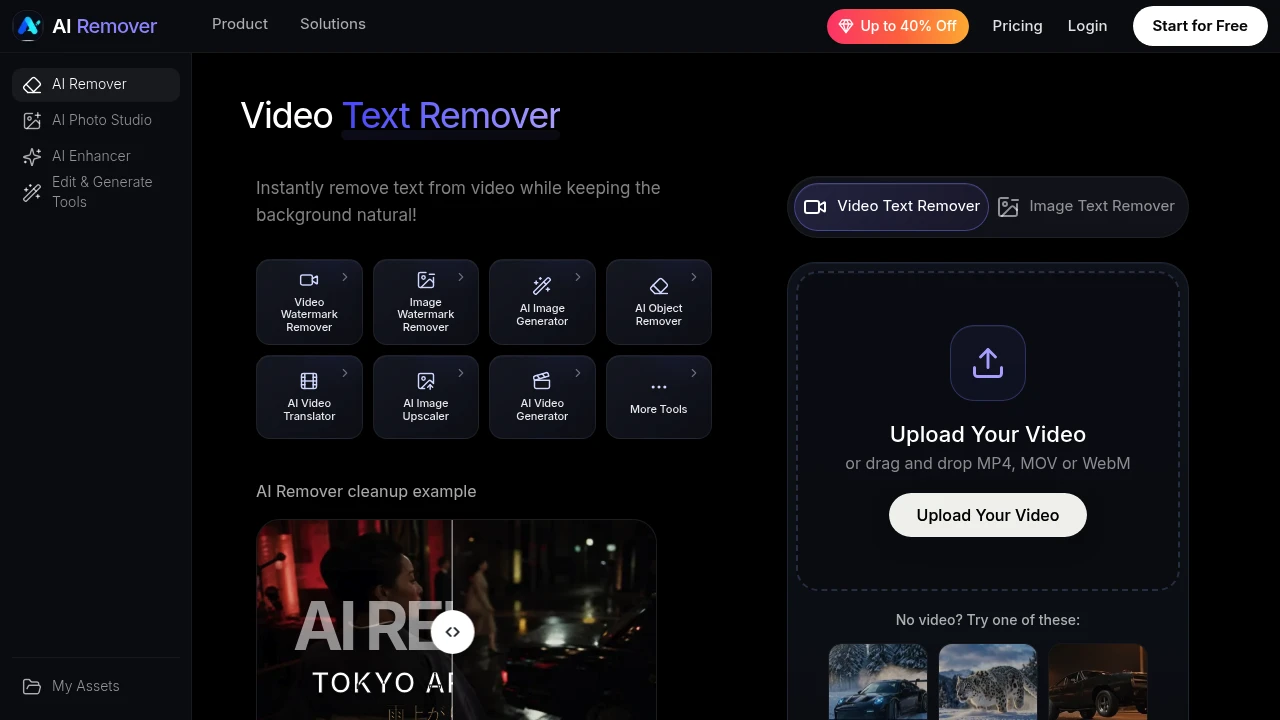
AI Video Text Remover is an online tool designed for people who want to remove text and other overlays baked into existing video footage without manually editing every frame. It can be used to clean subtitles, captions, timestamps, logos, promotional labels, and similar on-screen elements while preserving the surrounding background as naturally as possible.
The platform is suited for creators, video editors, ecommerce teams, educators, marketers, and businesses that need to reuse existing footage for a different campaign, platform, or purpose. Users can upload a video, allow the AI to detect visible text automatically, or manually select the area they want to remove for more control.
Key Features
Automatic Text Detection
Detect visible text and overlays automatically.
AI Video Text Remover can identify clear text that appears within video frames, reducing the need to manually mark every area.
This can help detect elements such as:
- Subtitles
- Captions
- Timestamps
- Logos
- Promotional labels
- Other visible text overlays
This provides a faster starting point when the text is clearly separated from the rest of the video.
Manual Area Selection
Select the exact area you want to remove.
Some text or overlays can be difficult to isolate automatically, particularly when they overlap with complex backgrounds or moving subjects.
Manual selection gives users more control over the cleanup process and can be useful for:
- Small text overlays
- Text placed over detailed backgrounds
- Moving scenes
- Logos
- Watermarks
- Promotional messages
Users can define the area that needs to be processed instead of relying entirely on automatic detection.
Frame-by-Frame Reconstruction
Rebuild the affected area across the video.
Rather than simply covering removed text with a blur or solid block, the system reconstructs the affected portion of individual frames.
The goal is to preserve elements such as:
- Background texture
- Scene details
- Motion consistency
- Visual continuity
- Surrounding objects
This can help create a cleaner result when text appears over important visual elements.
Natural Background Restoration
Remove overlays while keeping the underlying scene visually consistent.
Text can often appear over areas such as:
- Faces
- Products
- Packaging
- Clothing
- Backgrounds
- Moving objects
AI Video Text Remover is designed to reconstruct these areas after the text has been removed so the result does not simply leave an obvious blank or blurred section.
Preview Before Download
Review the processed video before exporting it.
The preview workflow allows users to inspect the repaired area and check whether the result works for their intended use.
This can help users review:
- Text removal quality
- Background reconstruction
- Motion consistency
- Visual artifacts
- Overall appearance
Users can therefore assess the processed footage before using the final version in another project or campaign.
Support for Multiple Video Formats
Upload commonly used video file formats.
The service accepts:
- MP4
- MOV
- WebM
This makes it suitable for footage exported from common video editors, screen recording tools, cameras, and social media workflows.
Online Video Processing
Use the tool without installing separate video editing software.
The workflow is browser-based, allowing users to upload a supported video, select or detect the text, process the footage, review the result, and export the cleaned version.
This can be useful for people who need a focused cleanup workflow rather than a full desktop video editing application.
Support for Short and Longer Videos
Process videos ranging from short clips to longer footage.
The service supports videos from:
- 5 seconds
- Up to 15 minutes
This allows the workflow to cover both short-form social clips and longer materials such as tutorials, demonstrations, or training content.
Additional Video Cleanup Workflows
Clean more than just visible text.
The related workflows mentioned by the service can also support the removal of distracting visual elements such as:
- People
- Objects
- Background elements
This can help users create cleaner versions of existing footage when multiple unwanted elements need to be removed.
Built for Video Cleanup and Reuse
AI Video Text Remover combines automatic text detection, manual area selection, frame-by-frame reconstruction, background restoration, preview tools, and browser-based processing into one workflow for cleaning existing video footage.
Key benefits include:
- Remove subtitles and captions
- Clean timestamps and promotional labels
- Remove logos and other visible overlays
- Automatically detect clear on-screen text
- Manually select difficult areas
- Reconstruct affected areas frame by frame
- Preserve background texture and scene continuity
- Preview the result before export
- Support for MP4, MOV, and WebM files
- Process videos from 5 seconds to 15 minutes
- Use the tool online without installing software
- Support related object, people, and background cleanup workflows
Built For
- Content Creators
- Video Editors
- Social Media Managers
- Ecommerce Teams
- Marketing Teams
- Educators
- Course Creators
- Product Teams
- Agencies
- Businesses
- Enterprise Users
Common Use Cases
- Removing subtitles from existing videos
- Cleaning captions before republishing footage
- Removing timestamps from clips
- Removing promotional text from old campaigns
- Creating updated versions of product videos
- Cleaning tutorial and training footage
- Reusing social media content across campaigns
- Removing distracting overlays from demonstrations
- Preparing cleaner ecommerce product videos
- Updating videos with outdated offers or messaging
- Removing text placed over packaging or clothing
- Creating alternative versions of existing video assets
Why It Matters
Text, captions, timestamps, logos, and promotional overlays are often permanently embedded into a video frame. Removing them manually can require frame-by-frame editing, especially when the camera moves or the text sits over faces, products, clothing, or detailed backgrounds.
AI Video Text Remover simplifies that process by allowing users to upload an existing video, automatically detect visible text or manually select the affected area, and use AI to reconstruct the underlying part of the footage across the video.
This makes it easier to reuse existing assets instead of recreating or reshooting them. A tutorial can be cleaned for a new audience, an old promotional video can have outdated text removed, or a social media clip can be prepared for another campaign without manually editing every individual frame.
Remove Text and Overlays From Existing Video Footage
Upload an MP4, MOV, or WebM video, automatically detect visible text or manually select the area you want to clean, reconstruct the affected portion frame by frame, preview the repaired footage, and create a cleaner version of your video without manually editing every frame.


