
Ankon AI
Creates narrated, captioned whiteboard explainer videos from topics, scripts, PDFs, or images with publish-ready metadata.
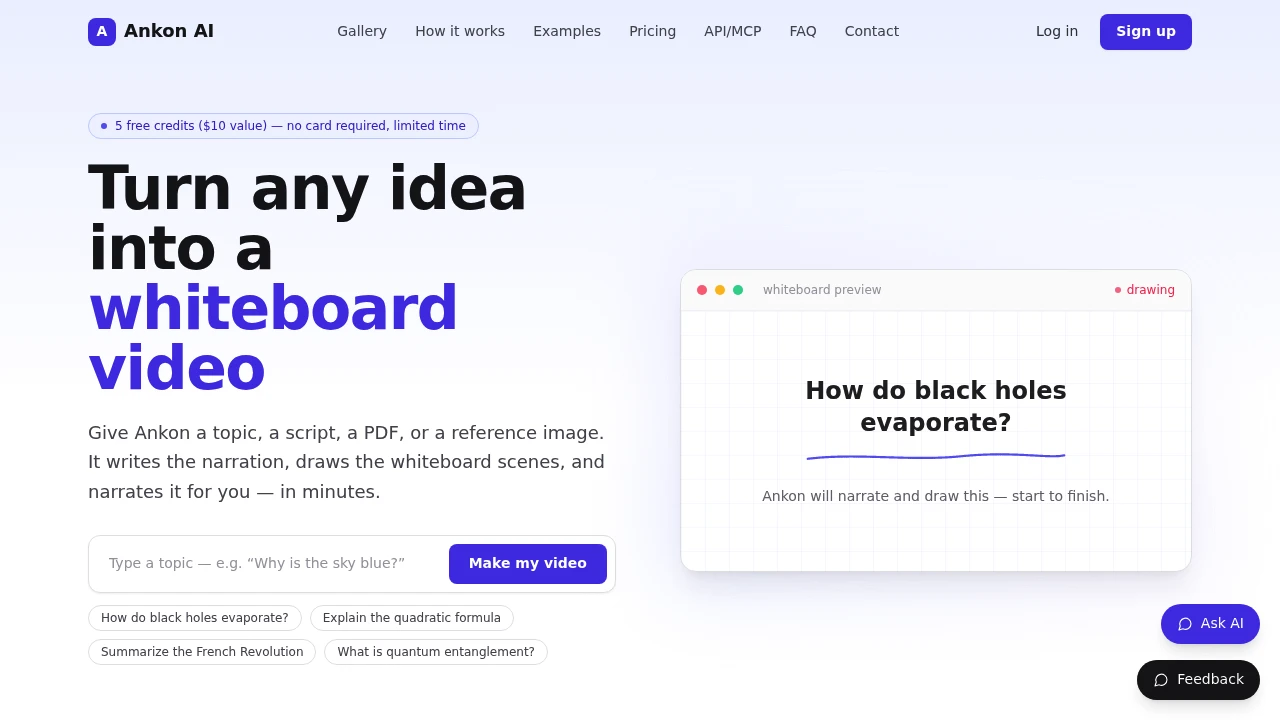
Ankon AI is an AI-powered whiteboard video generator for people who want to turn existing ideas, scripts, documents, or visual references into explainer videos without building every scene manually. Users can start with a topic, written script, PDF, research paper, or reference image, and the platform generates narration, whiteboard-style scenes, captions, and a finished video.
The platform is designed for creators, educators, founders, publishers, and anyone with existing material that can be repurposed into a visual explainer. Rather than focusing on live-action or cinematic video generation, Ankon AI uses an ink-reveal whiteboard format where illustrations are drawn alongside the narration.
Key Features
Multiple Content Inputs
Create a whiteboard video from different types of source material.
Ankon AI allows users to begin with existing content instead of writing and designing every scene from scratch.
Supported starting points can include:
- A topic or prompt
- A written script
- A PDF
- A research paper
- An article
- A reference image
This makes it possible to repurpose existing written or visual material into a video format.
AI-Generated Whiteboard Videos
Turn source material into a complete whiteboard-style explainer.
The platform generates the components needed to create a finished video, including:
- Narration
- Visual scenes
- Whiteboard illustrations
- Scene progression
- Captions
This reduces the amount of manual work required to turn an idea or document into an explainer video.
Ink-Reveal Drawing Style
Present information through scenes that appear to be drawn as the video progresses.
Ankon AI uses a whiteboard-style visual format where illustrations are revealed alongside the narration.
The workflow is designed to synchronize:
- Voiceover
- Scene transitions
- Drawings
- Visual explanations
- On-screen information
This makes the format suitable for educational content, product explainers, lessons, and other videos where the goal is to communicate an idea clearly.
Script and Document Repurposing
Turn existing written material into a watchable video.
Users can provide source material such as:
- Scripts
- Articles
- PDFs
- Research papers
- Educational content
- Written explainers
The platform can then use that material as the starting point for a whiteboard video.
This can be useful for creators and publishers who want to reuse existing content across additional formats instead of creating a new video from scratch.
Captions and Subtitle Files
Create videos with captions included.
Ankon AI provides:
- Burned-in captions
- SRT subtitle files
Burned-in captions can make the video easier to watch on platforms where viewers may not initially have audio enabled.
The SRT file also provides a separate subtitle format that can be reused with supported video platforms.
Publish-Ready Metadata
Generate supporting information for publishing a video.
The platform can create metadata such as:
- Video titles
- Descriptions
- Chapter timestamps
This helps users prepare the finished video for publishing without having to create every supporting asset separately.
The generated metadata can be useful for:
- Video platforms
- Educational content
- Product explainers
- Repurposed articles
- Content libraries
Voice Cloning
Narrate videos using your own voice.
Users can record a short voice sample and use it as the basis for narration.
This can help creators maintain a more consistent voice across generated videos while reducing the need to record every script manually.
Potential uses include:
- Personal content
- Educational videos
- Product explainers
- Recurring video series
- Repurposed written content
Multiple Language Support
Create whiteboard videos in more than one language.
The platform supports 8+ languages.
This can be useful for:
- International audiences
- Localized educational content
- Multi-language publishing
- Global product explainers
- Repurposing content for different markets
Private-by-Design Workflow
Create content using a platform positioned around private use.
Privacy is part of the product's positioning, making it suitable for users who may be working with:
- Internal documents
- Draft scripts
- Research material
- Product information
- Unpublished content
This can be useful when source material is not intended for public distribution before the finished video is ready.
REST API Access
Use Ankon AI programmatically within other workflows.
The platform provides a REST API for developers and teams that want to integrate whiteboard video generation into their own systems.
Potential workflow uses include:
- Automated content pipelines
- Internal tools
- Content production systems
- Application integrations
- Programmatic video generation
This allows developers to incorporate video creation into a broader workflow instead of relying only on the browser interface.
Claude Integration
Use Ankon AI through Claude with natural language prompts.
The platform can also be accessed within Claude using:
- Natural language instructions
- OAuth sign-in
- Workflow-based video creation
This provides an additional way to generate videos for users who prefer to initiate tasks through an AI assistant.
Finished Video Assets
Download and organize the assets created during the video workflow.
The output can include:
- MP4 video
- Subtitle files
- Thumbnail downloads
- Collections for organizing videos
This gives users access to the main assets needed for sharing and publishing.
Credit-Based Video Generation
Generate videos using a credit-based pricing model.
According to the product, approximately:
- One credit equals one minute of finished video
The platform also provides:
- Five free credits at signup
- No credit card requirement
- Automatic refunds for failed renders
This allows users to test the workflow before committing to additional usage.
Built for Whiteboard Explainer Video Creation
Ankon AI combines document and script inputs, AI-generated narration, ink-reveal illustrations, captions, metadata generation, voice cloning, and downloadable video assets into one workflow for producing whiteboard explainers.
Key benefits include:
- Start from a topic or prompt
- Turn scripts into videos
- Convert PDFs and papers into explainers
- Use reference images as source material
- Generate narration automatically
- Create ink-reveal whiteboard scenes
- Synchronize drawings with voiceover
- Include burned-in captions
- Download SRT subtitle files
- Generate titles and descriptions
- Create chapter timestamps
- Clone your own voice
- Support multiple languages
- Access the platform through a REST API
- Use Ankon AI inside Claude
- Download MP4 videos and thumbnails
- Organize videos into collections
- Use free credits without a credit card
- Receive refunds for failed renders
Built For
- Content Creators
- Educators
- Teachers
- Course Creators
- Founders
- Publishers
- Marketers
- Researchers
- Developers
- Technical Writers
- YouTubers
- Online Learning Teams
- SaaS Companies
- Anyone Repurposing Written Content
Common Use Cases
- Turning a topic into a whiteboard explainer
- Converting a script into a narrated video
- Repurposing an article into a video
- Turning a PDF into educational content
- Creating research explainers
- Producing product introduction videos
- Creating lessons and tutorials
- Adding captions to explainer videos
- Generating videos in multiple languages
- Creating recurring educational content
- Using a cloned voice for narration
- Generating video metadata for publishing
- Building automated video workflows through an API
- Creating videos through natural language prompts
- Repurposing existing content across multiple channels
Why It Matters
Creating an explainer video usually requires several separate steps, including writing a script, recording narration, designing illustrations, animating scenes, adding captions, creating a thumbnail, and preparing the title and description for publishing. That can make it difficult to turn existing written material into video content quickly.
Ankon AI brings those steps into a single whiteboard video workflow. Users can begin with a simple topic, an existing script, a PDF, research paper, or reference image, then generate narration and illustrated scenes that are revealed alongside the voiceover.
The platform also goes beyond the video itself by including captions, SRT files, thumbnails, and publishing metadata such as titles, descriptions, and chapter timestamps. Voice cloning and multi-language support provide additional flexibility for creators producing recurring or localized content.
For developers and workflow-focused users, REST API access and Claude integration make it possible to include whiteboard video generation within a broader content production process. The credit-based model, free signup credits, and automatic refunds for failed renders also provide a straightforward way to test the platform before scaling usage.
Turn Your Existing Content Into a Whiteboard Explainer Video
Start with a topic, script, PDF, research paper, article, or reference image, generate AI narration and ink-reveal whiteboard scenes, add burned-in captions and an SRT file, create publishing metadata and chapter timestamps, use your own cloned voice if needed, and export the finished MP4 video and thumbnail for sharing across your content channels.


