
AutoShelf
A macOS app that watches folders and automatically moves, tags, renames, or trashes files based on rules.
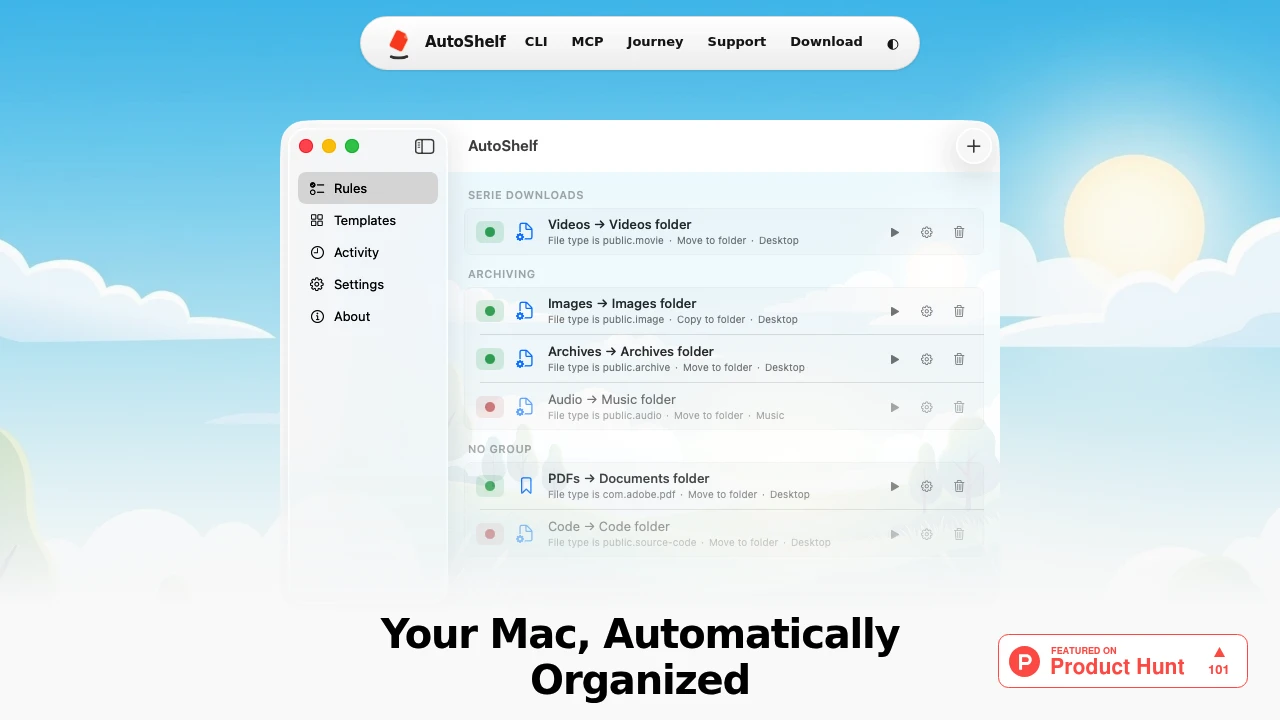
AutoShelf is a macOS file organizer for people who want to keep folders organized without repeatedly sorting files by hand. It watches selected folders and automatically acts on incoming files according to rules you define once, while leaving everything else alone.
Built for cluttered Downloads and Desktop folders, AutoShelf lets you route files based on practical conditions such as file type, source URL, download application, size, age, and filename. Rules can then move, copy, rename, tag, trash, archive, or optimize files as soon as they arrive.
Key Features
Rule-Based File Organization
Create rules that automatically decide what should happen to files in watched folders.
Rules can use conditions including:
- File type
- Source URL
- Download app
- File size
- File age
- Filename
These conditions can be combined with actions such as moving, copying, renaming, tagging, trashing, archiving, or optimizing files.
Download-Aware File Routing
AutoShelf reads download metadata to understand where files came from and which application saved them.
It can distinguish downloads associated with apps such as:
- Safari
- Chrome
- Arc
- Finder
- Other supported applications
This makes it possible to create rules based on the source or application rather than relying only on the file's extension.
Built-In Organization Templates
AutoShelf includes templates for common file cleanup tasks, helping users get started without creating every rule manually.
Templates cover workflows such as:
- Organizing Downloads
- Deleting old DMGs
- Cleaning the Desktop
- Sorting files by source
- Automatically trashing installers
Users can also create custom rules from scratch for more specific workflows.
Automated File Actions
Once a file matches a rule, AutoShelf can perform different organization actions automatically.
Available actions include:
- Move
- Copy
- Rename
- Tag
- Trash
- Archive
- Optimize
This makes it possible to build workflows ranging from simple folder sorting to more specific file-management routines.
Local and Offline Operation
AutoShelf performs file organization locally on the Mac. It does not require an online service to monitor and route files.
This allows the organization workflow to continue without relying on an internet connection and keeps file handling on the local machine.
macOS Menu Bar App
AutoShelf runs from the macOS menu bar rather than occupying space in the Dock.
It works quietly in the background, monitoring the folders you have selected and applying your rules as files arrive.
Image Optimization
AutoShelf includes image optimization for JPG and PNG files. It can reduce file sizes while aiming to preserve visible image quality.
This provides an additional way to manage storage alongside the file-routing features.
CLI and MCP Support
For developers and users who want additional control, AutoShelf includes command-line and MCP support.
These interfaces make the file organization system accessible beyond the standard menu bar application and can support more customized workflows.
Built For Mac Users With Cluttered Folders
AutoShelf is designed for anyone who repeatedly finds themselves sorting the same types of files. It fits developers managing project downloads, photographers handling image files, freelancers organizing client assets, students managing coursework, and users who accumulate large numbers of files in Downloads or Desktop.
The rule-based approach means you can define how files should be handled once and let AutoShelf repeat that organization automatically.
Common Use Cases
- Downloads organization: Automatically route downloaded files into appropriate folders.
- Desktop cleanup: Keep the Desktop organized as new files arrive.
- Installer management: Automatically identify and trash unwanted installers.
- DMG cleanup: Remove older DMG files based on age rules.
- Source-based sorting: Organize files according to their download source URL.
- Browser download routing: Apply different rules to files downloaded through Safari, Chrome, Arc, and other applications.
- Project organization: Send specific file types or filenames directly into project folders.
- Image optimization: Reduce JPG and PNG file sizes without visible quality loss.
- Developer workflows: Use the CLI or MCP integration for more customized file-management workflows.
Pricing
AutoShelf offers one free rule for users who want to try automated organization.
Unlimited rules are available through a one-time $19.99 purchase, with no recurring subscription mentioned.
Why It Matters
Keeping a Mac organized often means repeatedly performing the same small actions: moving downloads, sorting installers, cleaning the Desktop, renaming files, or sending project assets to the right folder. AutoShelf turns those repetitive decisions into rules that can run automatically.
Its combination of metadata-aware routing, customizable conditions, multiple file actions, built-in cleanup templates, local operation, and background menu bar access makes it a practical file organization layer rather than another manual file browser.
Automate Your Mac File Organization With AutoShelf
Define your rules once and let AutoShelf keep selected folders organized automatically. With local processing, download-aware routing, cleanup templates, image optimization, CLI and MCP support, and unlimited rules available for a one-time $19.99 purchase, AutoShelf provides a simple way to reduce recurring file clutter on macOS.


