
Backgroundcanvas
Free online tool for background removal, background replacement, and cleanup of watermarks, text, and emoji stickers.
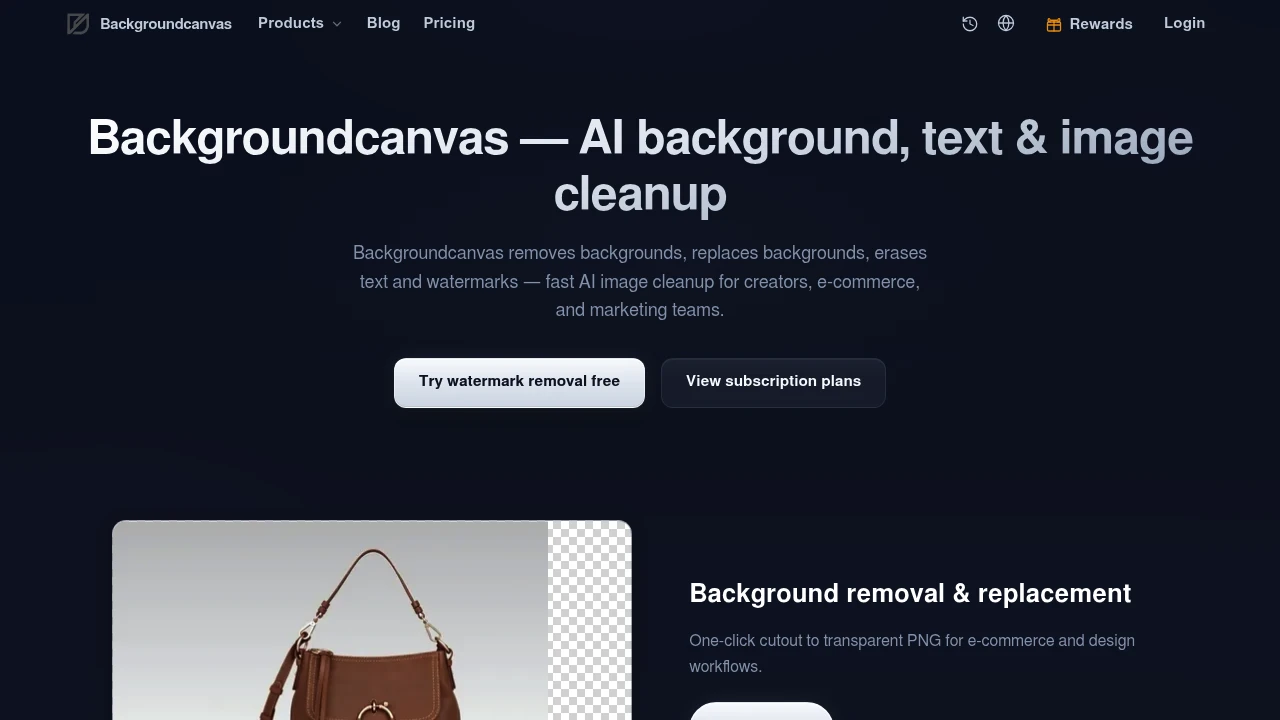
Backgroundcanvas is a free online image cleanup tool for creators, e-commerce sellers, marketers, and other users who need cleaner visuals without spending time in a traditional photo editor. It combines background removal, background replacement, and unwanted object or overlay removal in one browser-based workflow.
The platform is designed around common image cleanup tasks. Users can create transparent cutouts for product listings, replace an existing background with a different scene or color, or remove distracting text, watermarks, emoji stickers, and other overlays from screenshots, product images, and presentation visuals.
Key Features
Background Removal
Remove the existing background from an image and isolate the main subject.
Backgroundcanvas can be used to create cleaner cutouts for images such as:
- Product photos
- Portraits
- E-commerce listings
- Marketing graphics
- Social media visuals
- Design assets
The result can be used as a transparent PNG, making it easier to place the subject on a different background or reuse it in another design.
Background Replacement
Replace an existing background with a new visual setting.
Users can change the background of an image when they want to create a different presentation for the same subject.
This can be useful for:
- Product listings
- Marketing campaigns
- Social media graphics
- Promotional visuals
- Presentation images
- Creative mockups
Instead of manually cutting out a subject and rebuilding the image in separate software, the background replacement workflow keeps the task focused on the required change.
Transparent PNG Creation
Create subject cutouts for reuse in other designs.
After removing the background, users can create transparent images that can be placed over different layouts or visual environments.
This can support workflows involving:
- Product catalogs
- Online stores
- Advertisements
- Website graphics
- Social posts
- Presentation slides
- Design compositions
Transparent cutouts can make it easier to reuse the same source image across multiple backgrounds and formats.
Watermark Removal
Remove unwanted watermark overlays from an image.
Backgroundcanvas supports cleanup tasks involving visual elements such as:
- Logos
- Repeating watermarks
- Semi-transparent marks
- Overlay graphics
The tool is designed to rebuild the affected area of the image after the unwanted overlay is removed.
This can be useful when working with images where an unnecessary visual element is covering part of the underlying content.
Text Removal
Remove unwanted text from screenshots and images.
The text removal workflow can be used for elements such as:
- Captions
- Subtitles
- Watermark text
- Labels
- Promotional text
- Other unwanted overlays
This can help users create a cleaner version of an image when text that is no longer needed is covering part of the visual.
Emoji and Sticker Removal
Clean up screenshots and social images by removing decorative overlays.
Backgroundcanvas can also be used to remove elements such as:
- Emoji stickers
- Decorative icons
- Social media stickers
- Visual overlays
This can be useful when an image needs to be reused without the original decoration or when a screenshot needs a cleaner presentation.
Background Templates
Apply quick background changes using available visual templates.
The platform includes background options such as:
- Red backgrounds
- Black backgrounds
These options provide a faster way to create a different visual presentation without manually setting up a new background from scratch.
This can be useful for users who need a simple and consistent background for product images, profile visuals, promotional content, or other creative assets.
Manual Brush Refinement
Make additional adjustments when the automatic result needs correction.
Backgroundcanvas includes manual brush refinement for situations where automatic cleanup requires a touch-up.
This can be useful when:
- Subject edges are difficult to detect
- The subject blends into the background
- Small areas need additional cleanup
- The automatic selection is not fully accurate
The manual option gives users more control without requiring them to move the image into a separate editing application.
Browser-Based Image Cleanup
Edit images online without installing traditional photo editing software.
The workflow is designed around specific cleanup tasks rather than a full professional editing environment.
Users can focus on changes such as:
- Removing backgrounds
- Replacing backgrounds
- Erasing text
- Removing watermarks
- Cleaning up stickers and overlays
This can make the process more straightforward for users who only need a specific image correction.
Free Credit-Based Access
Start using the platform through its free access model.
The free tier uses daily check-in credits for image processing.
After the available free credits are used, continued access is supported through a subscription.
This gives users a way to try the available cleanup tools before moving to a paid usage option.
Built for Quick Image Cleanup
Backgroundcanvas combines background removal, background replacement, transparent PNG creation, watermark removal, text cleanup, sticker removal, background templates, and manual refinement into one focused image editing workflow.
Key benefits include:
- Remove image backgrounds
- Create transparent PNG cutouts
- Replace existing backgrounds
- Use solid or template-based backgrounds
- Remove unwanted logos and watermark overlays
- Remove captions and subtitles
- Erase unwanted text
- Remove emoji stickers and decorative icons
- Clean up screenshots and presentation images
- Refine automatic results with a manual brush
- Handle common image cleanup tasks from one browser-based tool
- Start with daily free credits
Built For
- Content Creators
- E-commerce Sellers
- Marketing Teams
- Social Media Managers
- Designers
- Online Store Owners
- Advertisers
- Freelancers
- Agencies
- Product Marketers
- Presentation Creators
- Anyone Cleaning Up Images
Common Use Cases
- Removing the background from a product photo
- Creating transparent PNG cutouts
- Replacing a product image background
- Preparing images for e-commerce listings
- Cleaning up screenshots
- Removing unwanted text from an image
- Removing subtitles or captions
- Erasing visual watermark overlays
- Removing logos from unwanted image areas
- Cleaning emoji and sticker overlays from screenshots
- Creating marketing visuals with a new background
- Preparing cleaner presentation images
- Reusing the same subject across multiple designs
- Making quick image edits without installing photo editing software
Why It Matters
Many everyday image editing tasks do not require a full professional design application, but they can still take time when users need to manually select subjects, erase unwanted elements, or rebuild backgrounds. Product photos, screenshots, social media images, and presentation visuals often need only a few targeted changes before they are ready to use.
Backgroundcanvas focuses on those specific cleanup tasks. Users can remove a background, create a transparent cutout, replace the existing scene, or remove distracting elements such as text, watermark overlays, emoji stickers, and decorative icons.
The addition of manual brush refinement is useful when automatic results need extra attention, particularly around difficult edges or subjects that blend into the original background. By combining automated cleanup with a manual adjustment option, the workflow provides more control without requiring users to switch to a separate editing tool.
Remove Backgrounds, Replace Scenes, and Clean Up Images From One Workspace
Upload an image, remove the existing background, create a transparent PNG, replace the background with a different scene or color, erase unwanted text, captions, watermark overlays, emoji stickers, and decorative icons, refine difficult areas with a manual brush, and prepare cleaner visuals for e-commerce listings, marketing campaigns, social content, screenshots, and presentations from one browser-based workspace.


