
Conferbot
A no-code platform for building AI chatbots with templates, drag-and-drop editing, and multi-channel deployment.
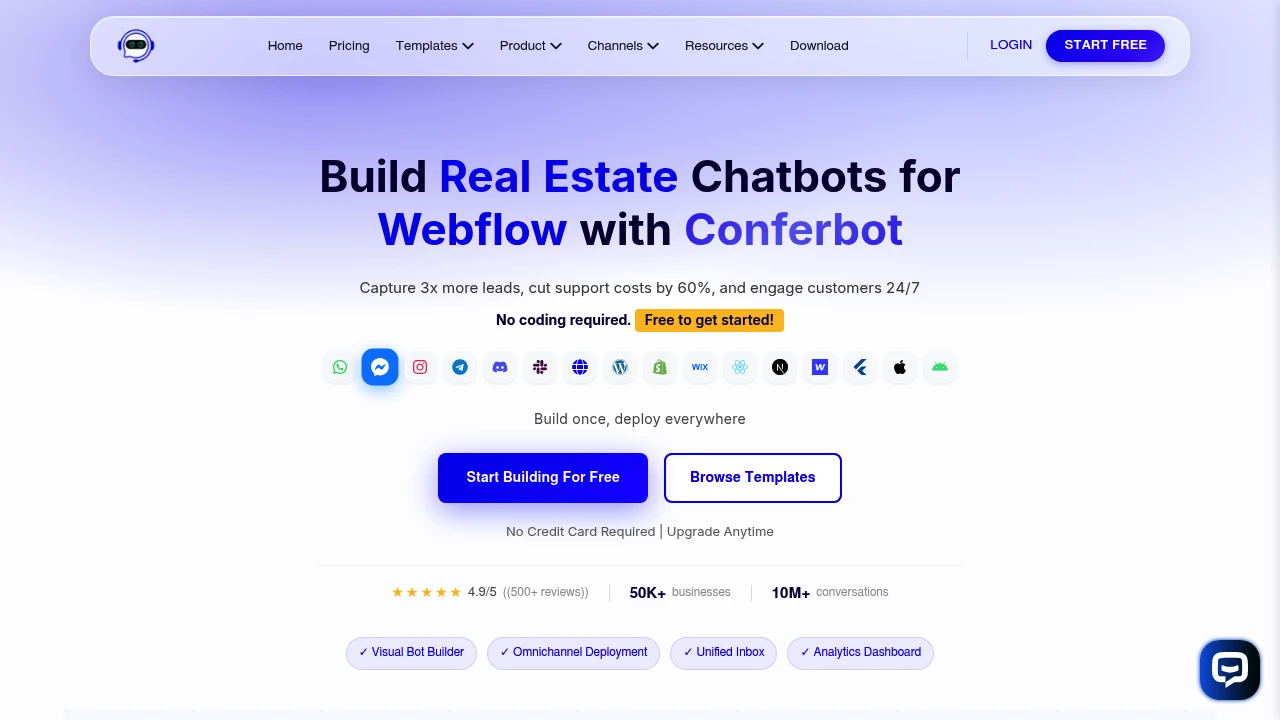
Conferbot is a no-code AI chatbot platform that helps teams build, deploy, and manage conversational experiences without requiring developers or custom engineering work. It combines a drag-and-drop chatbot builder, ready-made templates, multiple AI model options, multi-channel deployment, integrations, and a unified inbox into one platform.
The platform is designed for support, sales, marketing, and operations teams that want to automate conversations across websites, messaging platforms, and mobile applications. Instead of building a separate chatbot for every channel, teams can create conversational flows, connect AI models, deploy bots where customers interact, and manage incoming conversations from one central workspace.
Key Features
No-Code Chatbot Builder
Create chatbots without writing code.
Conferbot uses a drag-and-drop conversation builder that allows teams to design and edit chatbot workflows visually.
Users can build conversational experiences by:
- Creating conversation flows
- Adding questions and responses
- Defining user paths
- Connecting actions
- Editing chatbot logic
- Customizing flows for different use cases
This makes it easier for non-technical teams to build and test chatbot experiences without depending entirely on developers.
AI Model Support
Choose from multiple AI models for chatbot conversations.
Conferbot supports AI integrations including:
- OpenAI
- Claude
- Gemini
This gives teams flexibility in choosing the AI technology used behind their chatbot workflows.
Ready-Made Chatbot Templates
Start with existing conversation flows instead of building everything from scratch.
The template library covers use cases such as:
- Lead generation
- FAQ automation
- Appointment booking
- Feedback collection
- Product recommendations
- Customer support
- Sales conversations
Teams can start with a pre-built template and modify the flow to match their specific requirements.
Website Chatbot Deployment
Add conversational experiences directly to websites.
Conferbot can be deployed across web environments to support:
- Customer questions
- Lead capture
- Product discovery
- Support automation
- Appointment requests
- Marketing conversations
This allows businesses to provide an interactive conversation layer without building a chatbot system from scratch.
Multi-Channel Messaging Support
Deploy chatbots across multiple messaging platforms.
Conferbot supports channels including:
- Messenger
- Telegram
- Discord
- Slack
- Websites
- Mobile applications
This allows teams to expand a chatbot across different communication channels instead of managing separate tools for each platform.
Unified Conversation Inbox
Manage customer conversations from one central view.
The unified inbox brings conversations from supported channels into one workspace, helping teams:
- View incoming messages
- Manage customer conversations
- Monitor chatbot interactions
- Handle messages across channels
- Reduce switching between messaging tools
This can simplify conversation management for teams operating across multiple customer communication platforms.
Lead Generation Automation
Use chatbots to capture and qualify potential customers.
Chatbot flows can be used to:
- Ask qualifying questions
- Collect contact information
- Guide prospects through conversations
- Capture leads
- Route information to connected systems
This makes the platform useful for sales and marketing teams that want to automate the first stage of customer engagement.
FAQ and Support Automation
Automate responses to common customer questions.
Teams can create chatbot flows for:
- Frequently asked questions
- Product information
- Customer support requests
- Common troubleshooting questions
- Service information
This can help provide faster responses while reducing the amount of repetitive work handled manually by support teams.
Appointment Booking Workflows
Build chatbot conversations around scheduling and bookings.
Templates and conversational flows can be adapted for:
- Appointment requests
- Booking workflows
- Customer scheduling
- Lead follow-up
- Service inquiries
This allows teams to use chatbots as part of a broader customer engagement or scheduling workflow.
Product Recommendation Flows
Guide customers toward relevant products or services.
Chatbot workflows can be used to:
- Ask about customer preferences
- Understand requirements
- Narrow product options
- Recommend relevant products
- Guide users toward the next step
This can be useful for businesses that want to make product discovery more conversational.
Business Tool Integrations
Connect chatbot data with the systems your team already uses.
Conferbot supports integrations including:
- Zapier
- HubSpot
- Salesforce
- Other connected business tools
These integrations can help move conversation and lead data into existing sales, marketing, and operational workflows.
Fast Template-Based Setup
Launch chatbot workflows without starting from a blank canvas.
Teams can:
- Select a template
- Edit the conversation
- Customize the workflow
- Connect required tools
- Publish the chatbot
This makes Conferbot suitable for teams that want to test chatbot ideas quickly before expanding them across additional channels.
Web Framework Support
Deploy chatbots across different website technologies.
The platform supports environments and frameworks including:
- HTML
- React
- Next.js
- Angular
- Vue
- WordPress
- Shopify
- Webflow
- Wix
- Squarespace
This gives businesses flexibility when adding chatbot functionality to an existing website or web application.
Mobile Application Support
Extend chatbot functionality into mobile products.
Conferbot supports mobile environments including:
- React Native
- Flutter
- iOS
- Android
This allows teams to use conversational experiences within mobile applications alongside website and messaging deployments.
Built for No-Code AI Chatbot Development
Conferbot combines no-code chatbot building, AI model support, ready-made templates, website deployment, messaging integrations, unified conversation management, lead generation, support automation, appointment workflows, product recommendations, and business tool integrations into one conversational AI platform.
Key benefits include:
- No-code chatbot creation
- AI-powered conversations
- Multi-channel deployment
- Unified conversation management
- Ready-made chatbot templates
- Lead generation automation
- Customer support workflows
- CRM and automation integrations
Built For
- Customer Support Teams
- Sales Teams
- Marketing Teams
- Operations Teams
- SaaS Companies
- E-Commerce Businesses
- Agencies
- Small and Medium Businesses
- Teams Without Dedicated Developers
Common Use Cases
- Building website chatbots
- Automating customer support conversations
- Capturing and qualifying leads
- Answering frequently asked questions
- Booking appointments through chat
- Collecting customer feedback
- Recommending products
- Managing WhatsApp and social messaging conversations
- Connecting chatbot leads to HubSpot or Salesforce
- Deploying chatbots across websites and mobile applications
- Testing chatbot ideas without custom development
- Managing conversations from multiple channels
Why It Matters
Building and deploying chatbots across websites, messaging platforms, and mobile applications can require separate tools, custom integrations, and developer involvement. Teams may also struggle to manage conversations once customers begin interacting across multiple channels.
Conferbot brings those workflows into one platform by providing a visual no-code chatbot builder, reusable templates, AI model integrations, multi-channel deployment, business tool integrations, and a unified inbox. Teams can create a chatbot, adapt it for a specific use case, connect it to their existing systems, deploy it across supported channels, and manage incoming conversations from one central workspace.
Build, Deploy, and Manage AI Chatbots From One Platform
Create chatbots with a drag-and-drop builder, start from templates for lead generation, FAQs, appointment booking, feedback collection, and product recommendations, connect OpenAI, Claude, or Gemini, deploy across websites, WhatsApp, Messenger, Instagram, Telegram, Discord, Slack, and mobile apps, integrate conversations with tools such as Zapier, HubSpot, and Salesforce, and manage customer interactions through one unified inbox without requiring custom development.


