
Localdobe
Merge, split, compress, edit, and protect PDFs in the browser without uploads, watermarks, or sign-up.
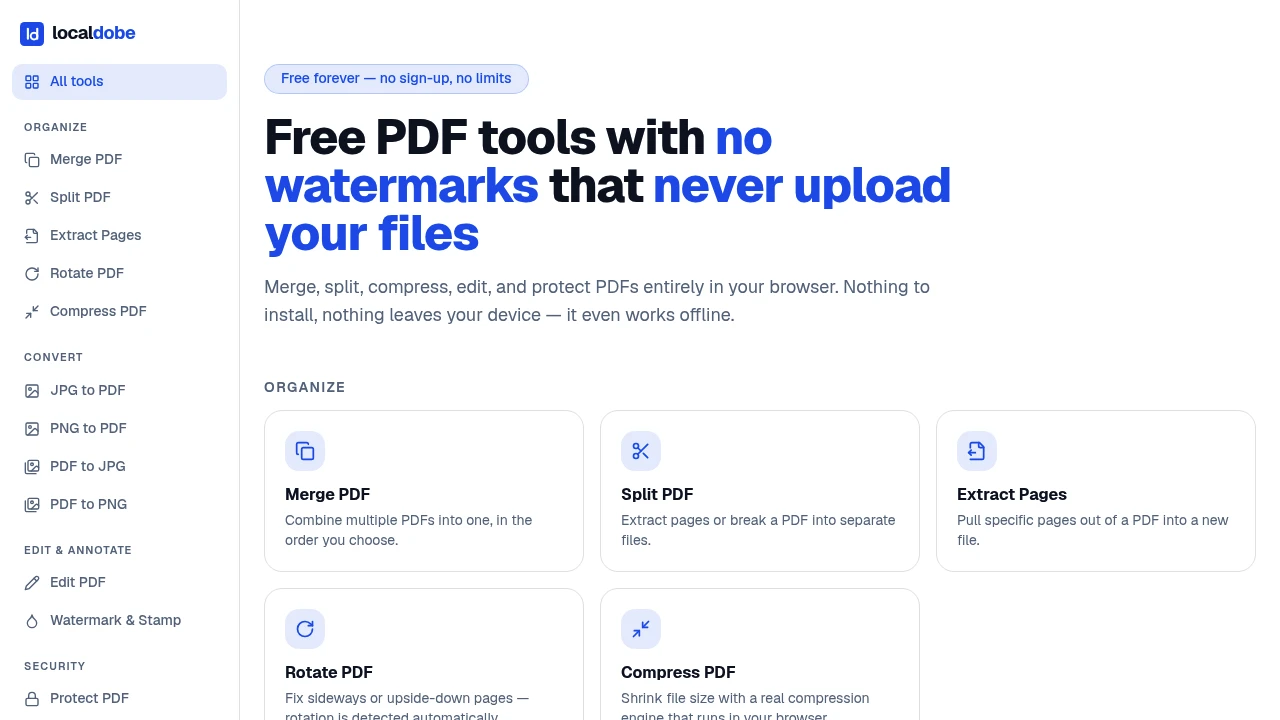
Handle everyday PDF tasks directly in your browser without installing a desktop PDF suite or uploading documents to an external converter. This browser-based PDF toolkit lets you merge, split, compress, edit, annotate, and protect PDF files while keeping document processing on your own device.
The tools are designed for people who occasionally work with PDFs and want a straightforward alternative to desktop software and upload-based PDF services. Since processing happens locally, you can work with documents without sending them to a third-party server. The tools also continue working offline after the initial visit.
Key Features
Browser-Based PDF Tools
Access common PDF utilities directly from your existing web browser without installing additional desktop software.
- Merge PDF files
- Split PDFs and extract pages
- Compress documents
- Edit PDFs
- Add annotations
- Protect PDF files
Local PDF Processing
PDF files are processed on your device rather than being uploaded to an external conversion service. This makes the toolkit useful when working with documents that you would prefer to keep local.
You can perform common PDF operations without handing your files to another service for processing.
Offline PDF Editing
After the first visit, the tools can continue working without an internet connection. This makes them practical for situations where connectivity is limited or unavailable.
You can load the toolkit once and continue handling PDFs locally afterward.
No Desktop Installation
There is no need to download or install a full PDF application. The tools run in the browser you already use, making them suitable for shared computers, locked-down work devices, or occasional PDF tasks.
No Watermarks
Exported documents remain clean, with no branding or watermarks added to your PDFs. You can process and export files without needing to remove an added watermark later.
No Sign-Up or Usage Limits
The toolkit does not require an account, and the source description does not specify a paywalled usage cap. You can use the PDF tools without creating another account or managing a subscription.
Built For Everyday PDF Work
The toolkit is suited to anyone who needs to work with PDFs occasionally without maintaining dedicated desktop software. Students can extract pages from course documents, office workers can prepare files for sharing, and freelancers can make quick document changes without moving files to an online converter.
It is also useful on shared or restricted computers where installing additional software may not be practical.
Common Use Cases
Extract Pages: Pull specific pages from a long PDF when you only need part of a document.
Merge Documents: Combine multiple PDF files into a single document for easier sharing or organization.
Compress PDFs: Reduce document size when preparing a file for sharing or sending.
Basic PDF Editing: Make straightforward changes without opening a full desktop PDF suite.
Annotations: Add notes and other annotations to documents directly in the browser.
Document Protection: Apply basic protection to PDFs while keeping the files on your device.
Offline PDF Work: Continue using the tools after the initial visit even when an internet connection is unavailable.
Privacy-Focused PDF Processing
The main advantage is the combination of local processing and convenience. Instead of uploading a potentially sensitive document to an online converter, you can perform common PDF operations directly on your device.
This approach can be useful for documents that contain work information, study materials, personal records, or other content you would rather not send to a third-party service.
Why It Matters
Many PDF tools make simple document tasks more complicated than they need to be, requiring desktop installations, accounts, subscriptions, uploads, or watermarked exports. This browser-based approach keeps the workflow focused on the task itself.
You can open the tool, work with your PDF locally, and export the result without dealing with software installation, account creation, upload-based processing, or added branding.
Handle PDFs Simply and Locally
Merge, split, compress, edit, annotate, and protect PDFs directly in your browser. With local processing, offline support, no watermarks, and no sign-up requirement, it provides a simple way to handle everyday PDF tasks while keeping your documents on your device.


