
Maeve Social
A social media management platform for planning content, getting approvals, publishing across nine channels, and reporting in one workspace.
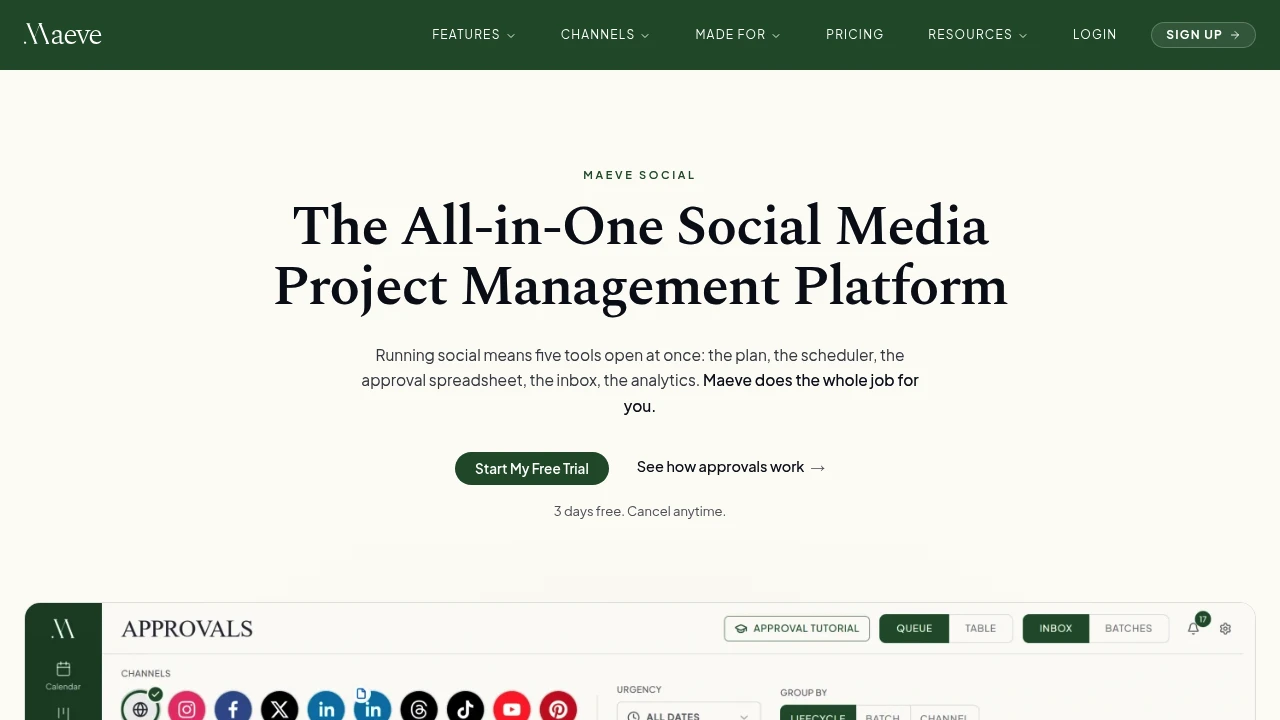
Maeve Social is a social media management workspace for teams, creators, and agencies that want to handle planning, approvals, publishing, inbox management, asset storage, and reporting in one place instead of switching between separate tools.
It suits freelancers, marketing teams, creators, and agencies managing multiple social channels or client accounts. Maeve Social brings content planning, team collaboration, client review, publishing, engagement management, and performance reporting into a shared workspace.
Key Features
Multi-Platform Content Publishing
Plan and schedule content across multiple social channels.
Maeve Social allows posts to be created and assigned to supported platforms from the same workspace.
Supported publishing channels include:
- TikTok
- YouTube
- X
- Threads
- Google Business Profile
This allows teams to manage multi-channel campaigns without maintaining a separate scheduler for each platform.
Shared Content Calendar
Plan social media activity from a central calendar.
The platform includes a shared calendar and workbench for organizing:
- Content briefs
- Draft posts
- Notes
- Tasks
- Scheduled content
Teams can use the calendar to see upcoming work and coordinate content across different channels and campaigns.
Instagram Grid Planner
Plan how content will appear on an Instagram profile.
Maeve Social includes a grid planner that allows teams to organize Instagram content visually before publishing.
This can be useful for:
- Maintaining a consistent visual layout
- Planning campaign sequences
- Reviewing upcoming posts together
- Organizing content before scheduling
Content Boards and Workflow Management
Move content through different stages of the publishing process.
Content boards can be used to organize posts through states such as:
- Draft
- Review
- Approved
- Published
This gives teams a clearer view of where each piece of content is in the workflow and what still needs attention.
Approvals Workspace
Collect internal and client feedback before publishing.
Maeve Social provides a central workspace for approvals, allowing teams and clients to review content without managing feedback across multiple email threads or documents.
The approval workflow includes:
- Team review
- Client sign-off
- Shared review links
- Batch review for multiple posts
This can help agencies and teams keep approval decisions connected to the content being reviewed.
Unified Social Inbox
Manage incoming social interactions from one queue.
Maeve Social brings comments, direct messages, mentions, and reviews into a central inbox.
The workspace can support:
- Comments
- DMs
- Mentions
- Reviews
- Internal handoff notes
The platform also supports auto-replies for Instagram and Facebook.
This helps teams manage engagement without switching continuously between individual social platforms.
Media Room and Asset Management
Keep social media assets organized inside the workspace.
Maeve Social includes a media room for storing photos and videos used across social content.
Assets can be organized using:
- Folders
- Labels
- Favorites
- Client upload links
- Post-level file tracking
This gives teams a central place to manage creative assets alongside the posts and campaigns they belong to.
Analytics and Client Reporting
Track social performance and turn the results into reports.
Maeve Social tracks performance metrics including:
- Reach
- Views
- Engagement
- Follower growth
Teams can also export reports as PDFs for client updates or internal reporting.
This makes it easier to move from publishing activity to performance review without manually collecting numbers from multiple platforms.
Content Strategy Tools
Organize content around goals and measure what performs.
Maeve Social includes tools for defining strategy and categorizing content.
Teams can:
- Set content goals
- Tag posts by content pillar
- Tag content by format
- Compare performance across different content types
This can help identify which formats or content categories are contributing most to the team's goals.
Built-In Assistant and Agent Access
Connect AI assistance and external workflows to the social media workspace.
Maeve Social includes a built-in assistant along with API, CLI, and MCP access.
These tools can be used to:
- Stage drafts
- Suggest content from workspace data
- Retrieve performance information
- Connect external tools
- Support AI agent workflows
Publishing and deletion actions require confirmation, helping keep control with the user before changes are made.
Failed Post Handling
Make publishing problems visible instead of silently losing failed posts.
Maeve Social includes handling for failed publishing attempts and identifies what went wrong.
This gives teams a clearer way to investigate issues rather than assuming that a scheduled post was successfully published.
Multi-Workspace Organization
Manage multiple brands or clients from the same platform.
The workspace structure is designed to support agencies and teams handling more than one account or client.
This can help separate:
- Client content
- Brand assets
- Approval workflows
- Social calendars
- Reporting data
Built for Social Media Operations
Maeve Social combines planning, collaboration, approvals, publishing, inbox management, asset storage, analytics, reporting, and AI-connected workflows into a single social media management workspace.
Key benefits include:
- Multi-platform content scheduling
- Shared calendars and content workspaces
- Instagram grid planning
- Content workflow boards
- Team and client approvals
- Unified comments, DMs, mentions, and reviews
- Media and asset management
- Analytics and PDF reporting
- Content strategy tracking
- API, CLI, and MCP access
- Confirmation controls for publishing and deletion
- Visible failed-post handling
- Multi-client workspace organization
Built For
- Social Media Managers
- Content Creators
- Freelancers
- Marketing Teams
- Social Media Agencies
- Creative Agencies
- In-House Marketing Teams
- Teams Managing Multiple Brands
- Agencies Managing Client Accounts
- Teams Using AI-Assisted Workflows
Common Use Cases
- Planning a multi-platform social media calendar
- Scheduling posts across multiple social networks
- Collecting client approval before publishing
- Managing social media content for multiple clients
- Organizing photos and videos for campaigns
- Reviewing Instagram grid layouts
- Managing comments and DMs from one inbox
- Tracking reach, engagement, and follower growth
- Creating PDF reports for clients
- Comparing the performance of different content formats
- Managing content through draft, review, and published stages
- Connecting social media workflows to APIs or AI agents
Why It Matters
Social media work often becomes fragmented as teams grow. Planning may happen in one tool, creative assets may sit in another, approvals may take place through email or messaging apps, publishing may require a separate scheduler, and reporting may involve manually collecting numbers from each platform.
Maeve Social is designed to bring those parts into a single workflow. A team can move from a brief to a draft, through review and approval, into publishing, then track the resulting performance without separating every stage into a different application.
The approval and workspace features are particularly relevant for agencies and teams managing multiple clients, where feedback and content status can become difficult to track. The unified inbox and reporting tools extend the workflow beyond publishing by giving teams a place to manage incoming engagement and review what happened after content went live.
The addition of API, CLI, MCP, and assistant capabilities also allows teams to connect external tools and AI agents while retaining confirmation requirements for actions such as publishing or deleting posts.
Plan, Approve, Publish, and Measure Social Content From One Workspace
Create briefs, organize drafts, manage assets, collect client approvals, schedule content across major social platforms, manage comments and messages, track performance, export reports, and connect external tools or AI agents without splitting the social media workflow across separate planners, schedulers, inboxes, and spreadsheets.


