
mdedit.ai
A Markdown workspace for technical content with reviewable AI, collaboration, comments, local-first editing, and publishing tools.
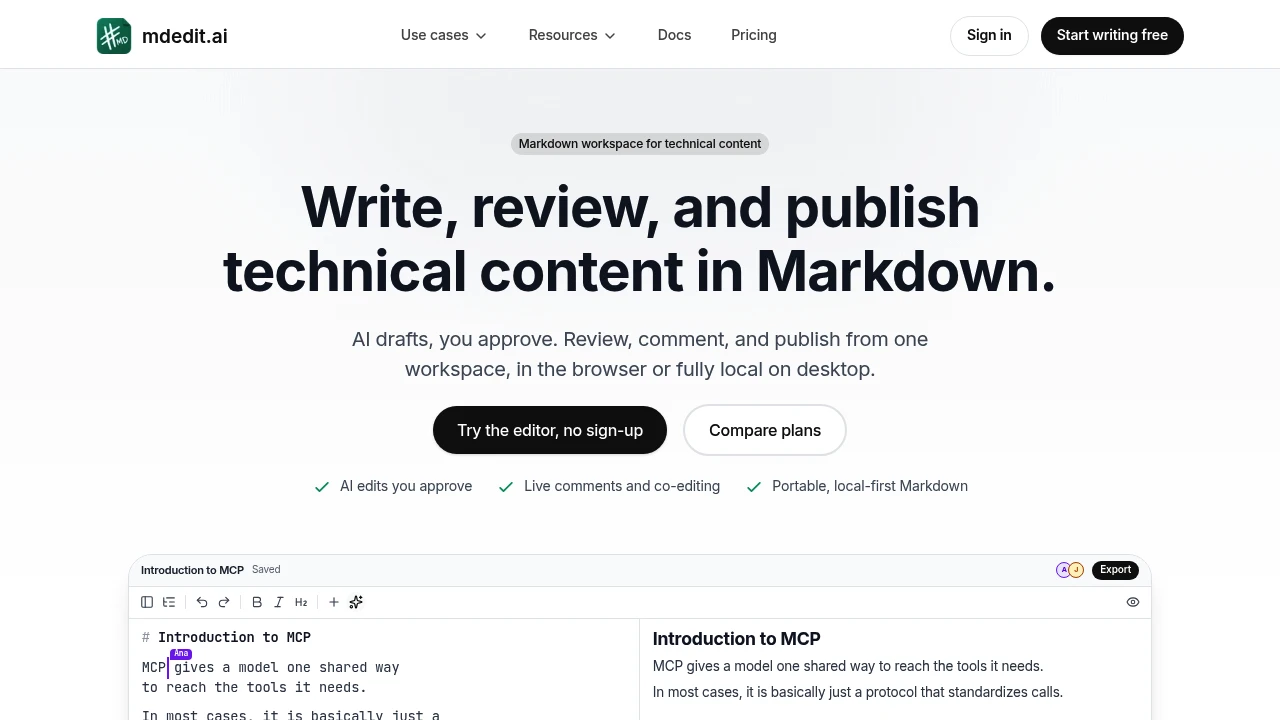
This Markdown workspace brings drafting, review, AI assistance, collaboration, and publishing into one place for technical writers, documentation teams, and anyone managing long-form technical content. Markdown remains the source of truth throughout the workflow, from the first draft through review, export, and publishing.
It is designed for writers who want structure without giving up portable Markdown. You can work with source and rendered views side by side, navigate long documents through headings, lint and autofix formatting issues, keep frontmatter with the file, and move content in and out through imports and exports.
Key Features
Reviewable AI
Use AI to suggest edits without allowing changes to immediately modify the document. Writers can review and approve suggestions before they are applied, keeping editorial control over AI-assisted work.
Context-Aware AI Work
Ask, edit, or create with the open document available as context. This keeps AI assistance connected to the content being worked on rather than requiring you to move text into a separate tool.
Comments and Suggestions
Run familiar document review workflows with comments, replies, assignments, and resolution. Teams can discuss specific parts of a document and track review items through to completion.
Real-Time Collaboration
Co-edit documents with teammates in a shared workspace. Real-time presence makes it easier to see who else is working in the document while changes are being made.
Source and Rendered Views
Keep the Markdown source and rendered document visible side by side. This makes it easier to write in Markdown while checking how the final content is being presented.
Markdown Linting and Autofix
Catch formatting inconsistencies and other Markdown issues with linting tools. Autofix can help correct supported formatting problems without requiring manual cleanup throughout a long document.
Document Navigation
Navigate long technical documents through their heading structure. This provides a clearer way to move between sections when working with larger documentation files.
Frontmatter Support
Keep frontmatter together with the Markdown file. This helps preserve metadata as part of the document source rather than separating it from the content.
Local-First Desktop Work
Open local folders and continue editing when offline on the desktop app. Changes can stay in sync when you reconnect, making the workspace useful for writers who prefer working with local files.
Version History
Review captured versions of a document, compare changes, or restore an earlier version when needed. This provides a record of document evolution throughout the writing process.
Visual Content Tools
Create and work with different types of visual content inside the workspace, including:
- Diagrams
- Charts
- Photos
- Code images
- Tables
- Other media
This keeps supporting content closer to the Markdown document instead of requiring separate creation and management tools.
Publishing and Export
Send finished Markdown to publishing platforms including GitHub, WordPress, Ghost, DEV, Hashnode, and X Articles. You can also export content to formats such as PDF, Word, EPUB, and HTML.
Built For Long-Form Technical Content
The workspace is built for technical writers and documentation teams that need more structure around Markdown without turning it into a closed publishing system. Writers can draft, review, collaborate, use AI assistance, manage versions, and publish while keeping Markdown as the underlying source.
Common Use Cases
- Writing technical documentation
- Managing long Markdown documents
- Collaborating on documentation with a team
- Reviewing and approving editorial changes
- Using AI to assist with technical writing
- Working with local Markdown files
- Editing documentation while offline
- Linting and fixing Markdown formatting
- Creating diagrams and charts alongside documentation
- Maintaining frontmatter with source files
- Publishing Markdown to documentation and publishing platforms
- Exporting technical content to PDF, Word, EPUB, or HTML
Why It Matters
Technical content often gets fragmented between editors, review tools, AI assistants, local files, and publishing platforms. This workspace brings those stages together while keeping Markdown portable and central to the process.
The main value is the combination of structured editing and Markdown portability. Teams can collaborate and review content, use AI with approval controls, maintain version history, work with local files, and publish to multiple destinations without giving up the original Markdown source.
Write, Review, and Publish in Markdown
Keep technical content in Markdown from first draft through collaboration, AI-assisted review, export, and publishing with a workspace designed for long-form technical writing.


