
Nextline
A Mac writing assistant that predicts and completes text in apps like Gmail, Slack, ChatGPT, and Notion using local models.
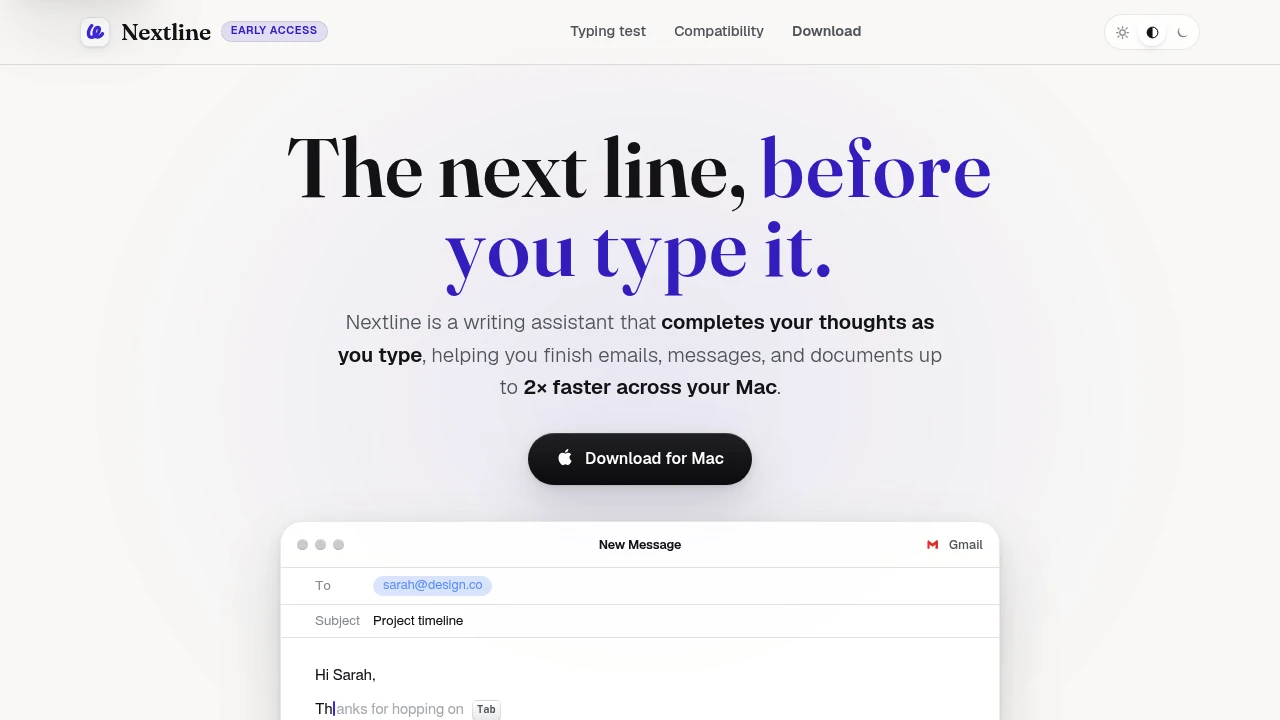
Write faster across your Mac with AI-powered autocomplete that predicts your next words as you type. Nextline is a writing assistant that works across everyday apps, helping you complete emails, messages, documents, and AI prompts without switching editors or sending your text to the cloud.
Get AI Autocomplete Anywhere You Write on macOS
Type naturally while Nextline predicts the next word or an entire sentence in real time. Suggestions appear inline as subtle grey text, allowing you to accept individual words or complete lines with a single press of the Tab key.
Whether you're responding to emails, chatting in Slack, drafting documents, or prompting AI assistants, Nextline keeps your writing flow uninterrupted across your favorite Mac apps.
Key Features
AI Next-Word Prediction
Speed up writing with intelligent inline suggestions.
Receive real-time predictions while writing:
- Emails
- Messages
- Documents
- Notes
- AI prompts
without interrupting your workflow.
Local AI Processing
Generate suggestions directly on your Mac.
Benefits include:
- On-device language model
- Fast response times
- Offline-capable processing
- Reduced latency
- Local computation
for a more responsive writing experience.
Privacy-First Design
Keep your writing where it belongs.
Features include:
- On-device processing
- No cloud dependency for suggestions
- Private text completion
- Local AI assistance
- User-controlled data
to help protect sensitive writing.
Cross-App Autocomplete
Use one writing assistant across the applications you already work in.
Compatible with text fields in apps including:
- Gmail
- Slack
- Notion
- ChatGPT
- Claude
and many other macOS applications.
One-Key Acceptance
Accept suggestions without breaking your typing rhythm.
Choose to insert:
- A single word
- Multiple words
- A full sentence
- An entire suggested line
using the Tab key.
Built for Everyday Writing on macOS
Nextline combines AI autocomplete, local language models, cross-application compatibility, privacy-first processing, and lightweight keyboard interactions into one writing assistant built for Mac users.
Key benefits include:
- AI autocomplete
- macOS writing assistant
- Local AI
- Cross-app text prediction
- Privacy-first productivity
Built For
- Mac Users
- Professionals
- Students
- Writers
- Developers
- Knowledge Workers
Common Use Cases
- Writing emails
- Responding to Slack messages
- Drafting documents
- Completing AI prompts
- Taking notes
- Everyday text editing
Why It Matters
Most AI writing assistants work inside a single application or require sending your text to cloud services before generating suggestions. Nextline takes a different approach by running a local language model directly on your Mac and providing inline autocomplete across many of the apps you already use. Instead of rewriting your content, it predicts what you're likely to type next, allowing you to accept suggestions with a single keystroke while maintaining your natural writing flow. With cross-app compatibility, on-device processing, and an early-access model that's currently free to try, it offers a lightweight way to reduce typing effort without changing how you work.
Write Faster Across Every App on Your Mac
Get AI-powered autocomplete wherever you type, accept next-word or full-line suggestions with a single key, keep your writing private through on-device processing, and speed up emails, documents, chats, and AI prompts with one cross-app writing assistant.


