
Slaide
AI tool that plans, writes, designs, and exports presentations and documents as PowerPoint, Word, Excel, or PDF files.
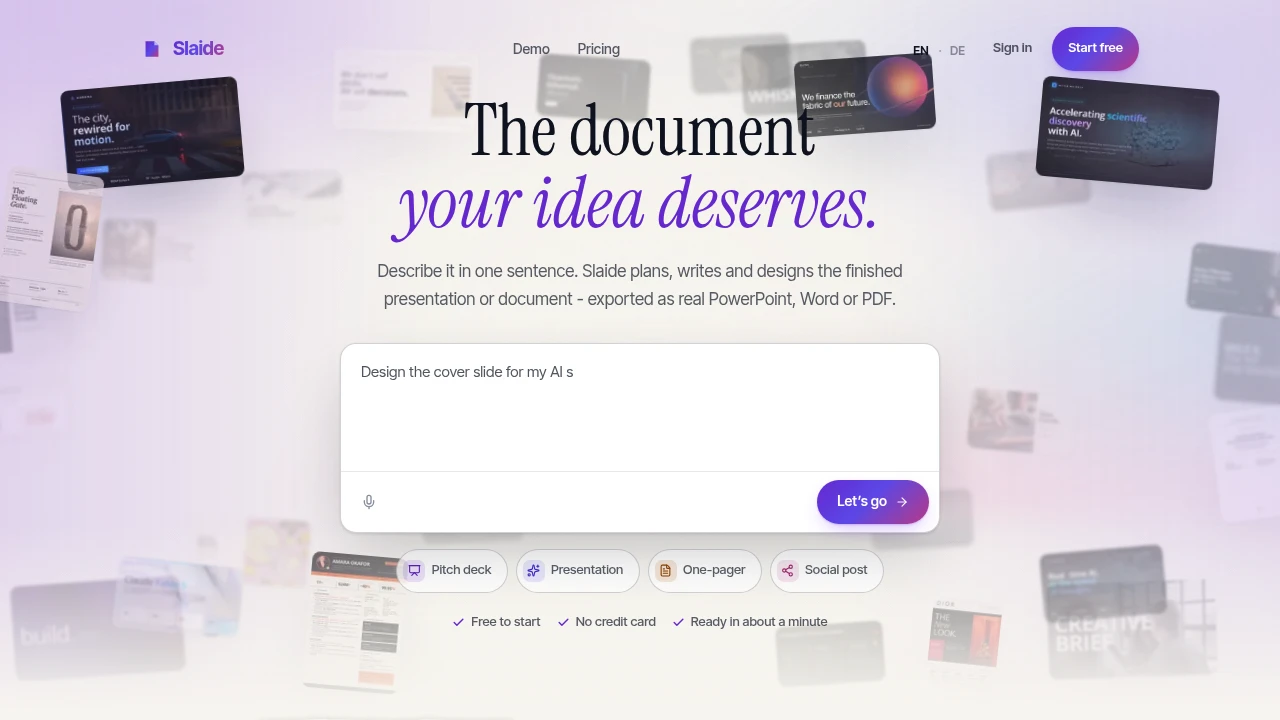
Slaide creates finished presentations and documents from a short prompt or works directly with a deck you already have. It is designed for people who need pitch decks, reports, proposals, CVs, invitations, social posts, and other polished documents without manually building every page from scratch.
The platform handles the workflow from structure and content through layout and final checks. Instead of producing a flat visual mockup, it exports real .pptx, .docx, .xlsx, and PDF files, keeping text, headings, lists, tables, and many shapes editable in the formats people already use.
Key Features
Prompt-First Document Creation
Describe what you need in a short prompt and Slaide builds the document around your brief.
It can plan the structure, write the content, design the layout, and prepare the finished file without requiring you to manually assemble every page.
Create From Existing Presentations
Slaide can work with an existing PowerPoint deck or PDF rather than forcing you to start from a blank document.
It reopens the file as an editable document while preserving the existing design, making it useful when the visual identity of an existing presentation already matters.
Focused Editing
Make targeted changes without regenerating the entire document.
You can adjust individual elements such as:
- Slides
- Headings
- Words
- Text
- Visual elements
This makes it easier to refine generated content while keeping the rest of the document intact.
Self-Checking Layouts
Slaide reviews pages before presenting the finished result and checks for visible layout problems.
The system can fix issues it finds during this process, reducing the amount of manual cleanup required after generation.
Spreadsheet-Aware Numbers
Keep figures connected to spreadsheet data when working with documents that depend on changing numbers.
When source values change, linked totals can update rather than requiring every figure to be manually recalculated.
Native Office Exports
Export finished work in formats designed to remain editable in the applications people already use.
Supported formats include:
- PowerPoint
.pptx - Word
.docx - Excel
.xlsx
Text, headings, lists, tables, and many shapes can remain editable after export.
Built For Document and Presentation Work
Slaide is designed for people who need polished business, academic, and creative documents without spending hours assembling layouts manually.
It is particularly useful for:
- Founders preparing pitch decks and company materials
- Consultants creating client reports and proposals
- Students preparing papers and presentations
- Professionals creating CVs and business documents
- Creators producing invitations and social content
- Teams working from existing presentation designs
Common Use Cases
Pitch Decks
Start with a short description and create a structured presentation without manually designing every slide.
Reports and Proposals
Generate polished client-facing documents while retaining editable content in familiar office formats.
CVs
Create a structured, visually polished CV without having to build the document page by page.
Existing Deck Redesigns
Bring in an existing PowerPoint or PDF and continue working within its established design rather than rebuilding the visual system from scratch.
Spreadsheet-Driven Documents
Use spreadsheet-linked figures where changing source values need to flow through to totals and other numbers.
Social and Visual Documents
Create invitations, social posts, and other visual materials from a short brief and refine individual elements afterward.
From Prompt to Editable File
Slaide combines content generation with document design and file production. It plans the structure, writes content, creates the layout, checks the result, and exports it into formats that remain usable in common office applications.
This makes the workflow different from simply generating an image of a presentation. The finished document remains something you can continue editing.
Work Inside Your Existing Design
When an existing file already has the look you want, Slaide can preserve that design while rebuilding the document as an editable file. This is useful for teams that have established presentation templates, branding, or visual systems and want AI-assisted content without starting over.
Pricing
Slaide offers a free starting option and is designed to support both short, one-off jobs and longer documents.
Why It Matters
Creating a polished presentation or document usually requires several separate tasks: deciding what to include, writing the content, designing each page, fixing layout problems, and preparing the final file.
Slaide brings those steps together while keeping the output editable. Whether you are starting from a one-sentence brief or an existing deck, you can move from idea to finished PowerPoint, Word, Excel, or PDF without manually building every page.
Create Finished Documents Without Starting From Scratch
Turn a short prompt or an existing deck into polished, editable presentations and documents with Slaide.


