
Userplay
Playtesting software for game studios that handles player recruitment, session replays, feedback capture, and playtest analysis.
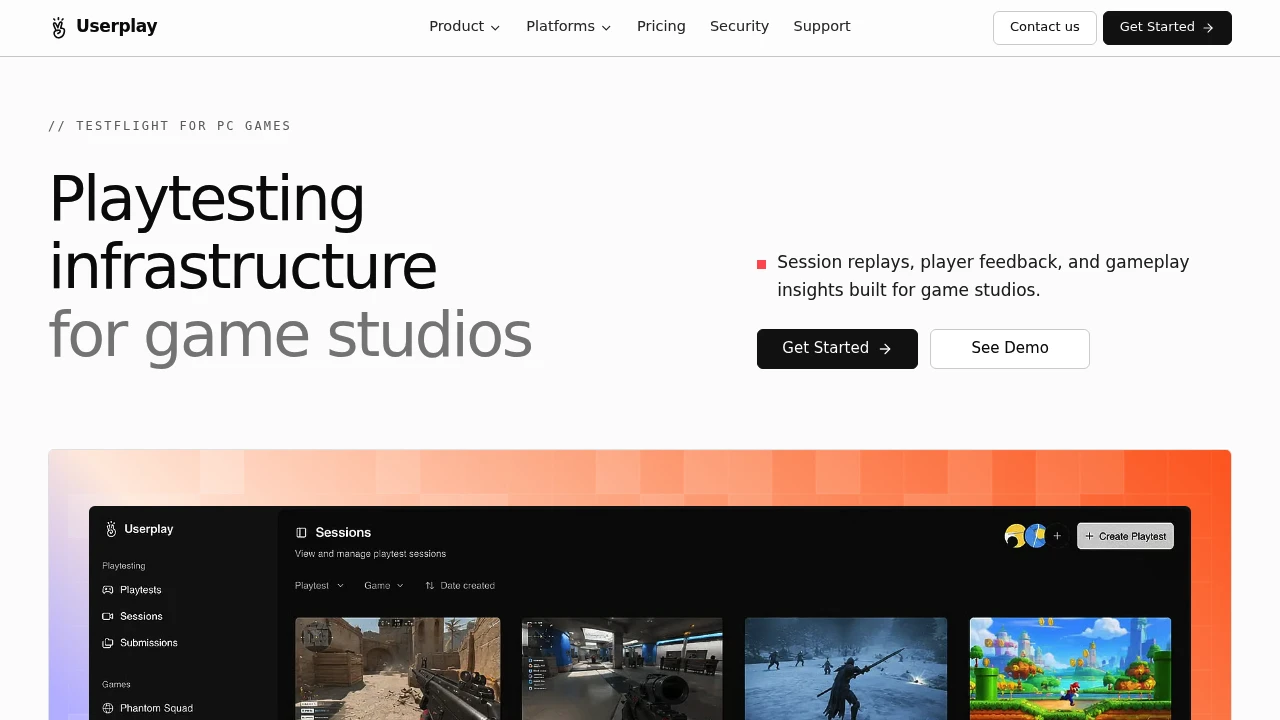
Userplay is playtesting infrastructure for game studios that want one place to recruit players, run sessions, and review what happened. It is built for teams that need more than surveys and spreadsheets, especially when they want to see actual gameplay alongside player reactions and structured feedback.
The platform is designed around the full playtesting workflow. Studios can recruit and screen players, distribute access to game builds, run playtest sessions, review recordings, and collect post-playtest feedback without moving between separate tools, chat threads, forms, and video platforms.
Key Features
Player Recruitment
Find and screen players for game playtests.
Userplay supports player recruitment workflows, including sourcing potential participants through communities such as Discord.
This can help studios:
- Find relevant playtest participants
- Screen players before a session
- Organize participant access
- Build a pool of potential testers
- Manage recruitment alongside the testing workflow
Keeping recruitment connected to the playtest process can make it easier to track which players participated in specific sessions.
Playtest Session Management
Run and manage playtesting sessions from one system.
Userplay is designed to support the process of giving players access to a build and recording what happens during the session.
This allows studios to connect:
- Players
- Game builds
- Individual playtest sessions
- Gameplay recordings
- Feedback
- Participation data
The result is a more connected view of each playtest instead of separating gameplay data from player feedback.
Session Replay
Review gameplay sessions from beginning to end.
Userplay allows teams to replay sessions and observe how players move through a game.
This can help identify:
- Areas where players get stuck
- Unexpected player behavior
- Difficult sections
- Navigation problems
- Gameplay friction
- Bugs and technical issues
- Moments of confusion
Watching actual player behavior can provide context that may not appear in a survey response alone.
Key Moment Detection
Surface important moments from a playtest session.
Userplay can help identify notable events and moments during gameplay.
These can include:
- Bugs
- Player feedback
- Gameplay issues
- Notable reactions
- Important moments during a session
This can make it easier for teams to focus their review on potentially useful parts of a longer recording instead of manually searching through every session from start to finish.
Voice Transcripts
Turn spoken player feedback into searchable text.
Players may explain issues, reactions, or frustrations while playing. Userplay supports voice transcripts that convert this spoken feedback into text.
This can help teams:
- Review spoken comments
- Read feedback without replaying the full recording
- Compare player reactions
- Identify recurring comments
- Keep feedback connected to the relevant session
Transcripts can provide another way to review qualitative feedback alongside gameplay recordings.
Structured Surveys
Collect consistent feedback after a playtest.
Userplay supports post-playtest surveys that allow studios to gather structured responses from participants.
This can make it easier to compare feedback across multiple players.
Survey data can help teams collect information related to:
- Player reactions
- Gameplay experience
- Specific features
- Areas of confusion
- General feedback
Using a consistent survey format can make qualitative feedback easier to compare across different playtest sessions.
Playtime Tracking
See how long players spend in a game build.
Userplay tracks playtime as part of the testing workflow.
This can help studios understand:
- How long a player engaged with a build
- Session duration
- Differences in participation between testers
- How much time was spent during a playtest
This information can provide additional context when reviewing gameplay and feedback.
NDA Support
Manage participation rules for playtests involving confidential builds.
Userplay includes NDA support for studios that need to manage access to unreleased or private game builds.
This can be useful when testing:
- Unreleased games
- Early prototypes
- Private builds
- Confidential features
- Work-in-progress content
Keeping participation requirements connected to the testing workflow can simplify access management for private playtests.
Broad Game Engine Support
Use the platform across different game development environments.
Userplay supports workflows involving a range of game engines and development platforms, including:
- GameMaker
- Defold
- Godot
- Unity
- Unreal Engine
This makes the platform suitable for studios that work with different technologies or manage multiple projects built on different engines.
Storefront and Build Platform Support
Run playtests using builds distributed through supported platforms.
Userplay supports a range of game and distribution environments, including:
- Steam
- Epic Games
- GOG
- itch.io
- Chrome
- Windows
- macOS
- Linux
- Web builds
This gives studios flexibility in how they distribute and test their games.
Steam Playtesting Workflow
Run playtests around Steam-based game builds.
Userplay includes a Steam-focused workflow for studios already using Steam as part of their game distribution process.
This can help teams collect and review feedback from players using actual Steam builds rather than moving testing into a separate environment.
The workflow can be useful for studios that want to keep:
- Build access
- Playtest sessions
- Gameplay recordings
- Player feedback
Connected to the game builds they are actively testing.
Built for Game Playtesting
Userplay combines player recruitment, playtest management, session replay, key moment detection, voice transcripts, surveys, playtime tracking, NDA support, and broad build compatibility into one workflow for game studios.
Key benefits include:
- Recruit and screen playtest participants
- Source players through communities such as Discord
- Manage playtest sessions
- Distribute access to game builds
- Review complete gameplay sessions
- Identify key moments and potential issues
- Read spoken feedback through voice transcripts
- Collect structured post-playtest feedback
- Track player playtime
- Manage NDA requirements
- Support multiple game engines
- Work with Steam and other distribution platforms
- Support desktop and web-based game builds
Built For
- Game Studios
- Indie Game Developers
- AAA and AA Development Teams
- Game Producers
- Game Designers
- UX Researchers
- User Researchers
- Quality Assurance Teams
- Playtest Managers
- Community Managers
- Game Development Teams
Common Use Cases
- Recruiting players for a game playtest
- Screening potential testers
- Running remote playtesting sessions
- Reviewing how players move through a game
- Identifying areas where players get stuck
- Finding bugs during gameplay
- Reviewing spoken player feedback
- Comparing post-playtest survey responses
- Tracking player engagement and playtime
- Managing access to confidential game builds
- Running playtests with Steam builds
- Testing games built with Unity or Unreal Engine
- Reviewing web and desktop game builds
- Keeping gameplay recordings and feedback in one place
Why It Matters
Game studios often need to combine several tools to run a complete playtest. Player recruitment may happen in Discord, build distribution may happen through a storefront or testing service, gameplay recordings may live in another tool, and feedback may be collected through surveys or spreadsheets.
This can make it difficult to connect a specific player reaction to the exact gameplay moment that caused it.
Userplay brings these parts of the playtesting workflow together. Studios can recruit players, manage access to builds, review complete gameplay sessions, identify notable moments, read voice transcripts, and collect structured feedback from the same system.
By keeping gameplay and player feedback connected to the relevant session, teams can spend less time chasing information across separate tools and more time understanding how players actually experience the game.
Recruit Players, Run Playtests, and Review Gameplay From One Place
Recruit and screen playtest participants, distribute access to game builds, manage NDA requirements, record and replay gameplay sessions, identify bugs and notable moments, review spoken feedback through transcripts, collect structured survey responses, track playtime, and keep player feedback connected to the exact session where it happened.


