
Vaultdesk
End-to-end encrypted cloud storage that encrypts files and filenames on your device before upload, with zero-knowledge access and sharing.
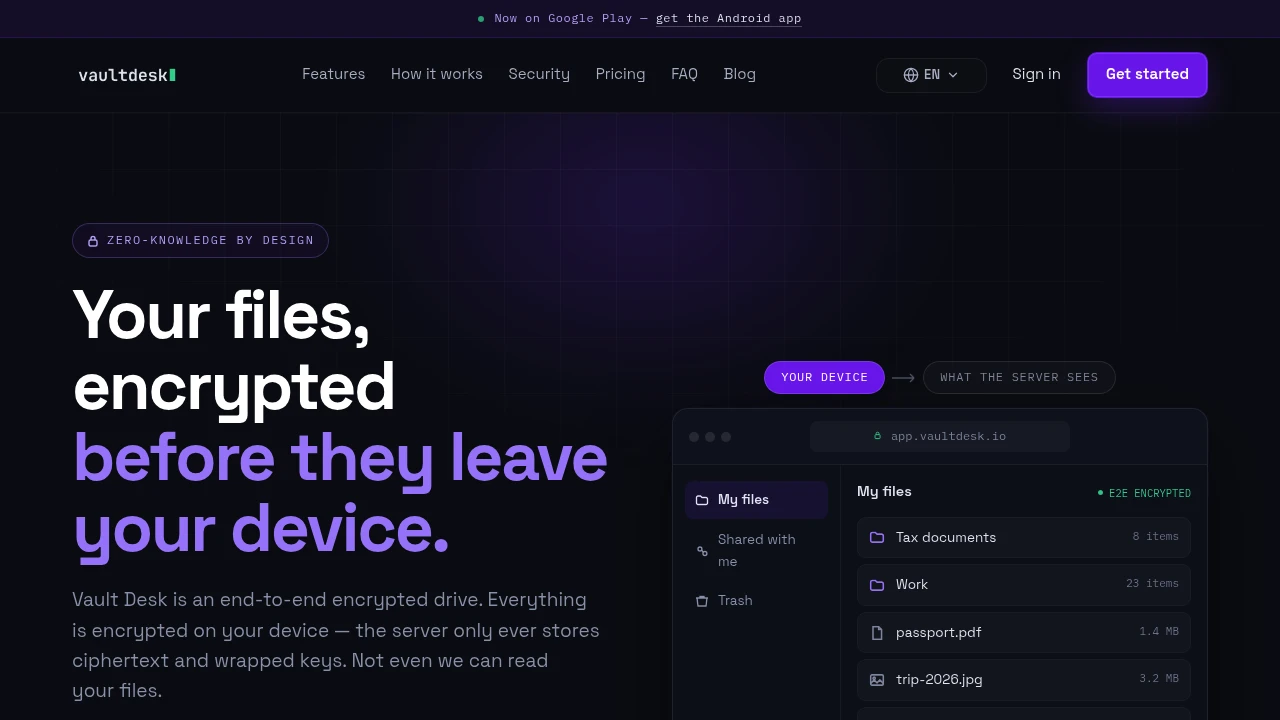
Vaultdesk is a private cloud drive for people who want file storage without giving the service access to their files or filenames. Files and metadata are encrypted on your device before upload, so the server stores ciphertext and wrapped keys rather than readable content.
It suits individuals and small teams looking for a Drive-style storage experience with stronger privacy guarantees. Vaultdesk covers file storage, sharing, public links, account recovery, and cross-device access while keeping the core encryption model end to end.
Key Features
Client-Side File Encryption
Encrypt files before they leave your device.
Vaultdesk encrypts files locally in the browser before upload, meaning the service does not receive the original readable file contents.
The server stores:
- Encrypted file data
- Ciphertext
- Wrapped encryption keys
This approach is designed around the assumption that stored server data should remain unreadable without the appropriate user keys.
Encrypted Filenames and Metadata
Keep filenames private alongside file contents.
Vaultdesk encrypts filenames on the client, so privacy is not limited to the contents of a document or file.
This helps protect information such as:
- File names
- File contents
- Associated encrypted metadata
The storage provider therefore does not need access to the readable filename in order to store the encrypted file.
Passwordless-Safe Authentication
Authenticate without sending your password directly to the service.
Vaultdesk uses OPAQUE for password authentication, allowing the service to verify login credentials without receiving the user's password in readable form.
This is designed to reduce the amount of sensitive authentication information exposed to the server.
Secure File Sharing
Share encrypted files with specific recipients.
When a file is shared, Vaultdesk seals access to the recipient's public key.
The sharing workflow supports:
- Recipient-specific access
- Public-key-based encryption
- Role changes
- Access revocation
This allows access to be managed without making the underlying file generally readable by the storage service.
Encrypted Public Links
Create links for sharing files outside a private workspace.
Public links can include the information needed to access the encrypted file, with additional controls available for more restricted sharing.
Link options can include:
- The decryption key
- Optional password protection
- Expiration settings
This gives users a way to share files publicly while still applying additional access controls when required.
Key Transparency
Help detect unexpected changes to recipient keys.
Vaultdesk uses a tamper-evident Key Transparency log for recipient keys.
This is designed to help identify potential key substitution issues and provide a more verifiable record of the public keys used for encrypted sharing.
Recovery Key
Restore access if you forget your password.
Vaultdesk provides a one-time recovery key that can be used to recover account access.
This gives users a recovery option while keeping the encryption model centered around keys controlled by the user.
Standard Cryptographic Primitives
Use established cryptographic building blocks across supported platforms.
Vaultdesk uses standard primitives from libsodium, including:
- XChaCha20-Poly1305
- X25519
- Ed25519
- Argon2id
The same core cryptographic approach is shared across web and mobile environments to maintain a consistent encryption model across devices.
Cross-Platform Encryption Model
Use the same privacy model across supported applications.
The web application runs directly in the browser, while the mobile applications follow the same core encryption approach.
This helps keep the handling of files and keys consistent across different devices.
Self-Hosting Option
Run the storage stack yourself.
Vaultdesk also provides a self-hosting option for users who want to operate the infrastructure themselves.
Even in that model, the encrypted storage design means that stored files remain unreadable without the appropriate encryption keys.
Built for Private Cloud Storage
Vaultdesk combines client-side encryption, encrypted filenames, secure authentication, recipient-based sharing, public links, Key Transparency, account recovery, and self-hosting into one private cloud storage workflow.
Key benefits include:
- Client-side file encryption
- Encrypted filenames and metadata
- Password-safe authentication with OPAQUE
- Public-key-based file sharing
- Access revocation and role changes
- Password and expiry controls for public links
- Key Transparency for recipient keys
- Recovery key support
- Consistent encryption across web and mobile
- Self-hosting support
Built For
- Privacy-Conscious Individuals
- Small Teams
- Remote Teams
- Freelancers
- Developers
- Security-Focused Users
- People Storing Sensitive Files
- Users Looking for Private Cloud Storage
Common Use Cases
- Storing private personal files
- Creating encrypted cloud backups
- Sharing sensitive documents with specific recipients
- Sending files through password-protected links
- Setting expiration dates for shared files
- Keeping filenames private from the storage provider
- Managing encrypted files across devices
- Running a self-hosted private storage stack
- Storing files without giving the provider readable access to their contents
- Sharing files while retaining the ability to revoke access
Why It Matters
Traditional cloud storage services generally need access to at least some readable information about stored files, such as filenames, metadata, or the file contents required for server-side features. That means the storage provider and its infrastructure can become part of the trust model.
Vaultdesk takes a different approach by encrypting files and filenames on the user's device before upload. The server is designed to store encrypted blobs and wrapped keys rather than the original readable data. This means the security model assumes that server infrastructure could potentially be compromised and aims to limit what an exposed database or storage system would reveal.
The platform also extends that privacy model to authentication and sharing. OPAQUE is used to avoid directly handing the service a readable password, while recipient-based sharing uses public keys to provide access to specific people. Key Transparency adds a tamper-evident layer around recipient keys, helping users detect unexpected key changes.
Store, Share, and Access Files Without Giving the Server Readable Access
Encrypt files and filenames on your device before upload, authenticate without directly revealing your password to the service, share files through recipient public keys or controlled public links, revoke access when needed, protect links with passwords and expiry dates, use a recovery key to restore account access, and optionally self-host the stack while keeping stored data unreadable without your encryption keys.


