
Vidhyagen
Browser-based tools for converting, compressing, resizing, cropping, and editing images with no signup or watermark.
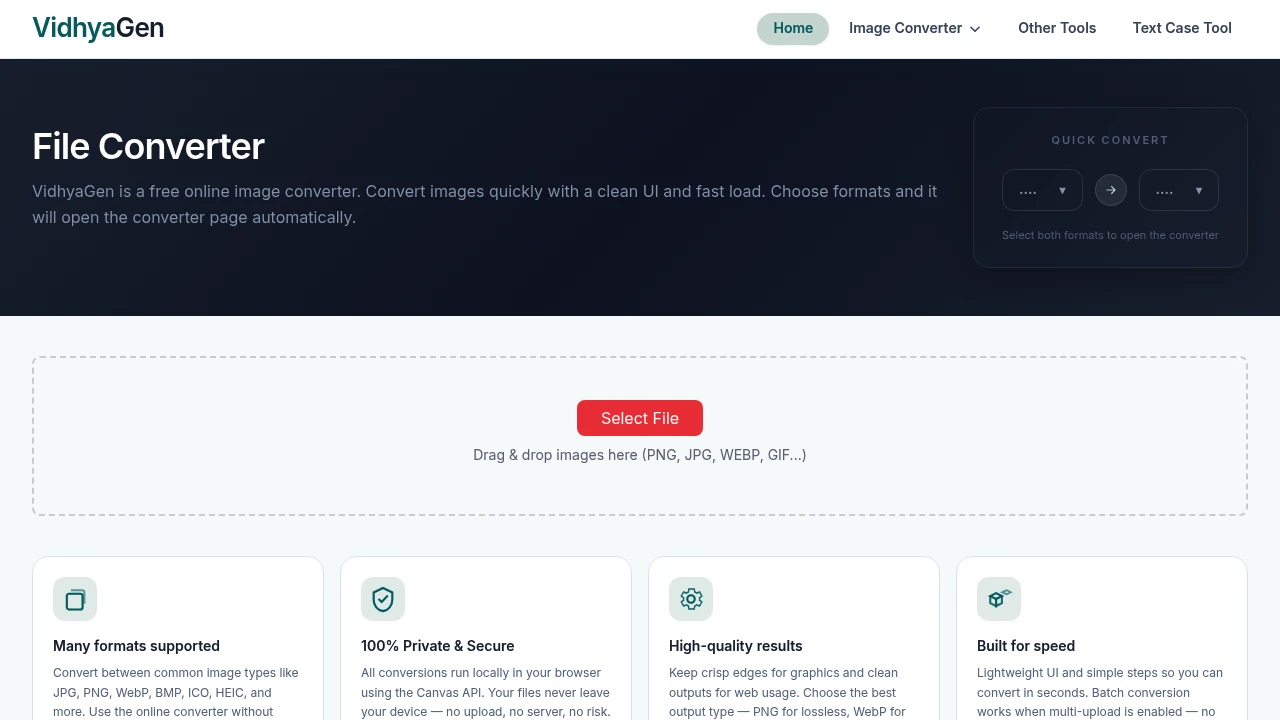
VidhyaGen is a collection of free online image tools designed for people who need to convert, resize, compress, crop, or make simple changes to images without installing software or creating an account.
The platform focuses on practical image tasks that can be completed directly in the browser. Users can work with common image formats, reduce file sizes, adjust dimensions, and make basic edits without dealing with signup requirements or watermarks on conversions.
Key Features
Image Format Conversion
Convert images between commonly used file formats.
VidhyaGen includes tools for conversions such as:
- PNG to WebP
- JPG to PNG
- WebP to PNG
This can be useful when an image needs to be prepared for a website, upload requirement, design workflow, or another platform that supports a different file format.
PNG to WebP Conversion
Convert PNG images into the WebP format.
WebP can be useful for web-based image workflows where reducing file size is important.
This tool allows users to convert PNG files without needing to install dedicated image conversion software.
JPG to PNG Conversion
Convert JPG images into PNG files.
This can be useful when users need a PNG version of an existing JPG image for a different workflow or platform.
The conversion can be completed directly through the browser.
WebP to PNG Conversion
Convert WebP images into the PNG format.
WebP files are commonly used on websites, but some applications and workflows may require a PNG version instead.
This tool provides a straightforward way to convert WebP images without relying on a desktop application.
Image Compression
Reduce image file sizes for easier sharing and uploading.
VidhyaGen includes image compression tools that can help make files more manageable for uses such as:
- Website uploads
- Email attachments
- Social media
- Online forms
- File sharing
This can be useful when an original image file is larger than necessary for its intended use.
Image Resizing
Adjust image dimensions for a specific requirement.
Users can resize images when they need to prepare files for:
- Websites
- Social media
- Profile images
- Upload requirements
- Digital documents
- Other platform-specific dimensions
This provides a lightweight option for changing image dimensions without opening a full design or editing application.
Image Cropping
Trim unwanted parts of an image.
The cropping tools can be used to:
- Adjust image framing
- Remove unwanted edges
- Prepare images for specific dimensions
- Focus on a particular area of an image
This can be useful when an image needs a quick adjustment before being uploaded or shared.
Basic Image Editing
Make simple changes to images online.
VidhyaGen provides basic image editing capabilities for users who need lightweight adjustments without using a full-featured design application.
The tools are designed for quick image tasks rather than complex professional editing workflows.
Browser-Based Image Tools
Complete image tasks without installing additional software.
The platform is designed to work directly in a web browser.
This allows users to:
- Open a tool
- Upload or work with an image
- Make the required adjustment
- Complete the task without installing a desktop application
This can be useful for one-time tasks or situations where access to dedicated image editing software is not available.
No Signup Required
Use the available image tools without creating an account.
Users do not need to provide:
- An email address
- Account credentials
- Login information
This keeps the workflow simple for people who only need to complete a quick image conversion or adjustment.
No Watermark on Conversions
Convert images without adding a visible watermark to the output.
This can make the tools more practical for users who want to reuse the converted or edited image directly without needing to remove branding from the result.
Built for Quick Image Tasks
VidhyaGen combines image format conversion, compression, resizing, cropping, and basic editing into a collection of browser-based tools for handling common image tasks.
Key benefits include:
- Convert between common image formats
- Convert PNG images to WebP
- Convert JPG images to PNG
- Convert WebP images to PNG
- Compress image files
- Resize image dimensions
- Crop images
- Make basic image edits
- Use the tools directly in a browser
- No software installation required
- No signup required
- No watermark on conversions
- Simple workflow for quick image tasks
Built For
- Content Creators
- Bloggers
- Website Owners
- Social Media Users
- Students
- Freelancers
- Designers
- Developers
- Marketers
- Small Business Owners
- Anyone Needing Quick Image Conversion or Editing
Common Use Cases
- Converting PNG images to WebP
- Converting JPG files to PNG
- Converting WebP images to PNG
- Compressing images before uploading
- Reducing image file sizes for sharing
- Resizing images for websites
- Preparing images for social media
- Cropping unwanted parts of an image
- Making simple image adjustments online
- Preparing files for platform upload requirements
- Handling image files without installing software
- Converting images without creating an account
- Creating usable image files without watermarks
Why It Matters
Many image tasks do not require a full desktop design application. Converting a file, reducing its size, changing its dimensions, or cropping an image can become unnecessarily complicated when the available tools require software installation, account creation, or additional setup.
VidhyaGen focuses on these common tasks through a collection of lightweight browser-based tools. Users can convert between supported formats, compress images, resize dimensions, crop files, and make basic adjustments without setting up a separate application.
The no-signup and no-watermark approach also keeps the process low-friction. This makes the platform useful for people who need to complete a practical image task quickly and move on without committing to a larger editing workflow.
Convert, Compress, Resize, and Edit Images Without Extra Setup
Convert PNG, JPG, and WebP files, reduce image file sizes, resize dimensions, crop unwanted areas, make basic image adjustments, and handle common image tasks directly in your browser without installing software, creating an account, or adding watermarks to converted images.


