
Better Resource Monitor
Free, open-source macOS menu bar monitor for CPU, memory, storage, GPU, and network with low overhead.
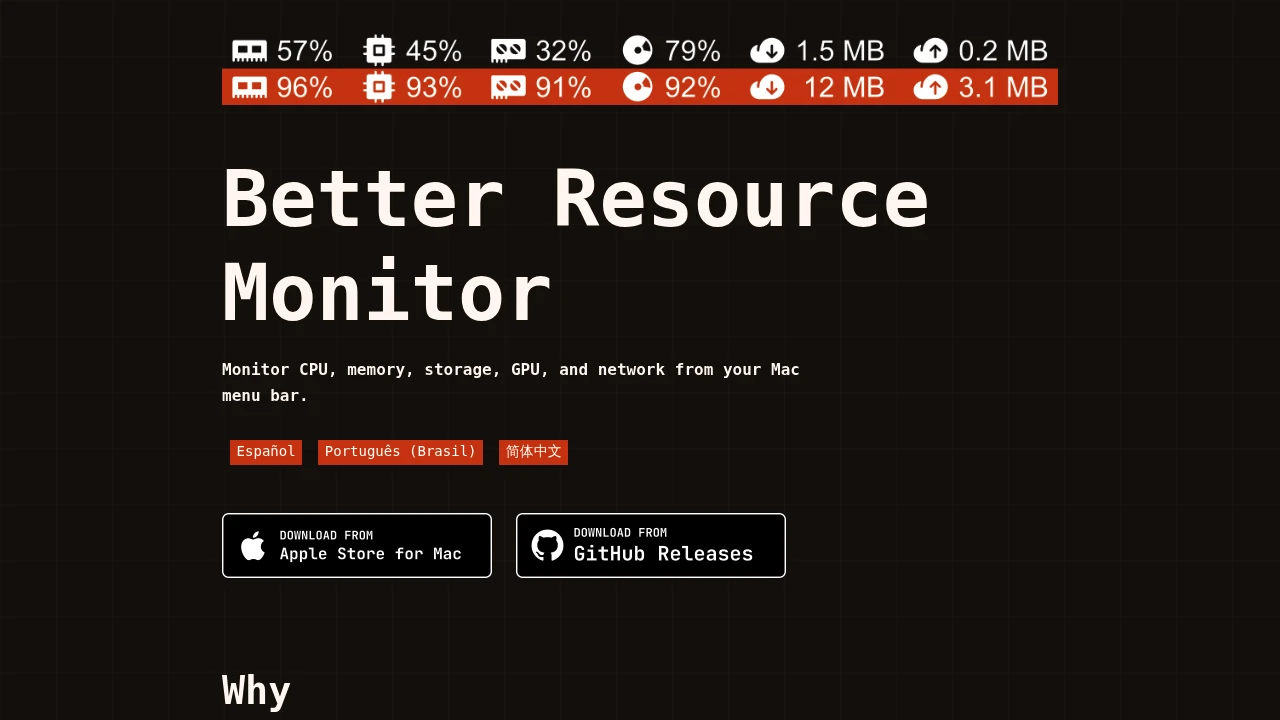
Better Resource Monitor is a lightweight macOS menu bar monitor that gives users a quick view of core system usage without opening Activity Monitor. It displays CPU, memory, storage, GPU, and network activity directly from the menu bar, making it easier to spot unusual system load while continuing to work.
The app is designed for Mac users who want everyday visibility into system performance without installing a heavier monitoring suite. It stays focused on a smaller set of core metrics and avoids additional background services, telemetry, or unnecessary system permissions.
Key Features
Menu Bar System Monitoring
Monitor important system metrics directly from the macOS menu bar.
Better Resource Monitor provides visibility into:
- CPU usage
- Memory usage
- Storage usage
- GPU activity
- Network activity
This allows users to check system performance without opening Activity Monitor or switching away from their current work.
CPU and Memory Monitoring
Keep track of two of the most commonly checked system resources.
The monitor provides a quick view of:
- Current CPU usage
- Memory usage
- Changes in system load
- Unusual resource consumption
This can help users identify when an application or process may be placing additional load on their Mac.
Storage Usage Monitoring
View storage information directly from the menu bar.
Better Resource Monitor reads locally reported capacity data for the main system volume, helping users keep an eye on available storage without opening separate system settings.
GPU Monitoring
Monitor GPU activity using public macOS APIs.
GPU monitoring is designed to provide visibility into graphics usage while remaining within standard macOS security and API boundaries.
The app does not rely on:
- Root helpers
- Private system APIs
- Additional system-level access
This keeps the monitoring approach lightweight and aligned with standard macOS system permissions.
Network Activity
View network usage alongside other core system metrics.
This makes it easier to check whether network activity is unusually high while working, downloading files, transferring data, or running network-heavy applications.
Lightweight Background Operation
Keep system monitoring available without adding unnecessary background overhead.
Better Resource Monitor is designed to:
- Run quietly in the background
- Maintain a lightweight footprint
- Work well on battery-powered Macs
- Avoid unnecessary system services
- Focus on essential monitoring functions
The narrower scope helps keep the app suitable for users who want everyday visibility without a large monitoring suite running in the background.
Privacy-Focused Design
Monitor system usage without analytics or telemetry.
The app operates with:
- No analytics
- No telemetry
- No tracking
- No network requests
It also works offline, so the monitoring functionality does not depend on sending system information to an external service.
Sandboxed macOS App
The application is sandboxed and designed to work within standard macOS security boundaries.
It avoids requiring:
- Administrator permissions
- Root helpers
- Background network access
- External telemetry services
This makes it suitable for users who prefer system utilities with a smaller privacy and permission footprint.
Open Source
Inspect how the application handles system data and access.
Better Resource Monitor is:
- Free to use
- Open source
- MIT licensed
Users who want additional transparency can review the source code and understand how the application accesses and displays system information.
Mac App Store and GitHub Distribution
The same application is available through multiple distribution channels.
The source states that:
- The Mac App Store version is the same app
- The GitHub version provides the same application
- Users can choose the distribution method that works best for them
This provides flexibility without creating separate feature sets between versions.
Intel and Apple Silicon Support
Run the app across modern Mac hardware.
Better Resource Monitor supports:
- Intel Macs
- Apple Silicon Macs
It is compatible with:
- macOS Ventura 13
- Later supported macOS versions
Built for Lightweight macOS Monitoring
Better Resource Monitor combines CPU, memory, storage, GPU, and network monitoring into a simple menu bar utility for macOS.
Instead of trying to replace deeper system administration or hardware monitoring tools, it focuses on the metrics many users check during everyday work.
Key benefits include:
- Quick system visibility
- Menu bar access
- CPU and memory monitoring
- Storage tracking
- GPU activity monitoring
- Network usage visibility
- Low background overhead
- Offline functionality
- No telemetry or analytics
- No administrator permissions
- Open-source access
Built For
- macOS Users
- Developers
- Power Users
- Remote Workers
- Creators
- Designers
- Engineers
- Privacy-Conscious Users
- Users Who Want a Lightweight Alternative to Activity Monitor
Common Use Cases
- Checking CPU usage while running applications
- Monitoring memory consumption
- Watching available storage
- Checking GPU activity
- Spotting unusual system load
- Monitoring network activity
- Keeping core system metrics visible while working
- Using a lightweight menu bar monitor
- Monitoring a Mac without telemetry or network requests
- Inspecting an open-source system utility
Why It Matters
Many system monitoring applications include large collections of hardware metrics, background helpers, additional permissions, telemetry, or features that everyday users may not need. While those tools can be useful for advanced monitoring, they can also add complexity when someone simply wants to see whether their Mac is under unusual CPU, memory, storage, GPU, or network load.
Better Resource Monitor takes a narrower approach. It keeps core system metrics available directly from the macOS menu bar while remaining sandboxed, lightweight, offline, and free from analytics or telemetry. By focusing on commonly checked system information and using public macOS APIs, it provides everyday monitoring without trying to become a full system administration suite.
Monitor Core Mac System Usage From the Menu Bar
Keep CPU, memory, storage, GPU, and network usage visible while you work, spot unusual system activity without opening Activity Monitor, run a lightweight sandboxed app with no analytics or telemetry, and monitor your Mac offline across Intel and Apple Silicon hardware running macOS Ventura or later.


