
Niched
A browser-based tool that records the reason for each software choice and monitors evidence like maintenance, licence, and pricing changes.
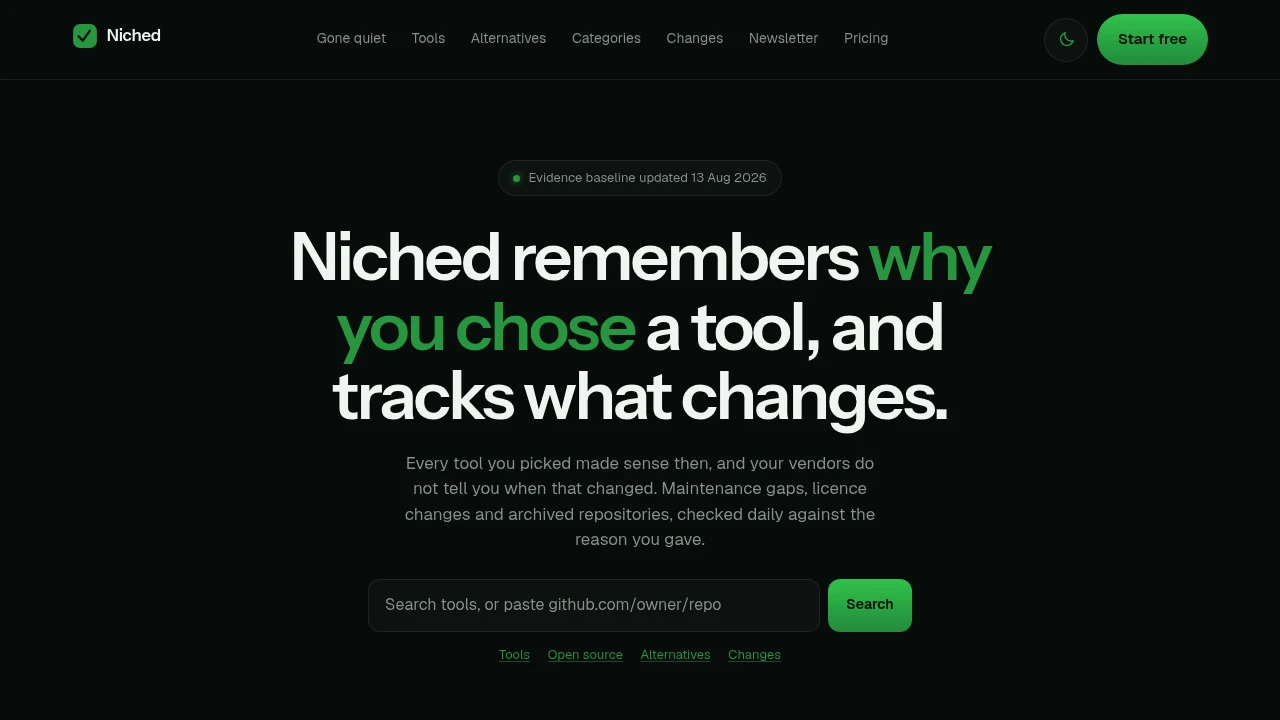
Niched is a software decision monitoring platform that helps teams keep track of why a tool was chosen and whether the evidence behind that decision still holds up over time. It is designed for people managing software stacks, renewals, vendor relationships, and technology risk who need to identify changes before a contract, dependency, or approval becomes a larger problem.
The workflow starts by saving a tool and recording the reason it was originally selected. Niched uses that decision as a baseline, then monitors signals that could affect whether the original reasoning still applies. Instead of reducing everything to a single score, it keeps individual changes visible so teams can understand what changed and why it may matter.
Key Features
Decision Baselines
Record why a software tool was originally chosen.
Niched allows teams to document the reasoning behind a software decision in plain language.
This can include considerations such as:
- Product capabilities
- Maintenance activity
- Pricing
- Licensing
- Vendor history
- Ownership
- Other factors that influenced the decision
The recorded reasoning becomes a baseline for reviewing whether the original decision still holds up over time.
Maintenance Checks
Monitor signals that may indicate changes in a tool's maintenance activity.
Niched watches indicators including:
- Commit recency
- Release cadence
- Archive status
These signals can help teams identify when a previously active project has become quieter, changed its development pace, or been archived.
Licence Change Monitoring
Track changes to published licence information.
Niched captures licence information and compares it across different captures.
This can help surface changes to:
- Licence fields
- Published licence information
- Terms associated with software use
Each change can be reviewed alongside the captured evidence rather than being hidden inside a general software score.
Pricing Change Tracking
Monitor published pricing information over time.
Niched captures published pricing pages and flags changes when pricing information moves.
This can help teams keep track of changes that may affect:
- Software costs
- Renewal decisions
- Budget planning
- Vendor comparisons
- The original justification for choosing a product
The goal is to make pricing changes easier to notice before they become a surprise during renewal or budgeting discussions.
Durability Context
Add additional context around the long-term stability of a software product where information is available.
Niched can include signals related to:
- Operating history
- Ownership changes
- Product continuity
This can provide additional context when evaluating whether a software dependency still appears to fit the assumptions made when it was originally adopted.
Dated Evidence Records
Keep a record of when information was captured and where it came from.
Each capture includes:
- Source information
- Capture date
- The relevant observed data
This creates a dated evidence trail that can be reviewed when comparing past and current information.
Instead of relying only on a current snapshot, teams can see the underlying evidence associated with different points in time.
Separate Change Signals
Review individual changes without collapsing everything into a single score.
Niched keeps signals separate so users can identify whether a change relates to:
- Maintenance activity
- Licensing
- Pricing
- Ownership
- Operating history
- Other recorded evidence
This makes it easier to understand the specific reason a previous software decision may need to be revisited.
For example, a team may find that:
- One tool has become less actively maintained
- Another has changed its licensing terms
- A third has increased in price
Each change can be considered independently instead of being hidden behind a general health score.
Software Decision Self-Audit
Review inherited or existing software choices in plain language.
Niched includes a self-audit style workflow that asks teams to explain why a particular tool is part of their stack.
This can be useful when:
- A team inherited an existing software stack
- A previous decision was made under deadline
- The original decision-maker is no longer available
- The reasoning behind a dependency was never documented
- A renewal or review requires a clearer explanation
The process helps turn an undocumented software choice into a more explicit decision record.
Browser-Based Workflow
Use the software decision review workflow directly in the browser.
According to the product description, Niched does not store, send, or log user data once the browser tab is closed.
This makes it suitable for users who want to review and document software decisions without maintaining a persistent account-based record of the information entered during the session.
Built for Software Decision Monitoring
Niched combines software decision records, maintenance checks, licence monitoring, pricing tracking, durability context, and dated evidence into a workflow for reviewing whether a software choice still makes sense.
The platform focuses on a simple question:
Does the reason this tool was originally chosen still apply?
Instead of treating software evaluation as a one-time activity, Niched helps users revisit the assumptions behind a decision as new evidence appears.
Key benefits include:
- Software decision records
- Plain-language decision baselines
- Maintenance activity monitoring
- Commit and release checks
- Archive status monitoring
- Licence change tracking
- Pricing change detection
- Ownership and operating history context
- Dated evidence records
- Separate change signals
- Software stack self-audits
- Browser-based data handling
Built For
- Engineering Teams
- Technical Leaders
- IT Teams
- Operations Teams
- Procurement Teams
- Software Buyers
- Vendor Managers
- Startup Founders
- Teams Managing Software Renewals
- Teams Maintaining Large Software Stacks
Common Use Cases
- Recording why a software tool was selected
- Reviewing inherited software decisions
- Monitoring open-source project maintenance
- Tracking changes in release activity
- Identifying archived projects
- Watching for licence changes
- Monitoring published pricing shifts
- Reviewing vendor or ownership changes
- Preparing for software renewals
- Identifying risks in important dependencies
- Comparing current evidence with the original software decision
- Maintaining a clearer record of software stack choices
Why It Matters
Software decisions are often made at a specific moment based on the information available at the time. A tool may be selected because it is actively maintained, affordable, appropriately licensed, independently owned, or well suited to a particular technical requirement.
Those conditions can change after adoption.
A project can become inactive, a licence can change, pricing can increase, or ownership can shift. When the original decision is not documented, teams may struggle to determine whether the software still meets the reason it was chosen in the first place.
Niched creates a record of the original reasoning and keeps related evidence separate over time. By showing dated captures and individual changes rather than collapsing everything into a single score, it gives teams a clearer way to review what changed and decide whether the original software decision still applies.
Record Why You Chose a Tool and Monitor Whether the Decision Still Holds Up
Document the reason a software tool was selected, use that decision as a baseline, monitor maintenance activity, licence and pricing changes, review operating and ownership context where available, and compare dated evidence over time to identify when the assumptions behind a software decision may no longer apply.


